How to Use Nifty: A Beginner’s Step-by-Step Guide
Learn how to use Nifty with this beginner-friendly step-by-step guide to manage projects, organize tasks, collaborate with your team, and streamline your workflow efficiently.
By TechScaleMedia Editorial · Updated July 2026 · 11 min read
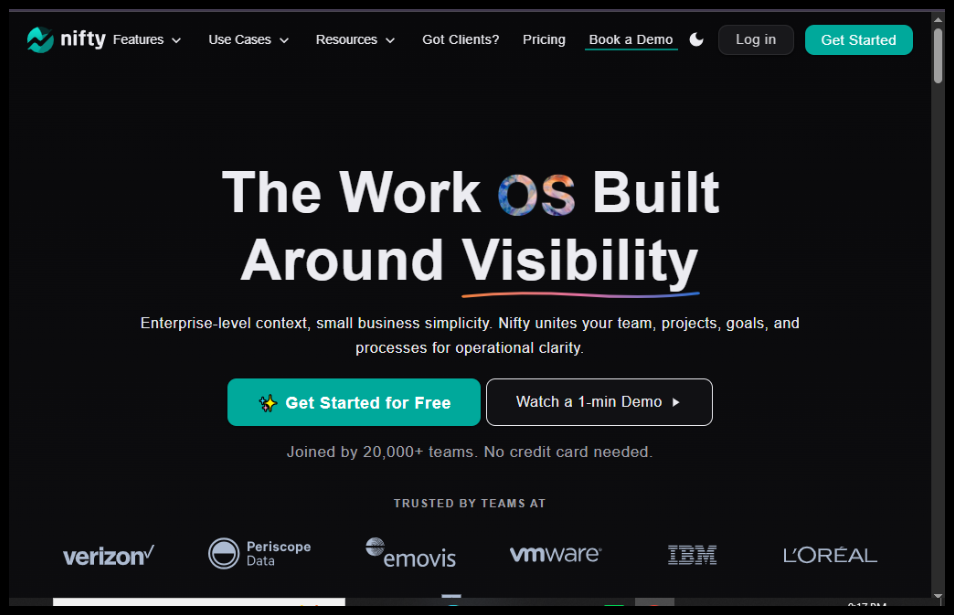
Managing multiple projects, deadlines, and team communication can quickly become overwhelming without the right tools. Nifty is an all-in-one project management and collaboration platform that combines task management, roadmaps, discussions, documents, and time tracking into a single workspace, making it easier for teams to stay organized and productive.
In this guide, you’ll learn how to use Nifty to create projects, assign tasks, collaborate with teammates, monitor progress, and keep every project on track from start to finish.
Looking for a simpler way to manage projects? Nifty brings your tasks, documents, and team communication together in one organized workspace.
How do you use Nifty to manage projects and collaborate with your team?
Quick Answer
Getting started with Nifty is easy:
- Create a Nifty account.
- Set up your workspace.
- Create a new project.
- Add tasks and milestones.
- Invite team members.
- Track project progress.
- Collaborate using discussions and documents.
Prerequisites
Before using Nifty, make sure you have:
- A Nifty account
- Internet connection
- Project details
- Team member email addresses (optional)
- Project deadlines and milestones
- List of tasks to organize
Step-by-Step Instructions
Follow these simple steps to set up your Nifty workspace, organize projects, assign tasks, collaborate with your team, and track progress efficiently from start to finish.
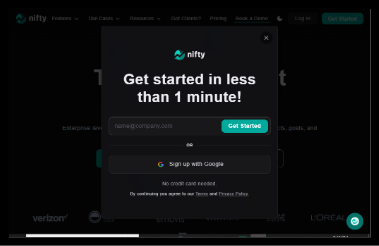
Step 1: Create Your Nifty Account
Visit the Nifty website and sign up using your email address.
Verify your email and log into your account.
Step 2: Create Your Workspace
After signing in, create your workspace by entering:
- Workspace name
- Company or team name
- Workspace logo (optional)
Your workspace will contain all your projects and team members.
Step 3: Create a New Project
Click New Project.
Enter:
- Project name
- Description
- Start date
- Due date
- Project goals
Choose a project template or start from scratch.
Step 4: Add Milestones and Tasks
Organize your project by creating milestones.
Then add tasks with:
- Task title
- Description
- Due date
- Priority
- Assignee
- Tags
You can also create subtasks for larger assignments.
Step 5: Invite Your Team
Click Invite Members.
Add teammates using their email addresses and assign appropriate permissions.
Your team can now:
- View projects
- Update tasks
- Leave comments
- Share files
- Collaborate in real time
Step 6: Track Progress
Use Nifty’s project views to monitor:
- Task completion
- Project milestones
- Workload
- Deadlines
- Team activity
Switch between List, Board, Timeline, or Calendar views depending on your workflow.
Step 7: Collaborate with Documents and Discussions
Nifty includes built-in collaboration tools where you can:
- Create project documents
- Store meeting notes
- Share updates
- Start discussions
- Attach files
This keeps communication connected to each project.
Step 8: Generate Reports
Review project performance through reports that show:
- Completed tasks
- Pending work
- Time tracking (if enabled)
- Team productivity
- Milestone progress
Use these insights to improve future projects.
How can you get the most value from Nifty?
Tips
Get the most out of Nifty by keeping your workspace organized, using task automation, and regularly tracking project progress to stay on schedule.
- Break large projects into milestones.
- Assign every task to an owner.
- Use recurring tasks for routine work.
- Keep project discussions inside Nifty.
- Update task statuses regularly.
- Review milestones every week.
- Use templates for recurring projects.
- Archive completed projects to reduce clutter.
What mistakes should you avoid when using Nifty?
Common Mistakes
- Creating projects without clear milestones.
- Forgetting to assign task owners.
- Ignoring due dates.
- Storing project files outside the workspace.
- Leaving completed tasks open.
- Not updating project progress regularly.
What should you do if Nifty isn’t working as expected?
Troubleshooting
Learn how to identify and fix common issues in Nifty, from setup problems to task management errors, with simple solutions for a smoother experience.
Team members can’t access a project
Check workspace permissions and project sharing settings.
Tasks aren’t appearing
Refresh the workspace and verify task filters.
Notifications aren’t arriving
Review your notification preferences and email settings.
Unable to upload files
Check file size limits and supported file formats.
Login issues
Reset your password or verify your email address.
How can you manage projects more efficiently with Nifty?
Best Practices
- Plan milestones before assigning tasks.
- Keep task descriptions detailed.
- Hold weekly project reviews.
- Encourage team collaboration through comments.
- Use dashboards to monitor progress.
- Keep documents organized inside projects.
- Track deadlines consistently.
- Regularly clean up inactive projects.
Frequently Asked Questions
Is Nifty free?
Nifty offers a free plan with essential project management features, while premium plans include advanced collaboration, reporting, and automation capabilities.
Can I manage multiple projects in Nifty?
Yes. Nifty allows you to manage multiple projects from a single workspace.
Does Nifty support team collaboration?
Yes. Team members can collaborate through shared tasks, discussions, documents, and file sharing.
Can I track project progress?
Absolutely. Nifty includes timelines, milestones, dashboards, and reporting tools to help monitor project performance.
Does Nifty integrate with other tools?
Yes. Nifty integrates with many popular productivity and collaboration applications to streamline workflows.
Is Nifty suitable for small businesses?
Yes. Nifty is ideal for freelancers, startups, agencies, and enterprises looking for an all-in-one project management solution.
Conclusion
Nifty combines project planning, task management, team collaboration, and reporting into one intuitive platform, making it easier to manage work without switching between multiple tools. Its flexible project views, milestone tracking, and built-in communication features help teams stay aligned and productive.
By following this guide and implementing the best practices outlined above, you’ll be able to organize projects efficiently, improve team collaboration, and keep every deadline under control.
Ready to Streamline Your Projects with Nifty?
Ready to bring your projects, tasks, and team communication into one place? Explore Nifty today and discover a smarter way to plan, collaborate, and deliver successful projects with confidence.