How to Choose a Gaming Headset: A Complete 2026 Guide
Learn how to choose the right gaming headset by comparing sound quality, microphone performance, comfort, connectivity, and compatibility for your gaming setup.
By TechScaleMedia Editorial · Updated July 2026 · 11 min read
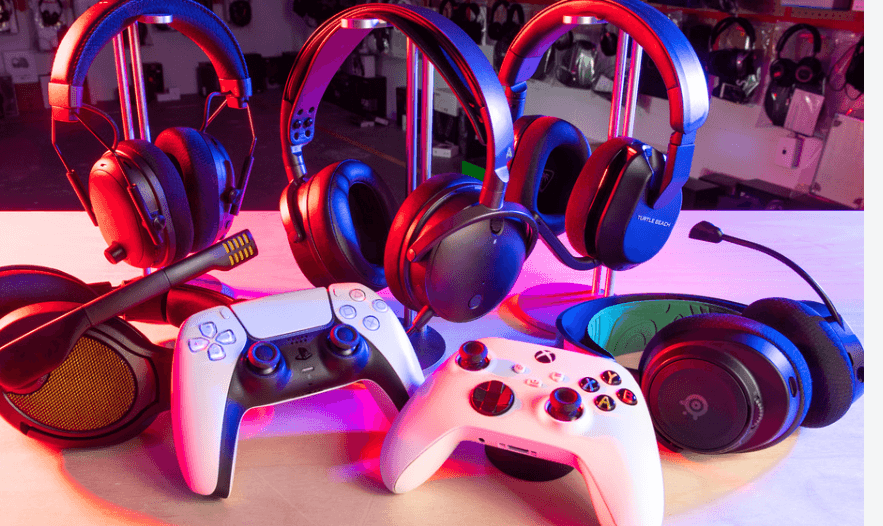
Choosing a gaming headset can be surprisingly difficult. Product pages are packed with specifications such as driver size, latency, frequency response, surround sound, microphone type, battery life, and connectivity. The challenge is knowing which of these features actually matter for the way you play.
The best gaming headset isn’t necessarily the one with the longest feature list or the most impressive-looking specifications. The right choice depends on your gaming style, platform, communication needs, comfort preferences, and budget.
In this guide, we’ll explain the most important gaming headset features, what they mean in real-world use, and which factors deserve the most attention before you buy. If you’re looking for a headset that fits your setup and gaming habits, keep reading to make a more informed decision.
What Should You Look for in a Gaming Headset?
When choosing a gaming headset, focus on the features that directly affect your experience:
- Audio quality for clear and detailed game sound
- Latency for responsive audio in competitive games
- Microphone quality for clear communication
- Comfort for long gaming sessions
- Connectivity for compatibility with your devices
- Battery life if you choose a wireless model
- Platform support to make sure the headset works with your gaming system
- Software features if you need EQ, microphone controls, or other customization
The importance of each feature depends on how you use the headset. Competitive FPS players may care more about verified latency and positional audio, while streamers may put microphone quality first.
Start With Your Gaming Style
Before looking at specifications, consider what you actually do with your headset.
Competitive FPS and Esports
Competitive players generally benefit from clear audio, reliable positional information, and low verified latency. Small delays or unclear sound cues can matter more in fast-paced games where reactions are important.
Single-Player and Story Games
Players who spend most of their time in RPGs, adventure games, or cinematic titles may place greater value on audio fidelity, immersive sound, and long-session comfort.
Multi-Platform Gaming
If you use a PC, console, and mobile device, connectivity becomes especially important. A headset with flexible connection options can reduce compatibility problems when moving between platforms.
Streaming and Content Creation
For streamers and creators, the microphone deserves serious attention. Your audience and teammates hear your microphone output, so clear voice reproduction can be just as important as the sound coming into your headset.
Identifying your primary use case helps narrow the decision without treating every specification as equally important.
Why Audio Quality Matters
A gaming headset’s main job is to reproduce sound clearly, so audio quality should remain one of the most important considerations.
Specifications such as driver size and frequency response can provide useful information, but they don’t tell the entire story.
A larger driver isn’t automatically better. What matters is how the driver is tuned and how accurately the headset reproduces different frequencies.
Good audio tuning can help separate voices, effects, music, footsteps, and environmental sounds without making one part of the frequency range unnecessarily dominant.
For this reason, don’t judge a headset solely by a number printed on its specification sheet. Overall tuning and real-world performance are more meaningful indicators of audio quality.
Understanding Gaming Headset Latency
Latency is the delay between an action occurring in a game and the corresponding sound reaching your ears.
For most casual gaming, small differences may not be noticeable. In competitive FPS and rhythm games, however, low latency can be more important because audio needs to remain closely synchronized with what happens on screen.
One important consideration is that advertised latency figures aren’t always representative of real-world performance. Independent testing can provide a more useful indication of end-to-end audio delay than manufacturer marketing claims.
In 2026, modern 2.4GHz wireless technology has generally reduced latency concerns for mainstream gaming headsets. Bluetooth remains less predictable for demanding gaming because latency can vary considerably depending on the device and connection.
Why Microphone Quality Matters
A gaming headset isn’t only about what you hear. If you play multiplayer games, join Discord calls, stream, or create content, other people also need to hear you clearly.
Microphone performance can be influenced by several factors, including microphone design, positioning, noise handling, and software processing.
Omnidirectional Microphones
An omnidirectional microphone captures sound from multiple directions. This can provide a natural voice presentation and can be more forgiving if you move slightly while speaking.
Cardioid Microphones
A cardioid microphone focuses more strongly on sound coming from the front while reducing pickup from other directions.
This can help limit some background noise, but positioning becomes more important.
For streaming and content creation, microphone software can also provide features such as EQ and noise suppression. However, aggressive processing can make voices sound unnatural, so clarity should remain the priority.
Wired or Wireless: What Should You Consider?
The wired-versus-wireless decision involves more than simply choosing between convenience and cables.
Wireless headsets require additional hardware for the radio, battery, and power management. At the same price level, a wired model may therefore be able to dedicate more of its hardware budget to audio components.
Wireless models, however, provide freedom of movement and eliminate the need for a physical cable connecting the headset to your device.
For many gamers, that convenience can justify the additional cost. The important point is to understand that you’re paying for mobility and convenience, not necessarily better raw audio performance.
Platform Compatibility Is Easy to Overlook
A headset may work perfectly on one platform but have limitations on another.
PC connectivity is generally straightforward, but console support can vary depending on how the system handles USB dongles, wireless connections, Bluetooth, and other audio interfaces.
Before purchasing, check the manufacturer’s compatibility information for your specific platform.
This is particularly important if you plan to use one headset across multiple devices. A headset advertised as “multi-platform” may still have certain features restricted on particular systems.
Comfort Matters for Long Gaming Sessions
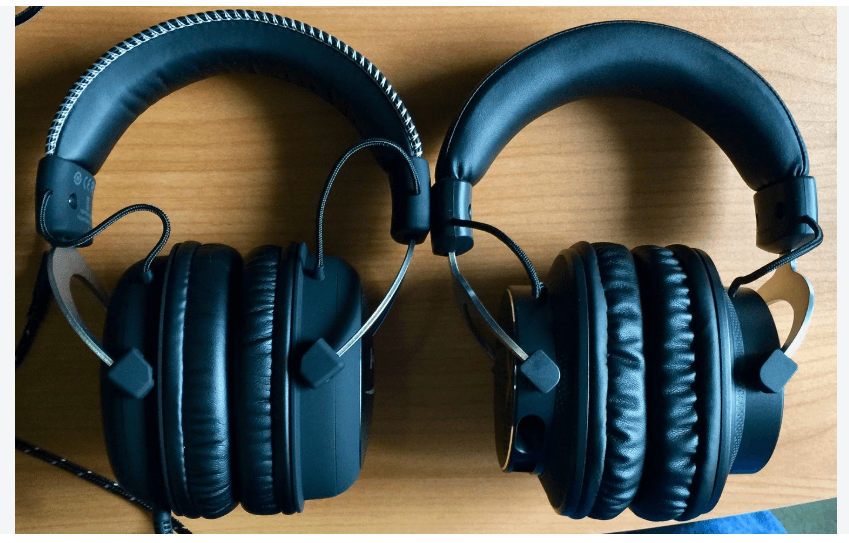
Even excellent audio isn’t useful if the headset becomes uncomfortable after an hour.
Several physical characteristics affect long-session comfort.
Ear Cushion Material
Memory foam cushions can provide a supportive fit, while breathable materials may help reduce heat buildup.
Clamping Force
A headset that clamps too tightly can become uncomfortable over extended periods. One that’s too loose may move around during gameplay.
Weight Distribution
Total weight matters, but how that weight is distributed can be equally important. A well-balanced headset can feel more comfortable than a lighter model with poor weight distribution.
Headband Design
The headband affects pressure distribution and overall stability. A well-designed suspension or padded headband can reduce pressure during extended sessions.
Comfort should therefore be treated as a core performance factor rather than a cosmetic feature.
What About 7.1 Surround Sound?
Virtual 7.1 surround sound should be treated as an optional feature rather than a deciding factor.
It uses software processing to create a wider spatial presentation, but its usefulness depends on the game, headset, and player’s preference.
A headset with 7.1 surround isn’t automatically better than one without it, and the feature doesn’t tell you anything about the quality of the headset’s physical drivers.
If you’re evaluating a headset, consider its fundamental audio performance first and treat virtual surround as an additional feature.
Important Gaming Headset Features to Consider
Beyond the major categories, several specifications can influence the overall experience.
Battery Life
Wireless gamers should pay attention to battery capacity and realistic battery-life claims. Longer battery life means fewer interruptions during extended sessions.
Companion Software
Software can provide useful controls for EQ, microphone settings, firmware updates, and other customization options.
Frequency Response
Frequency response describes the range of frequencies a headset is designed to reproduce. However, a wide advertised range doesn’t automatically mean better sound quality. How those frequencies are tuned matters more.
Build Quality
A headset used regularly should be able to withstand normal wear and movement. Materials, hinges, ear cushions, and headband construction can all influence long-term durability.
Common Gaming Headset Buying Mistakes
Choosing Based Only on Driver Size
A larger driver doesn’t automatically produce better audio. Tuning and overall implementation are equally important.
Trusting Advertised Latency Without Verification
Marketing figures may not represent actual end-to-end performance. Independent testing provides more useful evidence.
Ignoring the Microphone
A headset can sound excellent while providing poor voice quality. Multiplayer gamers and creators should evaluate the microphone separately.
Forgetting Platform Support
Always confirm compatibility with your specific gaming devices before purchasing.
Prioritizing RGB and Extra Features Over Comfort
Lighting and additional features can look appealing, but they don’t compensate for uncomfortable ear cushions, excessive clamping force, or poor weight distribution.
Assuming 7.1 Means Better Audio
Virtual surround is only one feature and isn’t a reliable indicator of overall sound quality.
What Matters Most for Different Gamers?
There isn’t one specification that is equally important for everyone.
Competitive gamers generally benefit from accurate audio and verified low latency.
Single-player gamers may place greater value on detailed sound and comfortable long-session use.
Multi-platform players should pay close attention to connectivity and compatibility.
Streamers and content creators should prioritize microphone quality and useful software controls.
This approach is more practical than searching for an objectively “best” headset because different users have different requirements.
Frequently Asked Questions
What is the most important factor when choosing a gaming headset?
There isn’t one universal answer. Competitive players may prioritize verified low latency, creators may focus on microphone quality, and single-player gamers may value comfort and detailed audio more heavily.
Should I trust the latency numbers on a headset’s packaging?
Treat them cautiously. Independent testing can provide a more reliable indication of actual end-to-end latency than manufacturer claims.
Is a wireless gaming headset worth the extra cost?
It can be if you value cable-free movement. However, a wired headset at a similar price may dedicate more of its hardware budget to audio components because it doesn’t need wireless and battery hardware.
Does driver size determine sound quality?
No. Driver size is only one specification. Tuning, frequency response, acoustic design, and overall implementation also influence how a headset sounds.
Is 7.1 surround sound necessary for gaming?
No. Virtual 7.1 is an optional feature, and its usefulness varies between games and users. It shouldn’t be treated as a requirement or a direct measurement of headset quality.
What should streamers prioritize in a gaming headset?
Microphone clarity should be a major priority because your voice is part of the content your audience hears. Useful software for EQ and noise control can also be valuable.
How important is comfort in a gaming headset?
Very important for anyone who regularly plays for extended periods. Cushion material, clamping force, weight distribution, and headband design can all influence long-session comfort.
Conclusion
Choosing a gaming headset is mainly about matching its features to the way you play. Focus on audio quality, latency, microphone performance, comfort, connectivity, and compatibility before worrying about secondary features.
Rather than chasing the biggest specification list, prioritize the features that will make the biggest difference to your everyday gaming experience.
Find the Right Gaming Headset for Your Setup
Take a closer look at your gaming habits, platform, and priorities before making a purchase. With the right features in place, you can choose a headset that delivers the comfort, audio quality, and functionality your setup actually needs.