How to Use Heimdal Security: A Beginner’s Step-by-Step Guide
Cyber threats are constantly evolving, making it more challenging for businesses to protect their devices, users, and networks. Managing multiple security tools for malware protection, patch management, email security, and privileged access can be time-consuming and leave security gaps.
By TechScaleMedia Editorial · Updated July 2026 · 11 min read
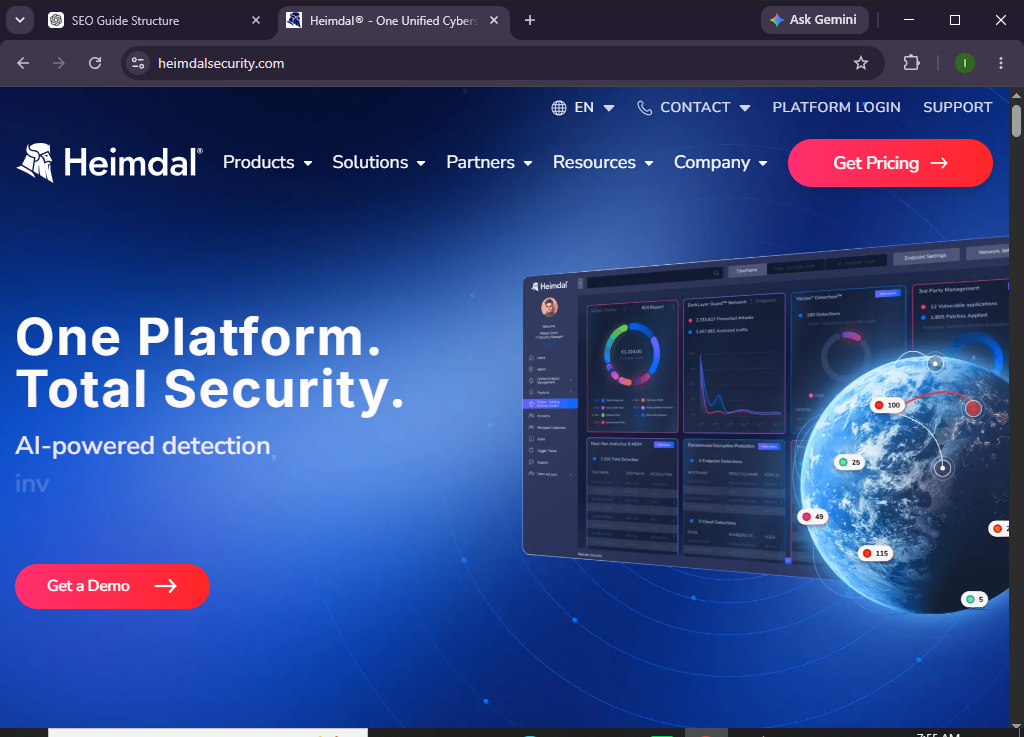
Heimdal Security simplifies cybersecurity by bringing multiple layers of protection into one unified platform. From endpoint security and vulnerability management to privileged access management and ransomware protection, Heimdal helps organizations detect, prevent, and respond to cyber threats more efficiently.
Whether you’re an IT administrator, business owner, or cybersecurity professional, this guide will show you exactly how to set up and use Heimdal Security from scratch.
How Do You Set Up and Use Heimdal Security?
Quick Answer
To use Heimdal Security:
- Create your Heimdal Security account.
- Sign in to the Heimdal dashboard.
- Install the Heimdal Agent on your endpoints.
- Enable the required security modules.
- Configure security and protection policies.
- Deploy protection across your devices.
- Monitor security alerts and endpoint activity.
- Review reports regularly to identify and respond to cyber threats.
- Keep software updated with automated patch management.
- Continuously monitor and optimize your security settings for ongoing protection.
Prerequisites
Before you begin, make sure you have:
- A Heimdal Security account
- An active Heimdal Security subscription
- Administrator privileges
- Windows devices or supported endpoints
- A stable internet connection
- Permission to install endpoint software
- Basic understanding of IT security management
Create a Workflow Manually (Recommended for Beginners)
If you’re new to cybersecurity, protecting your first device in Heimdal Security is the best way to understand how the platform actually works.
Step 1: Create Your Heimdal Security Account
Visit the Heimdal Security website and create your administrator account.
During registration:
- Enter your business information.
- Verify your email address.
- Complete account setup.
- Sign in to the Heimdal Dashboard.
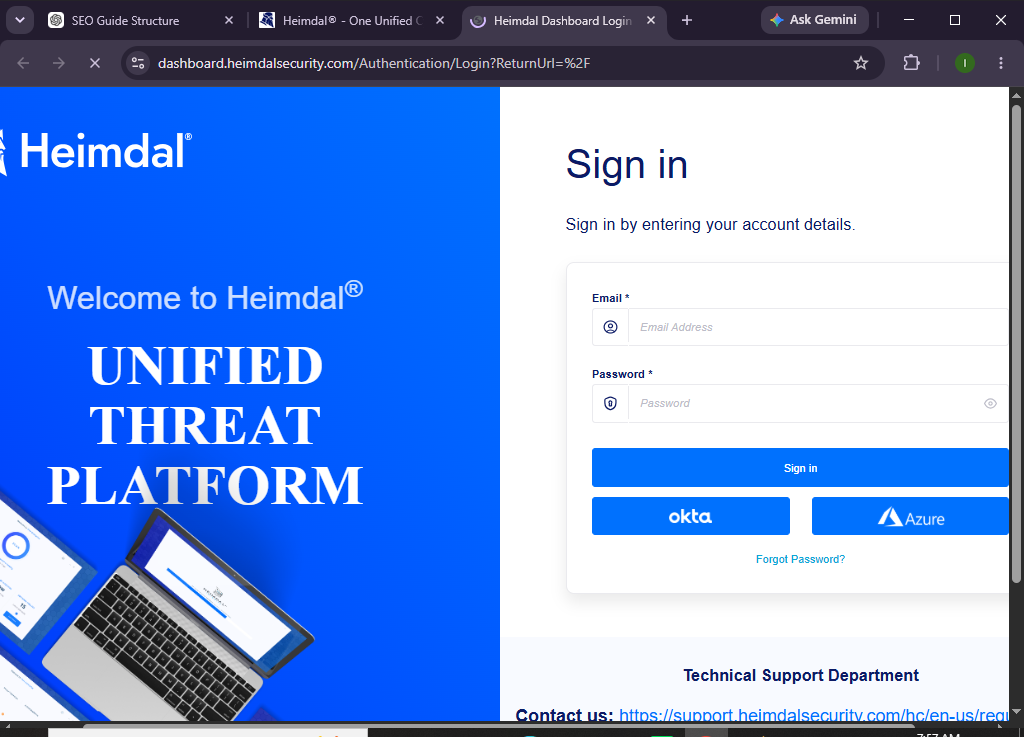
The dashboard is your central hub for managing security policies, devices, and alerts.
Step 2: Explore the Heimdal Dashboard
After logging in, familiarize yourself with the dashboard.
You’ll find sections for:
- Endpoint Security
- Threat Prevention
- Patch Management
- Privileged Access Management
- Next-Gen Antivirus
- Reports
- Device Management
Understanding the dashboard makes future administration much easier.
Step 3: Download and Install the Heimdal Agent
Every protected device requires the Heimdal Agent.
To install it:
- Navigate to Endpoints.
- Download the installation package.
- Run the installer on each device.
- Complete the installation.
- Verify the endpoint appears in the dashboard.
The agent enables communication between devices and the Heimdal platform.
Step 4: Enable Security Modules
Heimdal offers several security modules that can be enabled based on your organization’s needs.
Popular modules include:
- Next-Generation Antivirus
- Threat Prevention
- DNS Security
- Ransomware Encryption Protection
- Patch & Asset Management
- Email Security
- Privileged Access Management
Enable the features that best fit your security requirements.
Step 5: Configure Security Policies
Create security policies for your endpoints.
You can configure:
- Malware protection
- Automatic updates
- Scan schedules
- Patch deployment
- Device permissions
- Access control
Assign policies to individual devices or groups for easier management.
Step 6: Deploy Protection Across Devices
Install the Heimdal Agent on all company devices.
Examples include:
- Employee laptops
- Desktop computers
- Office workstations
- Remote employee devices
- Company servers
Verify each endpoint reports successfully to the dashboard.
Step 7: Run Your First Security Scan
Initiate a security scan to evaluate your endpoints.
The scan checks for:
- Malware
- Vulnerable software
- Missing patches
- Security risks
- Suspicious processes
- System health
Review the results after completion.
Step 8: Monitor Threat Alerts
The Heimdal dashboard continuously monitors your environment.
Review alerts related to:
- Malware detection
- Suspicious activity
- Unauthorized access attempts
- Missing software patches
- Device health
- Ransomware protection
Respond to high-priority alerts promptly.
Step 9: Automate Software Updates
One of Heimdal’s key features is automated patch management.
Enable automatic updates for:
- Operating systems
- Browsers
- Third-party applications
- Security software
Keeping software updated reduces the risk of known vulnerabilities being exploited.
Step 10: Review Reports Regularly
Use Heimdal’s reporting tools to monitor your security posture.
Review reports for:
- Threat activity
- Patch compliance
- Endpoint status
- Device inventory
- Security incidents
- Protection performance
Regular reporting helps improve long-term cybersecurity management.
Looking for an easier way to manage your organization’s cybersecurity?
Discover how Heimdal Security can help centralize your security tools and improve protection across your entire IT environment.
How Can You Get the Best Performance from Heimdal Security?
Tips
- Install the Heimdal Agent on every company device.
- Enable automatic patch management.
- Review threat alerts daily.
- Organize endpoints into device groups.
- Schedule regular malware scans.
- Keep security policies updated.
- Monitor dashboard reports frequently.
- Train employees on cybersecurity awareness.
What Should You Avoid When Using Heimdal Security?
Common Mistakes
- Delaying software updates
- Ignoring threat notifications
- Leaving endpoints unmanaged
- Disabling security modules without reason
- Using outdated operating systems
- Forgetting to review security reports
- Giving excessive administrative privileges
How Can You Strengthen Your Cybersecurity with Heimdal Security?
Best Practices
- Enable all essential security modules.
- Keep every endpoint updated.
- Schedule automatic vulnerability scans.
- Review threat reports regularly.
- Apply software patches promptly.
- Use the principle of least privilege.
- Monitor endpoint health continuously.
- Train employees to recognize phishing attempts.
- Remove inactive devices from management.
- Audit security policies on a regular basis.
What Should You Do If Heimdal Security Isn’t Working?
Troubleshooting
Endpoint isn’t appearing
- Verify the agent installation.
- Check the internet connection.
- Restart the Heimdal service.
Threats aren’t detected
- Confirm protection modules are enabled.
- Update malware definitions.
- Run a manual security scan.
Patch management isn’t working
- Verify policy settings.
- Check administrator permissions.
- Confirm endpoint connectivity.
Dashboard isn’t updating
- Refresh the dashboard.
- Restart the endpoint agent.
- Verify network connectivity.
Frequently Asked Questions
Is Heimdal Security suitable for small businesses?
Yes. Heimdal Security offers solutions for small businesses, mid-sized organizations, and enterprises.
Does Heimdal Security include antivirus protection?
Yes. Heimdal includes Next-Generation Antivirus along with several other cybersecurity modules.
Can Heimdal automatically install software patches?
Yes. Its Patch & Asset Management feature can automate software updates and patch deployment.
Does Heimdal protect remote employees?
Yes. Devices running the Heimdal Agent can remain protected whether employees work remotely or in the office.
Can Heimdal help prevent ransomware?
Yes. Heimdal includes ransomware protection and threat prevention features designed to reduce the risk of ransomware attacks.
Is Heimdal Security cloud-based?
Yes. Administrators can manage protected devices through Heimdal’s centralized cloud-based management dashboard.
Conclusion
Heimdal Security helps organizations simplify cybersecurity by combining endpoint protection, vulnerability management, patch automation, and threat prevention into a single platform. Instead of managing multiple standalone security tools, IT teams can monitor and secure their entire environment from one centralized dashboard.
By following this guide—creating your account, deploying the Heimdal Agent, enabling security modules, configuring policies, monitoring alerts, and reviewing reports—you can build a stronger cybersecurity strategy while reducing operational complexity.
Take a proactive approach to cybersecurity with Heimdal Security.
Deploy intelligent endpoint protection, automate routine security tasks, and help your organization stay ahead of evolving cyber threats with confidence.