How to Use Deel: A Beginner’s Step-by-Step Guide
Learn how to use Deel with this beginner-friendly step-by-step guide covering account setup, hiring, payroll, payments, and essential features for managing global teams efficiently.
By TechScaleMedia Editorial · Updated July 2026 · 11 min read
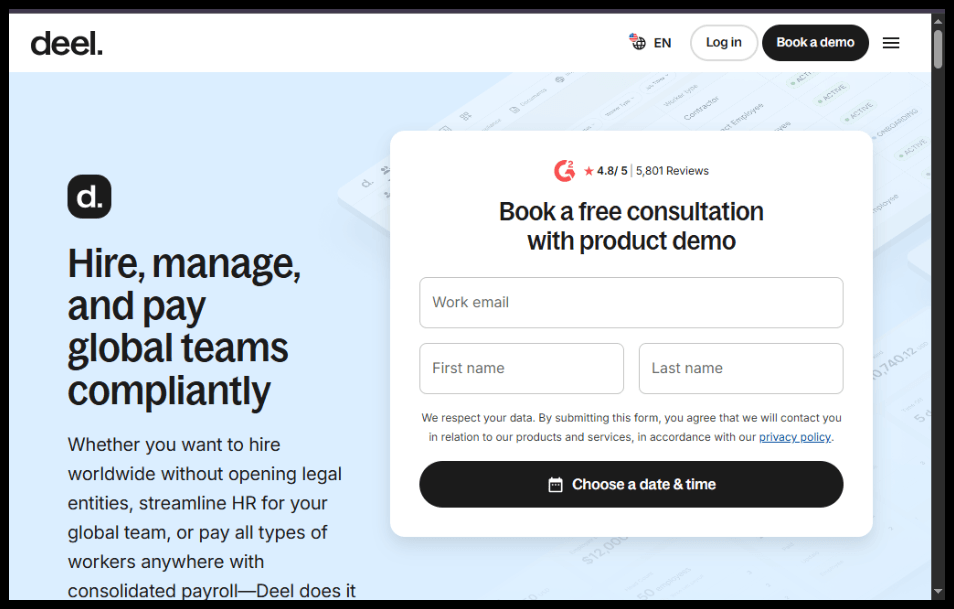
Hiring talent worldwide no longer requires setting up legal entities in multiple countries. With Deel, businesses can hire employees, onboard contractors, process international payroll, and manage compliance from a single platform. Whether you’re a startup, agency, or enterprise, Deel simplifies global workforce management.
In this guide, you’ll learn exactly how to use Deel to hire and pay international team members. We’ll walk you through account setup, onboarding, contract creation, payroll, and best practices to help you get started with confidence.
Ready to simplify global hiring? Try Deel and manage your international workforce from one platform.
How do you use Deel to hire and pay international employees or contractors?
Quick Answer
Using Deel is simple:
- Create a Deel account.
- Set up your company profile.
- Invite employees or contractors.
- Generate compliant contracts.
- Collect required documents.
- Choose payment methods.
- Approve payroll.
- Track payments and compliance from your dashboard.
Prerequisites
Before using Deel, make sure you have:
- A registered Deel account
- Your company information
- Contractor or employee details
- Tax and legal information (if applicable)
- Payment method for payroll
- Internet connection
- HR or payroll approval (if required)
Step-by-Step Instructions
Follow these simple, step-by-step instructions to set up your Deel account, onboard team members, and manage global payroll and compliance with ease.
Step 1: Create Your Deel Account
Visit Deel’s website and sign up using your business email address.
Verify your email and secure your account with two-factor authentication.
Step 2: Complete Your Company Profile
Enter your:
- Business name
- Company address
- Industry
- Tax information
- Billing details
This information helps Deel generate compliant contracts.
Step 3: Add a New Team Member
From the dashboard:
- Click Hire
- Choose Employee or Contractor
- Select the worker’s country
- Enter their personal information
Deel automatically adjusts the onboarding process based on local labor laws.
Step 4: Generate a Contract
Choose a contract template or customize one.
Review:
- Payment amount
- Work schedule
- Benefits
- Notice period
- Intellectual property clauses
Once finalized, send it for electronic signature.
Step 5: Complete Worker Onboarding
Your worker will:
- Upload identification
- Enter tax details
- Add bank information
- Complete required forms
You’ll receive notifications once onboarding is complete.
Step 6: Set Up Payroll
Choose:
- Payment frequency
- Currency
- Salary or contractor payment
- Bonuses (optional)
Review payroll before submission.
Step 7: Approve Payments
Deel calculates:
- Taxes
- Fees
- Employer costs
- Net payments
Approve payroll, and Deel processes payments securely.
Step 8: Monitor Your Global Workforce
Use the dashboard to:
- View payment history
- Download invoices
- Track contracts
- Monitor compliance
- Generate payroll reports
Everything stays organized in one place.
How can you get the most out of Deel?
Tips
Learn the essential steps to set up, navigate, and use Deel efficiently for hiring, payroll, and managing global teams with confidence.
- Complete your company profile before hiring.
- Double-check contract details before sending them.
- Enable two-factor authentication.
- Keep worker documents up to date.
- Review payroll before approval.
- Use reports to monitor payroll expenses.
- Organize workers by department or project.
- Set reminders for contract renewals.
What mistakes should you avoid when using Deel?
Common Mistakes
- Choosing the wrong worker classification.
- Entering incorrect payment details.
- Forgetting to review payroll before approval.
- Missing onboarding documents.
- Ignoring country-specific compliance requirements.
- Waiting until payday to fix payment issues.
What should you do if Deel isn’t working as expected?
Troubleshooting
If Deel isn’t working as expected, check your internet connection, browser settings, and account details, then try refreshing the page or contacting Deel Support if the issue persists.
Payroll won’t process
Verify your payment method and account balance.
Worker can’t complete onboarding
Check whether all required documents have been uploaded.
Contract can’t be signed
Ensure all mandatory fields are completed before sending.
Payment is delayed
Review payment status and verify banking information
Login issues
Reset your password or use account recovery.
How can you manage global hiring more efficiently with Deel?
Best Practices
- Standardize your onboarding process.
- Review contracts carefully before sending.
- Maintain accurate employee records.
- Schedule payroll approvals in advance.
- Regularly audit compliance documents.
- Monitor payroll reports each month.
- Keep communication clear with remote workers.
- Use Deel’s automation features whenever possible.
Frequently Asked Questions
Is Deel free?
Deel offers different pricing plans depending on whether you’re hiring contractors, employees, or using additional HR features.
Can I hire employees internationally with Deel?
Yes. Deel supports hiring employees and contractors in many countries while helping businesses stay compliant with local labor laws.
Does Deel handle payroll?
Yes. Deel manages international payroll, tax calculations, and payments through a centralized platform.
Can contractors choose their payment method?
Yes. Contractors can typically select from multiple payment options depending on their country.
Is Deel suitable for small businesses?
Absolutely. Startups, freelancers, agencies, and enterprises all use Deel to manage global teams.
Is my data secure on Deel?
Deel uses industry-standard security measures to protect user data and financial information.
Conclusion
Deel makes global hiring and payroll significantly easier by bringing contracts, compliance, onboarding, and payments into one platform. Whether you’re expanding your remote team or managing international contractors, following the steps in this guide will help you streamline your hiring process while reducing administrative work.
By taking advantage of Deel’s automation, maintaining accurate records, and following payroll best practices, you can focus more on growing your business and less on managing paperwork.
Ready to Get Started with Deel?
Start hiring and paying your global team with confidence. Try Deel today and simplify international HR, payroll, and compliance—all from one powerful platform