How to Use Beehiiv: A Beginner’s Step-by-Step Guide
Learn how to use Beehiiv with this beginner-friendly step-by-step guide to create newsletters, grow your email audience, automate campaigns, and track your publication’s performance.
By TechScaleMedia Editorial · Updated July 2026 · 11 min read
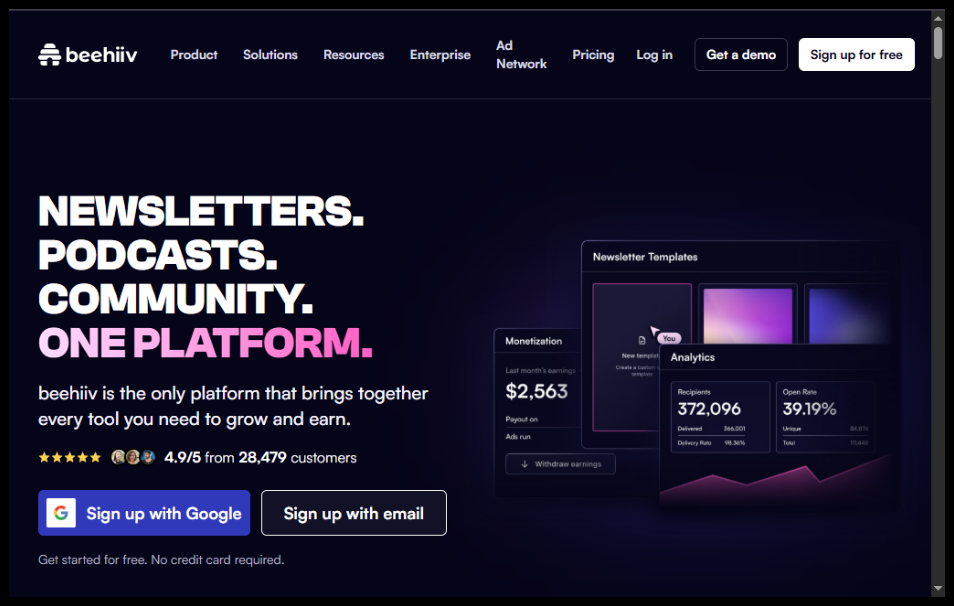
Email newsletters have become one of the most effective ways to build an audience, promote a business, and generate recurring revenue. Beehiiv is an all-in-one newsletter platform that makes it easy to create professional emails, grow subscribers, automate campaigns, and even monetize your content—all without needing technical expertise.
In this guide, you’ll learn how to use Beehiiv to launch your first newsletter, customize your publication, send emails, and track your performance. Whether you’re a creator, marketer, entrepreneur, or business owner, this guide will help you get started quickly.
Ready to grow your audience with email? Try Beehiiv and launch your professional newsletter today.
How do you use Beehiiv to create and send a newsletter?
Quick Answer
Using Beehiiv is simple:
- Create a Beehiiv account.
- Set up your publication.
- Customize your newsletter.
- Import or collect subscribers.
- Write your first newsletter.
- Preview and send your email.
- Track analytics and grow your audience.
Prerequisites
Before using Beehiiv, you’ll need:
- A Beehiiv account
- A verified email address
- Newsletter name and description
- Logo and branding assets (optional)
- Subscriber list (optional)
- Internet connection
Step-by-Step Instructions
Follow these simple steps to set up your Beehiiv account, create your first newsletter, grow your audience, and manage your email publishing with ease.
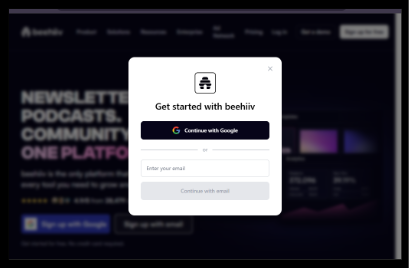
Step 1: Create Your Beehiiv Account
Visit Beehiiv’s website and sign up using your email address.
Verify your email and complete the account setup process.
Step 2: Create Your Publication
After logging in:
- Enter your newsletter name
- Add a short description
- Choose your publication URL
- Upload your logo
This creates the foundation of your newsletter
Step 3: Customize Your Newsletter
Open the customization settings and configure:
- Brand colors
- Fonts
- Header image
- Logo
- Email layout
- Footer information
This ensures every newsletter matches your brand identity.
Step 4: Import or Grow Your Subscribers
You can:
- Import an existing email list
- Create signup forms
- Share your signup page
- Embed forms on your website
- Use referral programs to gain subscribers
Step 5: Write Your First Newsletter
Click Create Post.
Add:
- Newsletter title
- Email content
- Images
- Buttons
- Links
- Call-to-action
Use the editor to format your content professionally.
Step 6: Preview and Send
Before publishing:
- Preview on desktop
- Preview on mobile
- Send a test email
- Check links and formatting
When everything looks good, click Publish & Send.
Step 7: Monitor Analytics
After sending your newsletter, review:
- Open rate
- Click-through rate
- Subscriber growth
- Unsubscribes
- Referral performance
- Audience engagement
Use these insights to improve future newsletters.
Step 8: Grow and Monetize
Beehiiv offers several growth features, including:
- Referral programs
- Audience segmentation
- Automated email sequences
- Paid subscriptions
- Sponsorship opportunities
These tools help you scale your newsletter over time.
How can you get the best results with Beehiiv?
Tips
Get practical tips to grow your newsletter, improve engagement, and make the most of Beehiiv’s publishing features.
- Write compelling subject lines.
- Send newsletters consistently.
- Keep paragraphs short and readable.
- Include clear calls-to-action.
- Use audience segmentation.
- Test emails before sending.
- Track analytics after every campaign.
- Encourage readers to share your newsletter.
What mistakes should you avoid when using Beehiiv?
Common Mistakes
- Sending emails without testing them.
- Using misleading subject lines.
- Ignoring subscriber analytics.
- Sending newsletters too frequently.
- Forgetting mobile optimization.
- Buying email lists instead of growing organically.
What should you do if Beehiiv isn’t working as expected?
Troubleshooting
Learn how to identify and fix common Beehiiv issues, from setup errors to newsletter delivery problems, with simple solutions.
Emails aren’t sending
Verify your sender email and check your account status.
Imported subscribers are missing
Review your CSV file format and required fields.
Newsletter formatting looks incorrect
Preview your email before publishing and adjust formatting.
Low open rates
Improve your subject lines and send emails at optimal times.
Signup form isn’t working
Ensure the form is properly embedded and published.
How can you grow your newsletter faster with Beehiiv?
Best Practices
- Publish consistently.
- Focus on valuable content.
- Build an organic subscriber list.
- Personalize your emails.
- Use referral programs.
- Segment your audience.
- Review analytics after every campaign.
- Experiment with different content formats.
Frequently Asked Questions
Is Beehiiv free?
Yes. Beehiiv offers a free plan with basic newsletter features, along with paid plans for advanced growth and monetization tools
Can I import subscribers?
Yes. Beehiiv allows you to import existing email subscribers using a CSV file.
Can I monetize my newsletter?
Yes. Beehiiv supports paid subscriptions, sponsorships, and other monetization options.
Does Beehiiv provide analytics?
Yes. You can track opens, clicks, subscriber growth, referrals, and other key performance metrics.
Can I automate email sequences?
Yes. Beehiiv supports automated email campaigns for onboarding and audience engagement.
Is Beehiiv suitable for beginners?
Absolutely. Beehiiv is designed with an intuitive interface that makes it easy for beginners to create and manage professional newsletters.
Conclusion
Beehiiv is a powerful yet beginner-friendly platform for launching, growing, and monetizing email newsletters. With built-in tools for customization, subscriber management, analytics, and automation, it provides everything you need to build a successful newsletter business from one dashboard.
By following this guide and consistently delivering valuable content, you’ll be well on your way to growing an engaged audience and making the most of Beehiiv’s powerful features.
Start Growing Your Newsletter with Beehiiv Today
Start building your email audience today. Try Beehiiv and create professional newsletters, grow your subscribers, and monetize your content—all from one easy-to-use platform.