How to Use Sunsama: A Beginner’s Step-by-Step Guide
Staying productive isn’t just about completing more tasks—it’s about working intentionally. Sunsama is a digital daily planner that combines your tasks, calendar, emails, and project management tools into one focused workspace. It encourages mindful planning by helping you prioritize what truly matters each day instead of overwhelming yourself with endless to-do lists.
By TechScaleMedia Editorial · Updated July 2026 · 11 min read
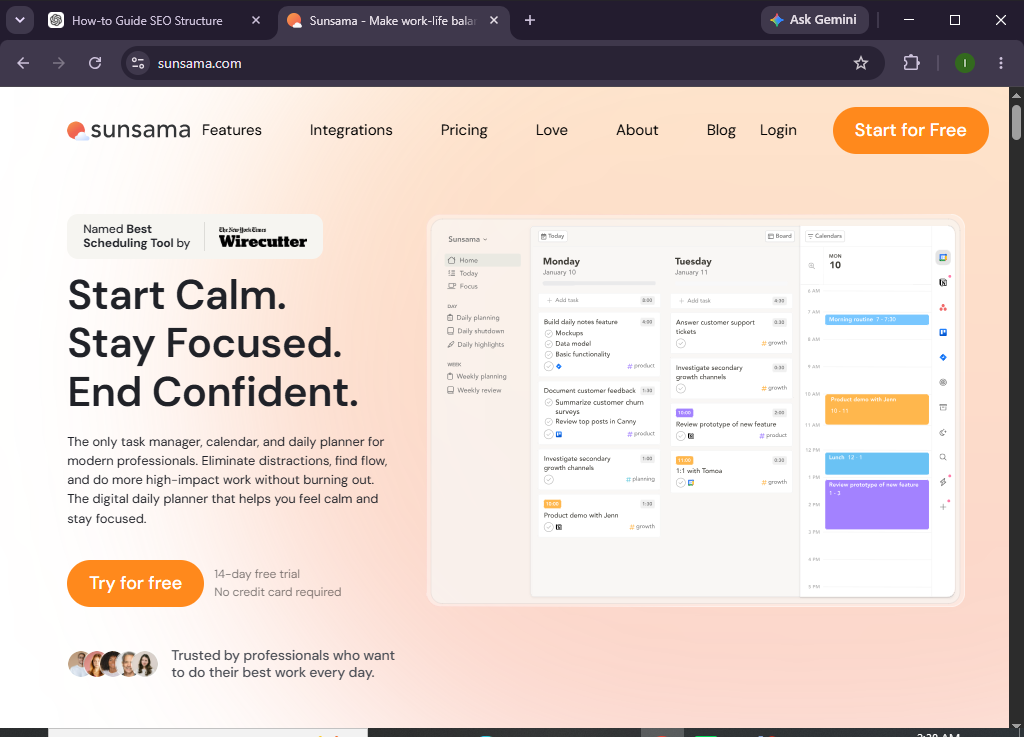
In this guide, you’ll learn how to use Sunsama to organize your workday, schedule tasks, manage projects, and build a healthier productivity routine.
How do you use Sunsama to plan your day and manage your tasks?
Quick Answer
Getting started with Sunsama is simple:
- Create a Sunsama account.
- Connect your calendar and productivity apps.
- Import or create tasks.
- Prioritize your daily work.
- Schedule tasks with time blocking.
- Track your progress throughout the day.
- Complete a daily review and prepare for tomorrow.
Prerequisites
Before using Sunsama, you’ll need:
- A Sunsama account
- Internet connection
- Google Calendar or Outlook Calendar
- Task management apps (optional)
- List of projects or daily tasks
- Desktop or web browser
Create a Workflow Manually (Recommended for Beginners)
If you’re new to productivity planning, organizing your first workspace in Sunsama is the best way to understand how the platform actually works.
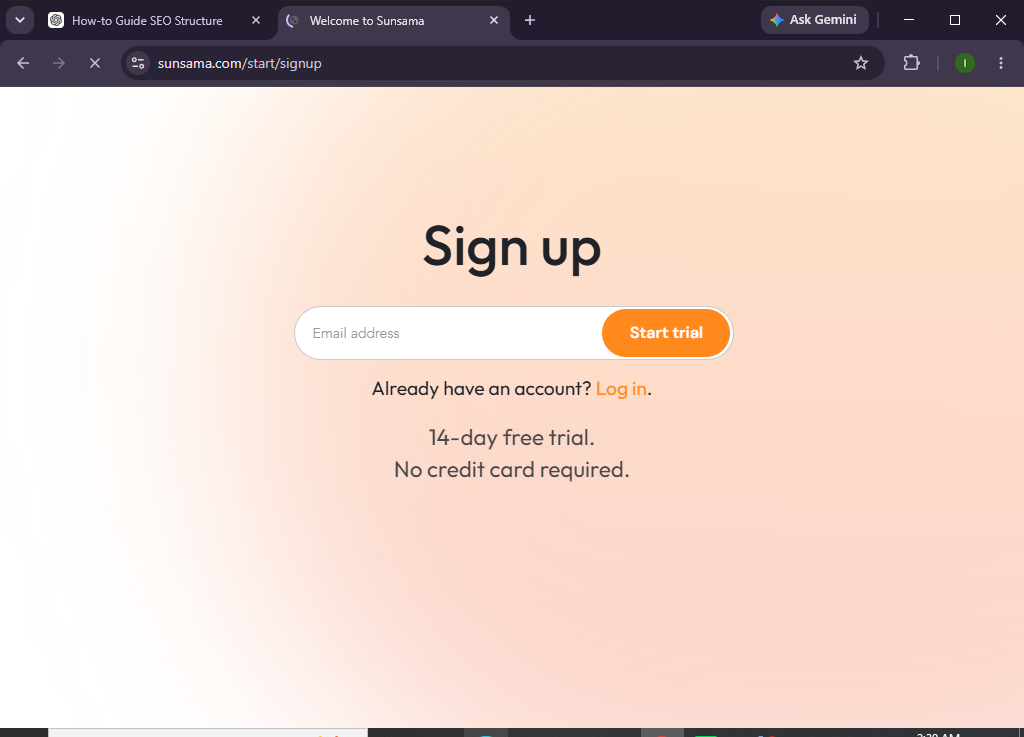
Step 1: Create Your Sunsama Account
Visit the Sunsama website and sign up using your email address or Google account.
Complete the onboarding process and access your workspace.
Step 2: Connect Your Calendar and Apps
Navigate to Settings > Integrations.
Connect services such as:
- Google Calendar
- Outlook Calendar
- Trello
- Asana
- ClickUp
- Notion
- Jira
- Todoist
- Gmail
- Slack
This allows Sunsama to bring all your work into one place.
Step 3: Import or Create Tasks
Import tasks from connected apps or add new ones manually.
For each task, include:
- Title
- Description
- Due date
- Estimated duration
- Priority
- Project
Step 4: Plan Your Day
Sunsama encourages daily planning before you begin working.
Review:
- Meetings
- Deadlines
- Available work hours
- Task priorities
Select only the tasks you realistically expect to complete.
Step 5: Time Block Your Tasks
Drag each task onto your calendar.
Assign dedicated time blocks for:
- Deep work
- Meetings
- Administrative tasks
- Breaks
- Personal commitments
Time blocking helps create a balanced daily schedule.
Step 6: Work Through Your Schedule
As you complete tasks:
- Mark them as finished
- Reschedule unfinished work
- Adjust priorities
- Add new tasks if needed
Sunsama keeps your schedule organized throughout the day.
Step 7: Conduct a Daily Shutdown
At the end of your workday:
- Review completed tasks
- Move unfinished work to another day
- Reflect on your progress
- Plan tomorrow’s priorities
This helps you end the day with clarity and prepare for the next one.
Step 8: Monitor Productivity
Review your planning history to identify:
- Completed work
- Time allocation
- Productivity trends
- Planning habits
Use these insights to improve future scheduling.
Looking for a calmer, more intentional way to plan your day?
Sunsama helps you balance your workload, protect your focus, and finish each day with confidence.
How can you make the most of Sunsama?
Tips
- Plan your day before checking emails.
- Keep your daily task list realistic.
- Estimate task durations accurately.
- Schedule dedicated focus time.
- Review your calendar every morning.
- Complete the daily shutdown routine.
- Sync your integrations regularly.
- Leave space for unexpected work.
What mistakes should you avoid when using Sunsama?
Common Mistakes
- Planning too many tasks in one day.
- Ignoring time estimates.
- Skipping the daily planning ritual.
- Forgetting to reschedule unfinished work.
- Overloading your calendar with meetings.
- Not reviewing your day before logging off.
How can you improve daily productivity with Sunsama?
Best Practices
- Start each morning with intentional planning.
- Focus on quality rather than quantity.
- Block time for important work first.
- Schedule regular breaks.
- Review your priorities throughout the day.
- Keep your integrations connected.
- Reflect on completed work every evening.
- Build a consistent daily planning routine.
What should you do if Sunsama isn’t working properly?
Troubleshooting
Calendar isn’t syncing
Reconnect your calendar integration and verify permissions.
Imported tasks aren’t showing
Refresh your connected apps and check integration settings.
Unable to schedule tasks
Ensure your calendar has available time slots.
Daily planning isn’t updating
Refresh the workspace or log out and back in.
Login issues
Reset your password or verify your email address.
Frequently Asked Questions
Is Sunsama free?
Sunsama offers a free trial, while ongoing access requires a paid subscription with full productivity and integration features.
Does Sunsama integrate with Google Calendar?
Yes. Sunsama integrates with Google Calendar, Outlook Calendar, and several popular productivity tools.
Can I import tasks from other apps?
Yes. Sunsama supports importing tasks from platforms such as Trello, Asana, ClickUp, Notion, Todoist, and Jira.
What is the Daily Shutdown feature?
The Daily Shutdown helps you review your accomplishments, reschedule unfinished work, and prepare for the next workday.
Is Sunsama suitable for remote workers?
Absolutely. Sunsama is ideal for freelancers, remote professionals, entrepreneurs, managers, and anyone who wants to organize their workday more effectively.
Can Sunsama help with time blocking?
Yes. Time blocking is one of Sunsama’s core features, allowing you to assign dedicated calendar time to each task.
Conclusion
Sunsama helps you take control of your workday by combining daily planning, task management, calendar scheduling, and productivity tools into one organized workspace. Its mindful planning approach encourages realistic scheduling, better focus, and healthier work habits, making it easier to stay productive without feeling overwhelmed.
By following this guide, you’ll be able to organize your tasks, manage your time effectively, and build a sustainable daily workflow that supports long-term productivity.
Plan with purpose, not pressure.
Start using Sunsama today to create more focused workdays, stay on top of your priorities, and build a productivity routine that works for you.