How to Use Better Stack: A Beginner’s Step-by-Step Guide
Master Better Stack with this beginner-friendly, step-by-step guide to set up monitoring, incident management, and observability for your applications with ease.
By TechScaleMedia Editorial · Updated July 2026 · 11 min read
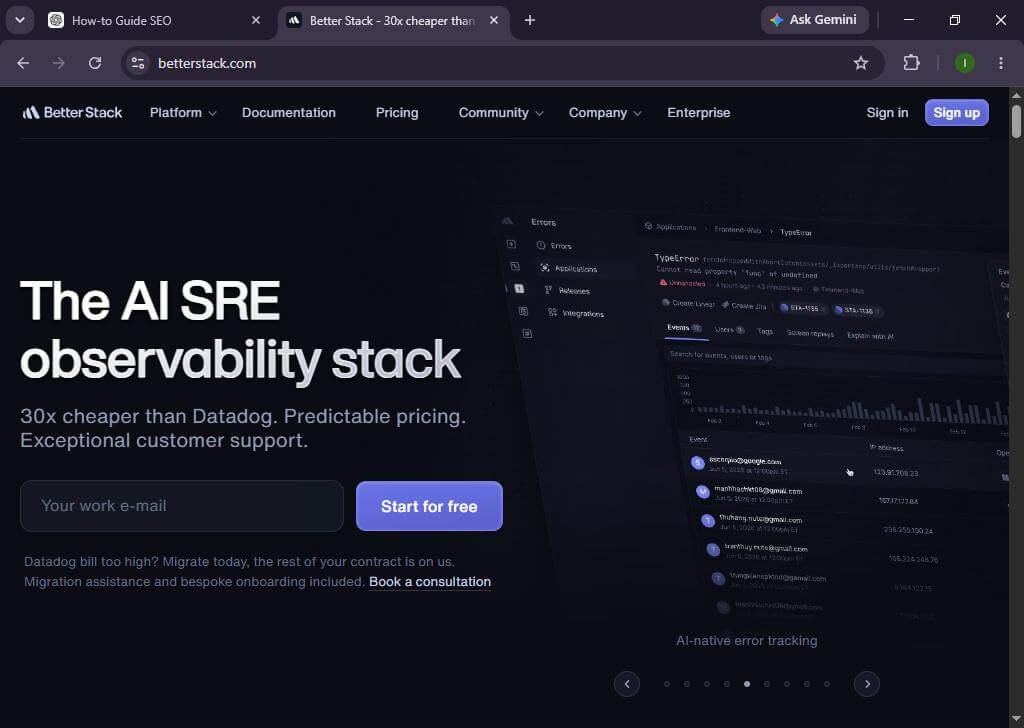
Website downtime, slow response times, and missed incidents can negatively affect your business and user experience. That’s where Better Stack comes in. It combines uptime monitoring, incident management, log management, and on-call alerting in one platform, making it easier to monitor your applications and infrastructure.
Whether you’re a developer, DevOps engineer, or business owner, this guide will show you exactly how to use Better Stack for effective monitoring. New to Better Stack? Follow this beginner-friendly guide and start monitoring your websites and servers in just a few minutes.
How do you use Better Stack?
Quick Answer
To use Better Stack:
- Create a Better Stack account.
- Add your website or server.
- Configure uptime monitoring.
- Set alert notification channels.
- Monitor incidents and logs.
- Review reports and optimize performance.
Prerequisites
Before getting started, make sure you have:
- A Better Stack account
- Your website URL or server IP
- Access to your DNS or server (if required)
- Email or Slack for notifications
- Stable internet connection
Step-by-Step Instructions
Follow these simple steps to set up Better Stack, configure your monitoring tools, and start tracking your applications with confidence.
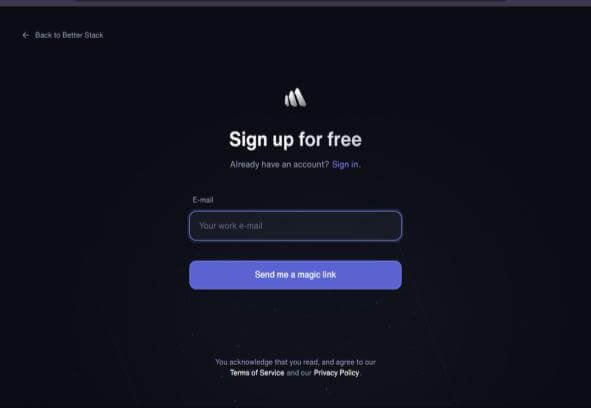
Step 1: Create Your Better Stack Account
- Visit the Better Stack website.
- Sign up using your email or Google account.
- Verify your email.
- Log in to your dashboard.
Step 2: Add a New Monitor
- Click New Monitor.
- Select HTTP(s) or another monitor type.
- Enter your website URL.
- Choose the monitoring interval.
- Save your monitor.
Step 3: Configure Alert Notifications
- Open Alerting Settings.
- Add notification channels such as:
- Slack
- Microsoft Teams
- SMS
- Discord
- Save the configuration.
Step 4: Set Incident Rules
Create escalation policies for downtime.
Examples:
- Notify immediately
- Escalate after 5 minutes
- Notify another team member if unresolved
Step 5: Monitor Logs
If using Better Stack Logs:
- Connect your application.
- Send logs using supported integrations.
- Filter logs by service or severity.
- Investigate issues quickly.
Step 6: Review Reports
Monitor:
- Uptime percentage
- Response time
- Downtime history
- Incident timeline
- Performance metrics
Use reports to improve application reliability.
How can you get better monitoring results with Better Stack?
Tips
Follow these best practices to optimize Better Stack monitoring, reduce alert fatigue, and improve the reliability of your application monitoring.
- Monitor multiple endpoints.
- Use shorter check intervals for critical services.
- Configure multiple alert channels.
- Test alerts regularly.
- Review uptime reports weekly.
What mistakes should you avoid when using Better Stack?
Common Mistakes
- Forgetting to verify notification channels.
- Using long monitoring intervals.
- Ignoring incident reports.
- Not configuring escalation rules.
- Monitoring only the homepage.
Why isn’t Better Stack monitoring my website correctly?
Troubleshooting
Possible solutions:
- Verify the website URL.
- Check firewall settings.
- Confirm your website is publicly accessible.
- Test notification integrations.
- Review monitor configuration.
What are the best practices for using Better Stack effectively?
Best Practices
Discover proven best practices to maximize Better Stack’s performance, improve alert accuracy, and maintain reliable, proactive system monitoring.
- Create monitors for every important service.
- Organize monitors into projects.
- Enable incident escalation.
- Integrate Slack or Teams.
- Analyze reports regularly.
- Keep contact lists updated.
Frequently Asked Questions
Is Better Stack free?
Yes. Better Stack offers a free plan with limited monitoring features.
Can Better Stack monitor servers?
Yes. It supports website, server, API, and infrastructure monitoring.
Does Better Stack send alerts?
Yes. Alerts can be sent via email, Slack, SMS, Microsoft Teams, Discord, PagerDuty, and more.
Can I monitor APIs?
Yes. Better Stack supports API endpoint monitoring.
Is Better Stack suitable for beginners?
Yes. Its interface is user-friendly and easy to configure.
Conclusion
Better Stack simplifies uptime monitoring, incident management, and observability by bringing everything into one platform. By following the steps in this guide, you can quickly set up monitors, receive alerts, and improve your application’s reliability.
Start Monitoring with Better Stack Today
Start using Better Stack today to monitor your websites, APIs, and servers with confidence. Set up your first monitor, configure alerts, and keep your services running smoothly.