How to Use CodeRabbit to Automate Code Reviews and Find Bugs Faster
Reviewing every pull request manually can slow down software development, especially as your project and team grow. Finding bugs, checking coding standards, and ensuring code quality takes time, which can delay releases and increase the workload for developers.
By TechScaleMedia Editorial · Updated July 2026 · 11 min read
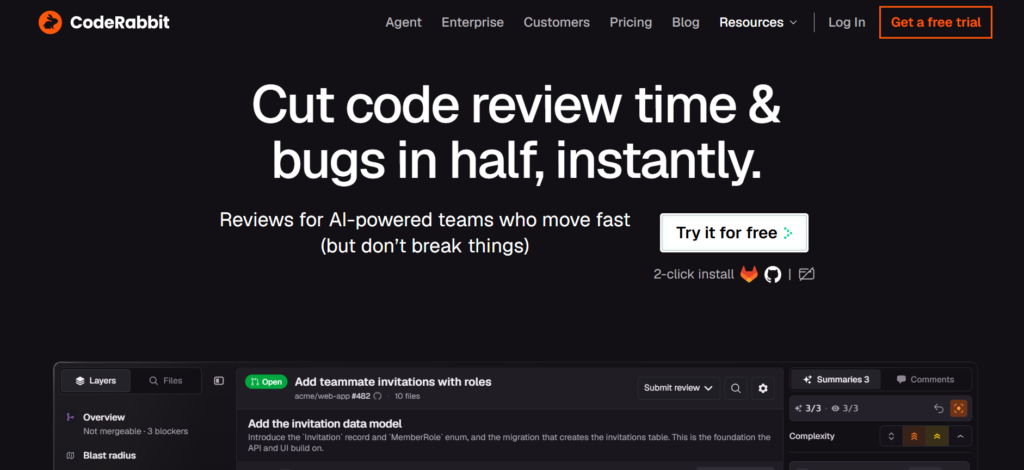
CodeRabbit solves this problem by automatically reviewing GitHub pull requests using AI. It analyzes your code changes, identifies potential bugs, suggests improvements, and provides instant feedback directly inside your pull requests. This allows developers to spend less time on repetitive reviews and more time building great software.
In this guide, we’ll walk through a step-by-step tutorial on how to use CodeRabbit to automatically review GitHub pull requests, helping you improve code quality while speeding up your development workflow.
Quick Answer
To use CodeRabbit, create an account, connect your GitHub repository, install the CodeRabbit GitHub App, and open a pull request. CodeRabbit automatically analyzes your code, posts AI-powered review comments, highlights potential bugs and improvements, and lets you update your code before merging. This helps developers review pull requests faster while maintaining high code quality.
Prerequisites
Before you begin, make sure you have:
- A GitHub account
- A GitHub repository
- Permission to install GitHub Apps
- A CodeRabbit account
- Basic knowledge of Git branches and Pull Requests
- Existing project hosted on GitHub
Create a Workflow Manually (Recommended for Beginners)
If you’re new to AI code reviews, reviewing your first pull request with CodeRabbit is the best way to understand how it works.
Step 1: Create Your CodeRabbit Account
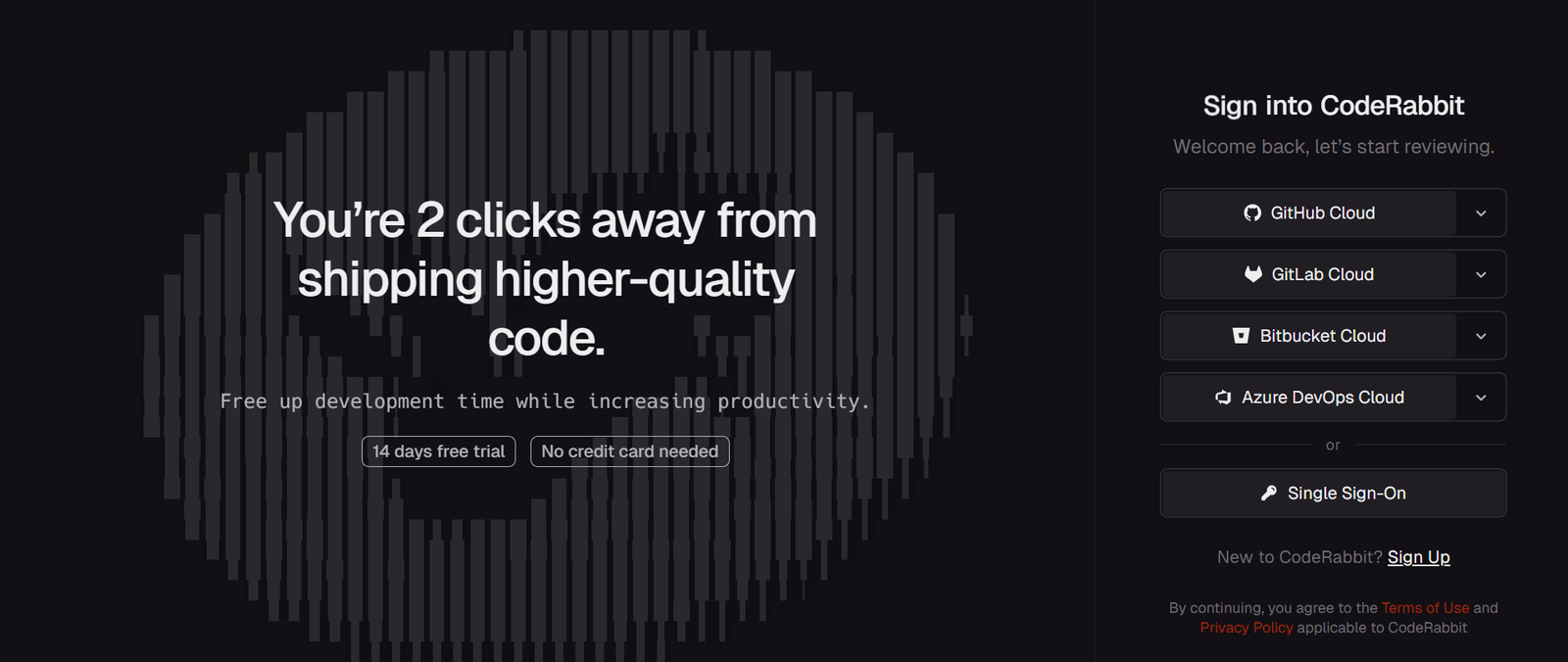
Visit the CodeRabbit website and sign up using your GitHub account.
During the sign-up process, authorize CodeRabbit to access your GitHub account. This allows the platform to monitor pull requests and provide automated code reviews.
After signing in, you’ll be redirected to the CodeRabbit dashboard, where you can manage connected repositories and review settings.
Step 2: Connect Your GitHub Repository
After logging in, choose the GitHub repository where you want to enable AI-powered code reviews.
CodeRabbit will display the repositories you have permission to access.
Select your project and grant the necessary repository permissions.
Once connected, CodeRabbit begins monitoring every new pull request created in that repository.
Unlike traditional code review tools that require manual uploads or separate scans, CodeRabbit works directly inside your GitHub workflow.
Step 3: Install the CodeRabbit GitHub App
Next, install the official CodeRabbit GitHub App.
The installation process only takes a few minutes.
Choose whether you’d like to install it on:
- All repositories
- Selected repositories
For most teams, selecting specific repositories is the better option while evaluating the tool.
After installation, CodeRabbit automatically starts listening for new pull requests.
No additional plugins or local software need to be installed.
Step 4: Create Your First Pull Request
Now it’s time to let CodeRabbit do its job.
Make changes to your project as you normally would.
For example, you might:
- Fix a bug
- Add a new feature
- Update documentation
- Refactor existing code
Commit your changes and push them to a new Git branch.
Then create a Pull Request on GitHub.
As soon as the Pull Request is opened, CodeRabbit automatically begins reviewing your code.
Unlike manual reviews that depend on team availability, the AI starts analyzing your changes immediately and prepares detailed suggestions within minutes.
Step 5: Review AI Feedback
Once you open your Pull Request, CodeRabbit automatically starts reviewing your code. There’s no need to manually trigger a scan or assign the review to the AI.
Within a few minutes, CodeRabbit analyzes your code changes against the existing codebase and posts comments directly on your GitHub Pull Request. Instead of simply flagging syntax issues, it provides contextual feedback to help you improve code quality before merging.
Depending on your changes, CodeRabbit may identify:
- Potential bugs
- Security vulnerabilities
- Logic errors
- Performance improvements
- Code duplication
- Code style inconsistencies
- Missing edge cases
Take time to read each suggestion carefully. While many recommendations can be applied immediately, others may require your judgment based on your project’s architecture or coding standards.
Step 6: Activate Your Workflow
After reviewing CodeRabbit’s recommendations, update your code where necessary.
You don’t have to accept every suggestion automatically. Instead, evaluate each recommendation and decide whether it aligns with your project’s requirements.
For example, you may:
- Fix identified bugs
- Improve variable or function names
- Simplify complex code
- Address security concerns
- Optimize inefficient logic
- Add missing error handling
- Improve code readability
Once you’ve made the changes, commit them to the same branch and push the updated code to GitHub.
CodeRabbit will automatically detect the new commit and begin another review.
Step 7: Apply the Suggested Changes
Every time you push new commits, CodeRabbit performs another review automatically.
This continuous review process ensures that newly introduced changes are also checked for bugs and coding issues.
Compare the latest review with previous comments to confirm that:
- Earlier issues have been resolved.
- No new problems have been introduced.
- Your Pull Request is becoming cleaner with each update.
By reviewing changes incrementally, you can avoid large batches of unresolved comments at the end of the development cycle.
Step 8: Apply the Suggested Changes
Once CodeRabbit’s recommendations have been addressed and your team has approved the Pull Request, you’re ready to merge your changes.
Before merging, perform a final review to ensure:
- All critical AI suggestions have been resolved.
- Automated tests have passed successfully.
- No merge conflicts exist.
- The code meets your team’s coding standards.
After verification, merge the Pull Request into your main branch.
By allowing CodeRabbit to handle repetitive review tasks early in the process, your team can spend more time discussing architecture, business logic, and feature improvements instead of identifying simple coding mistakes.
You’ve successfully automated your first code review with CodeRabbit. Continue using it for every Pull Request to reduce review time, catch bugs earlier, and maintain consistent code quality across your projects.
Ready to automate your code reviews? Let’s get started.
Build your first workflow in minutes and let Pabbly handle the repetitive work.
Tips for Getting the Best Results
To get more accurate feedback and make AI reviews more effective, follow these practical tips:
- Keep Pull Requests Focused. Avoid combining multiple features or large changes in one pull request. Smaller updates help CodeRabbit provide more precise feedback and make issues easier to fix.
- Provide Clear Context. Write meaningful commit messages and detailed pull request descriptions so CodeRabbit can better understand the purpose behind your changes.
- Use AI Suggestions as Guidance. Review each recommendation carefully instead of accepting every suggestion automatically. Combine AI feedback with your own technical knowledge.
- Maintain Good Coding Practices. Keep dependencies updated, follow consistent coding standards, and write clean code to help CodeRabbit generate more useful reviews.
- Use CodeRabbit Alongside Testing. AI reviews can identify potential issues, but automated tests are still necessary to verify that your application works correctly.
Common Mistakes to Avoid When Using CodeRabbit
Avoid these mistakes to make your AI-powered code reviews more effective:
- Creating Large Pull Requests. Large pull requests contain too many changes at once, making it harder for both AI and developers to identify important issues. Break work into smaller updates whenever possible.
- Accepting Every AI Suggestion Without Review. CodeRabbit provides recommendations, but not every suggestion will match your project’s requirements. Always evaluate feedback before making changes.
- Treating AI as a Complete Replacement for Developers. CodeRabbit helps automate repetitive review tasks, but human developers are still needed for architecture decisions, business logic, and complex problem-solving.
- Skipping Testing After Code Changes. Even if CodeRabbit approves your changes, always run automated tests and CI/CD checks before merging to ensure your application remains stable.
Best Practices for Using CodeRabbit Effectively
For long-term success with CodeRabbit, follow these development practices:
- Integrate Reviews Early in Development. Open pull requests during the development process instead of waiting until the final stage. Early feedback makes fixes faster and easier.
- Create Team Review Standards. Define how your team handles AI suggestions, code quality checks, and pull request approvals to maintain consistency.
- Track Repeated Feedback Patterns. If CodeRabbit frequently highlights the same issues, use those insights to improve your team’s coding standards and development habits.
- Balance AI and Human Expertise. Let CodeRabbit handle repetitive checks while developers focus on design decisions, performance improvements, and product requirements.
Troubleshooting Common CodeRabbit Issues
If CodeRabbit isn’t working as expected, these quick troubleshooting tips can help resolve common code review issues.
CodeRabbit Isn’t Reviewing My Pull Request
Make sure the CodeRabbit GitHub App is installed correctly and that your repository has been connected successfully.
AI Comments Aren’t Appearing
Verify that CodeRabbit has permission to access the repository and that the Pull Request was created after the integration was enabled.
Some Suggestions Don’t Apply
AI recommendations are intended to assist, not replace developer judgment. Review each suggestion carefully and apply only those that fit your project’s coding standards.
CodeRabbit Keeps Reviewing Every New Commit
This is expected behavior. Continuous reviews ensure that every update to your Pull Request is analyzed before merging.
CodeRabbit Keeps Reviewing Every New Commit
Large Pull Requests or repositories with significant code changes may require additional processing time. Keeping Pull Requests smaller usually results in faster reviews.
Frequently Asked Questions
What is CodeRabbit?
CodeRabbit is an AI-powered code review tool that automatically reviews GitHub and GitLab pull requests. It analyzes code changes, detects potential bugs, suggests improvements, and provides contextual feedback directly within your pull requests to help developers write cleaner, more reliable code.
How does CodeRabbit work?
CodeRabbit integrates with your GitHub or GitLab repository and automatically reviews every new pull request. It analyzes code changes in the context of your existing codebase, identifies issues such as bugs, security risks, and code quality problems, then posts review comments for developers to address before merging.
Is CodeRabbit free?
CodeRabbit offers a free plan for individual developers and open-source projects, along with paid plans that include advanced AI reviews, team collaboration, and additional enterprise features. Check the official pricing page for the latest plans and features.
Does CodeRabbit replace human code reviews?
No. CodeRabbit is designed to assist developers by automating repetitive review tasks and identifying common coding issues. Human reviewers are still essential for evaluating architecture, business logic, and project-specific decisions.
Which platforms does CodeRabbit support?
CodeRabbit integrates with popular Git hosting platforms, including GitHub and GitLab, making it easy to fit into existing development workflows without changing how your team works.
Can CodeRabbit detect bugs and security issues?
Yes. CodeRabbit analyzes pull requests to identify potential bugs, security vulnerabilities, code smells, performance issues, and opportunities to improve code quality before changes are merged into your main branch.
Is CodeRabbit suitable for development teams?
Absolutely. CodeRabbit is ideal for individual developers, startups, software agencies, and enterprise engineering teams that want to reduce code review time, improve consistency, and maintain high-quality code across multiple repositories.
Conclusion
Manual code reviews are an important part of software development, but they can slow down releases and consume valuable engineering time. CodeRabbit simplifies this process by automatically reviewing pull requests, identifying potential issues early, and providing AI-powered suggestions directly within your GitHub workflow.
By following the steps in this guide, you can quickly connect your repository, automate pull request reviews, resolve issues faster, and improve code quality before merging. Whether you’re an individual developer or part of a growing engineering team, CodeRabbit helps you spend less time on repetitive reviews and more time building great software.
Start Automating Your Code Reviews with CodeRabbit
Ready to speed up your development workflow? Start using CodeRabbit to automate pull request reviews, detect bugs earlier, and improve code quality with AI-powered feedback. Connect your GitHub repository, review smarter, and help your team deliver reliable software faster with every pull request.