How to Use UptimeRobot: A Beginner’s Step-by-Step Guide
Monitor your website 24/7 with UptimeRobot by following this beginner-friendly, step-by-step guide to set up uptime monitoring and receive instant downtime alerts.
By TechScaleMedia Editorial · Updated July 2026 · 11 min read
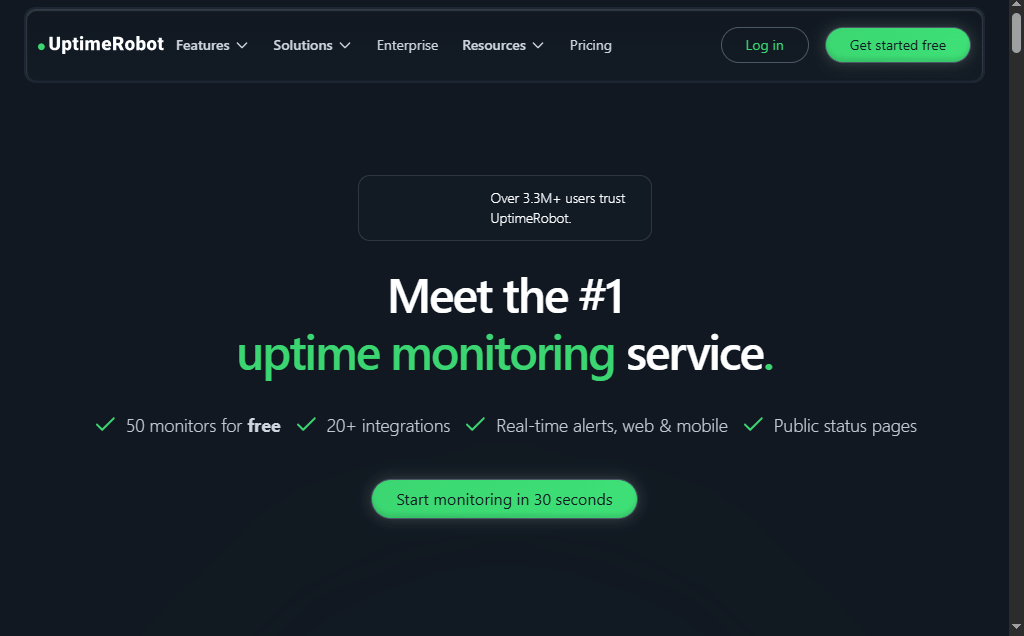
Website downtime can lead to lost visitors, reduced revenue, and a poor user experience. UptimeRobot is a popular website monitoring tool that helps you track your website, server, APIs, SSL certificates, and ports 24/7. It automatically alerts you whenever an issue is detected, allowing you to respond quickly and minimize downtime.
In this guide, you’ll learn how to use UptimeRobot step by step to monitor your website and receive instant uptime alerts.New to UptimeRobot? Follow this beginner-friendly guide to set up website monitoring and receive real-time alerts in just a few minutes.
How do you use UptimeRobot?
Quick Answer
To use UptimeRobot:
- Create a UptimeRobot account.
- Add a new monitor.
- Enter your website or server details.
- Configure alert contacts.
- Start monitoring your website.
- Review uptime reports and performance.
Prerequisites
Before getting started, you’ll need:
- A UptimeRobot account
- Your website URL, server IP, or API endpoint
- A valid email address or messaging app for alerts
- A stable internet connection
Step-by-Step Instructions
Follow these simple step-by-step instructions to set up UptimeRobot and start monitoring your website for downtime in just a few minutes.
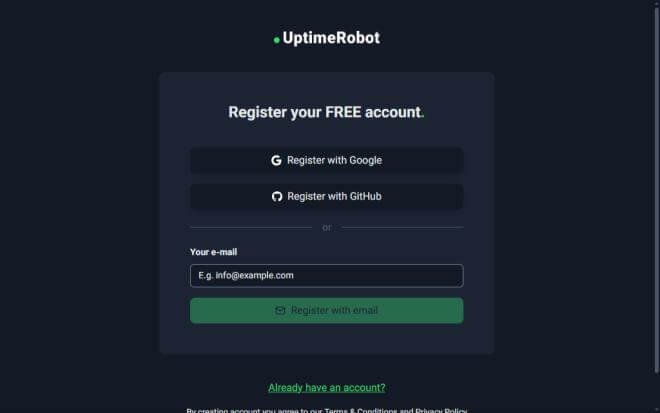
Step 1: Create Your UptimeRobot Account
- Visit the UptimeRobot website.
- Click Sign Up.
- Register using your email address.
- Verify your email.
- Log in to your dashboard.
Step 2: Add a New Monitor
- Click Add New Monitor.
- Select the monitor type, such as:
- HTTP(s)
- Ping
- Port
- Keyword
- SSL
- Give your monitor a name.
- Enter your website URL or server address.
Step 3: Configure Monitoring Settings
Customize your monitor by:
- Choosing the monitoring interval
- Selecting monitoring locations
- Setting timeout preferences
- Saving your monitor
Once saved, UptimeRobot begins monitoring automatically.
Step 4: Set Up Alert Contacts
Navigate to My Settings → Alert Contacts.
You can receive alerts through:
- SMS (on supported plans)
- Slack
- Microsoft Teams
- Discord
- Telegram
- Webhooks
Add your preferred notification methods and verify them.
Step 5: Monitor Website Status
From the dashboard, you can monitor:
- Current website status
- Uptime percentage
- Response time
- Downtime history
- SSL certificate status
The dashboard updates automatically whenever a status change occurs.
Step 6: Analyze Reports
Review historical reports to identify:
- Frequent outages
- Slow response times
- Downtime duration
- Overall uptime percentage
- Performance trends
Use these insights to improve website reliability.
How can you monitor your website more effectively with UptimeRobot?
Tips
Monitor your website around the clock with UptimeRobot to detect downtime instantly and receive alerts before it impacts your visitors or business.
- Monitor every important webpage, not just the homepage.
- Set shorter monitoring intervals for business-critical websites.
- Configure multiple alert methods.
- Test your notifications regularly.
- Review uptime reports every month.
What mistakes should you avoid when using UptimeRobot?
Common Mistakes
- Monitoring only one page of your website.
- Forgetting to verify alert contacts.
- Using incorrect website URLs.
- Ignoring SSL certificate expiration alerts.
- Not reviewing downtime reports.
Why isn’t UptimeRobot detecting my website correctly?
Troubleshooting
Try these solutions:
- Verify your website URL.
- Ensure your website is publicly accessible.
- Check your firewall settings.
- Confirm that your alert contacts are verified.
- Edit the monitor settings if necessary.
How can you get the most out of UptimeRobot?
Best Practices
Follow these best practices to maximize UptimeRobot’s monitoring capabilities, reduce false alerts, and ensure your websites and services stay reliably available.
- Monitor websites, APIs, and servers separately.
- Enable multiple notification channels.
- Review reports to identify recurring issues.
- Keep your contact information updated.
- Regularly test your website’s availability manually.
Frequently Asked Questions
Is UptimeRobot free?
Yes. UptimeRobot offers a free plan with basic website monitoring, along with paid plans that include advanced monitoring features.
Can UptimeRobot monitor APIs?
Yes. It supports monitoring HTTP(s) endpoints, APIs, and web services.
.Does UptimeRobot send downtime alerts?
Yes. Alerts can be sent via email, Slack, Telegram, Discord, Microsoft Teams, SMS (supported plans), and webhooks.
Can I monitor SSL certificates?
Yes. UptimeRobot can monitor SSL certificates and notify you before they expire.
Is UptimeRobot suitable for beginners?
Yes. Its simple interface makes it easy to set up and monitor websites without technical expertise.
Conclusion
UptimeRobot is an excellent tool for monitoring websites, servers, APIs, and SSL certificates. By following this guide, you can quickly set up monitors, receive instant alerts, and improve your website’s reliability and uptime.
Ready to Never Miss Website Downtime Again?
Ready to keep your website online 24/7? Try UptimeRobot today to monitor your websites, APIs, and servers, receive instant downtime alerts, and ensure your visitors always have a reliable experience.