How to Use Shopify: A Beginner’s Step-by-Step Guide
Starting an online store can feel complicated when you need to manage products, payments, inventory, website design, and customer orders at the same time. Many beginners struggle with technical setup and finding the right tools to launch their store.
By TechScaleMedia Editorial · Updated July 2026 · 11 min read
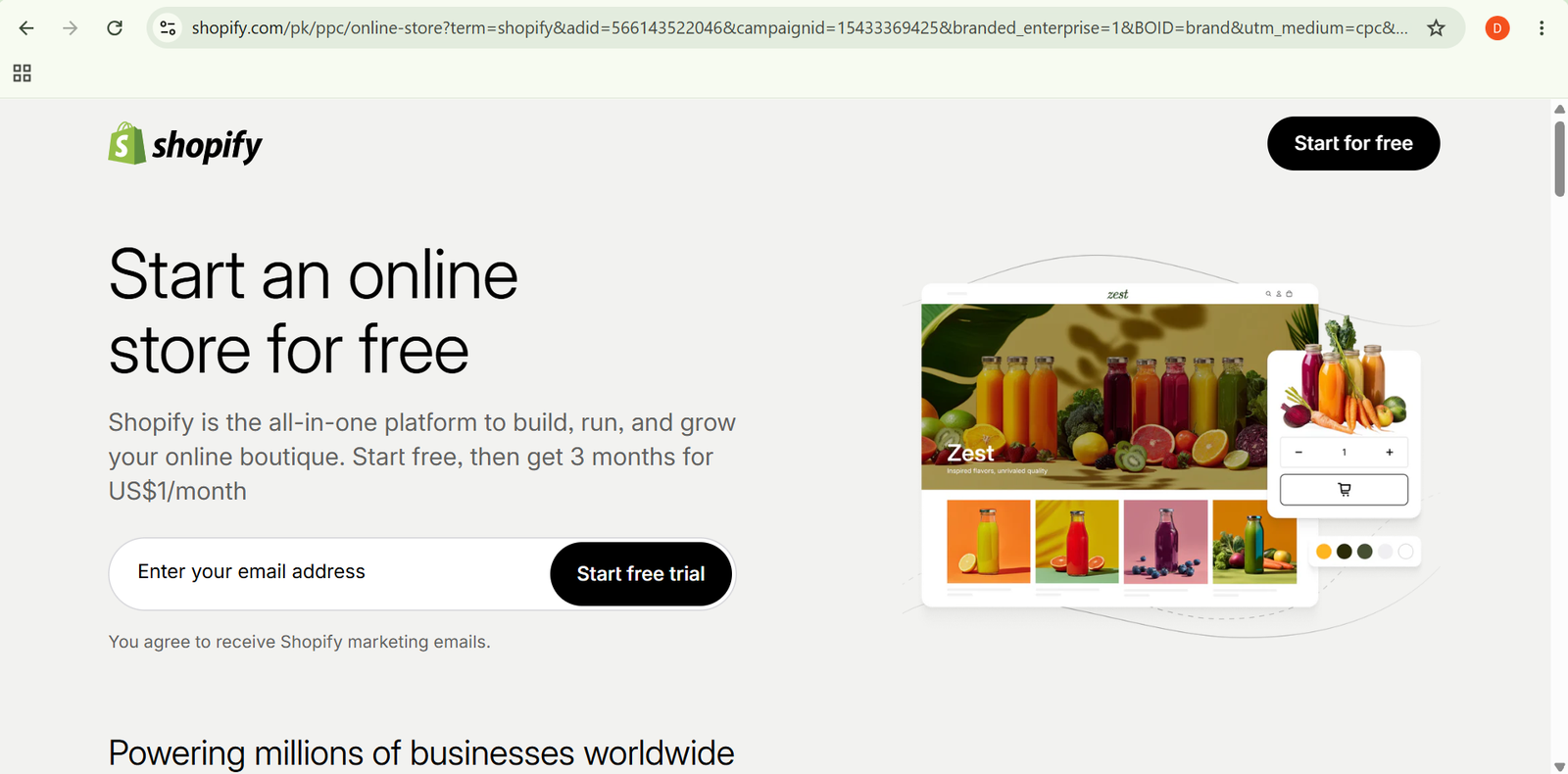
Shopify simplifies e-commerce by providing everything needed to create and manage an online store from one platform. You can add products, customize your storefront, accept payments, manage orders, and track sales without advanced coding skills.
In this guide, you’ll learn how to use Shopify step by step, from creating your store and adding products to managing customers and growing your business.
How Do You Use Shopify?
Quick Answer
Using Shopify is simple:
- Create a Shopify account.
- Choose a store design.
- Add products.
- Set up payments.
- Configure shipping.
- Launch your store.
- Manage orders and customers.
Prerequisites
Before getting started, you’ll need:
- Shopify account
- Product information
- Product images
- Business name
- Payment method
- Domain name (optional)
Create a Workflow Manually (Recommended for Beginners)
If you’re new to eCommerce, building your first online store in Shopify is the best way to understand how the platform actually works.
Step 1: Create a Shopify Account
Sign up for Shopify and start your store setup.
During setup, provide basic details such as:
- Store name
- Business type
- Selling goals
- Location
Shopify uses this information to customize your setup experience.
Step 2: Choose and Customize Your Theme
Select a store theme that matches your brand style.
You can customize:
- Homepage layout
- Colors
- Fonts
- Navigation menu
- Product sections
No coding is required because Shopify uses a visual editor.
Step 3: Add Products
Create product listings by adding:
- Product title
- Description
- Images
- Price
- Inventory details
- Variants such as size or color
Clear product pages help customers understand what they are buying.
Step 4: Organize Your Store
Create collections to group similar products.
You can organize items by:
- Category
- Product type
- Sales campaigns
- Featured products
A well-organized store makes browsing easier for customers.
Step 5: Set Up Payments
Connect payment providers so customers can complete purchases.
Configure:
- Payment methods
- Currency settings
- Checkout options
Test the checkout process before launching your store.
Step 6: Configure Shipping Settings
Set up how customers receive their orders.
You can create:
- Shipping rates
- Delivery zones
- Local pickup options
- Fulfillment settings
Choose shipping rules based on your business needs.
Step 7: Add Essential Apps
Extend Shopify features through the Shopify App Store.
Apps can help with:
- Email marketing
- Customer reviews
- Inventory management
- Analytics
- Store optimization
Only install apps that solve specific business needs.
Step 8: Launch Your Store
Before going live, review:
- Product pages
- Checkout process
- Mobile appearance
- Payment settings
- Shipping information
Once everything is ready, remove the password protection and open your store.
Step 9: Manage Orders and Customers
After launch, use the Shopify dashboard to manage:
- New orders
- Customer information
- Inventory updates
- Sales reports
Regular monitoring helps keep daily operations organized.
Ready to start selling online?
Use Shopify to build your store, manage products, and create a complete e-commerce experience.
How Can You Use Shopify More Efficiently?
Tips
- Use high-quality product images.
- Write clear product descriptions focused on customer benefits.
- Test your store on mobile devices.
- Keep your navigation simple.
- Track sales reports regularly.
- Start with essential apps instead of installing too many.
How Can You Avoid Common Shopify Errors?
Common Mistakes
- Launching without testing checkout.
- Adding incomplete product information.
- Choosing too many unnecessary apps.
- Ignoring mobile store performance.
- Setting unclear shipping policies.
- Forgetting to update inventory levels.
How Can You Get the Most Value from Shopify?
Best Practices
- Create a consistent brand experience across your store.
- Analyze customer behavior to improve products and pages.
- Keep product information updated.
- Use analytics to make business decisions.
- Build customer retention strategies through email and marketing.
- Regularly improve your store based on feedback.
How Can You Troubleshoot Shopify Effectively?
Troubleshooting
Products are not appearing correctly
Check product status, availability settings, and collection rules.
Customers cannot complete checkout
Review payment settings and test the checkout process.
Store pages load slowly
Remove unnecessary apps and optimize images.
Orders are not updating
Check inventory settings and order management configuration.
Frequently Asked Questions
Is Shopify good for beginners?
Yes. Shopify is designed for beginners with easy setup tools and a visual store builder.
Can I sell digital products on Shopify?
Yes. Shopify supports physical and digital products through available features and apps.
Does Shopify require coding skills?
No. Most store setup tasks can be completed using Shopify’s drag-and-drop tools.
Can I customize a Shopify store?
Yes. Users can customize themes, layouts, apps, and store settings to match their brand.
Conclusion
Shopify makes it easier for beginners and businesses to create and manage online stores without complex technical skills. With product management, payment tools, customization options, and sales tracking features, it provides a complete e-commerce solution.
By following this guide, you can set up your Shopify store, add products, manage operations, and start building your online business.
Build a stronger foundation for eCommerce success and online selling with Shopify.
Start using Shopify today to create your online store, manage products efficiently, and turn your ideas into a successful e-commerce business.