How to Use Pipedrive: A Beginner’s Step-by-Step Guide
Learn how to use Pipedrive step by step to manage leads, track deals, automate sales tasks, and streamline your CRM workflow with ease.
By TechScaleMedia Editorial · Updated July 2026 · 11 min read
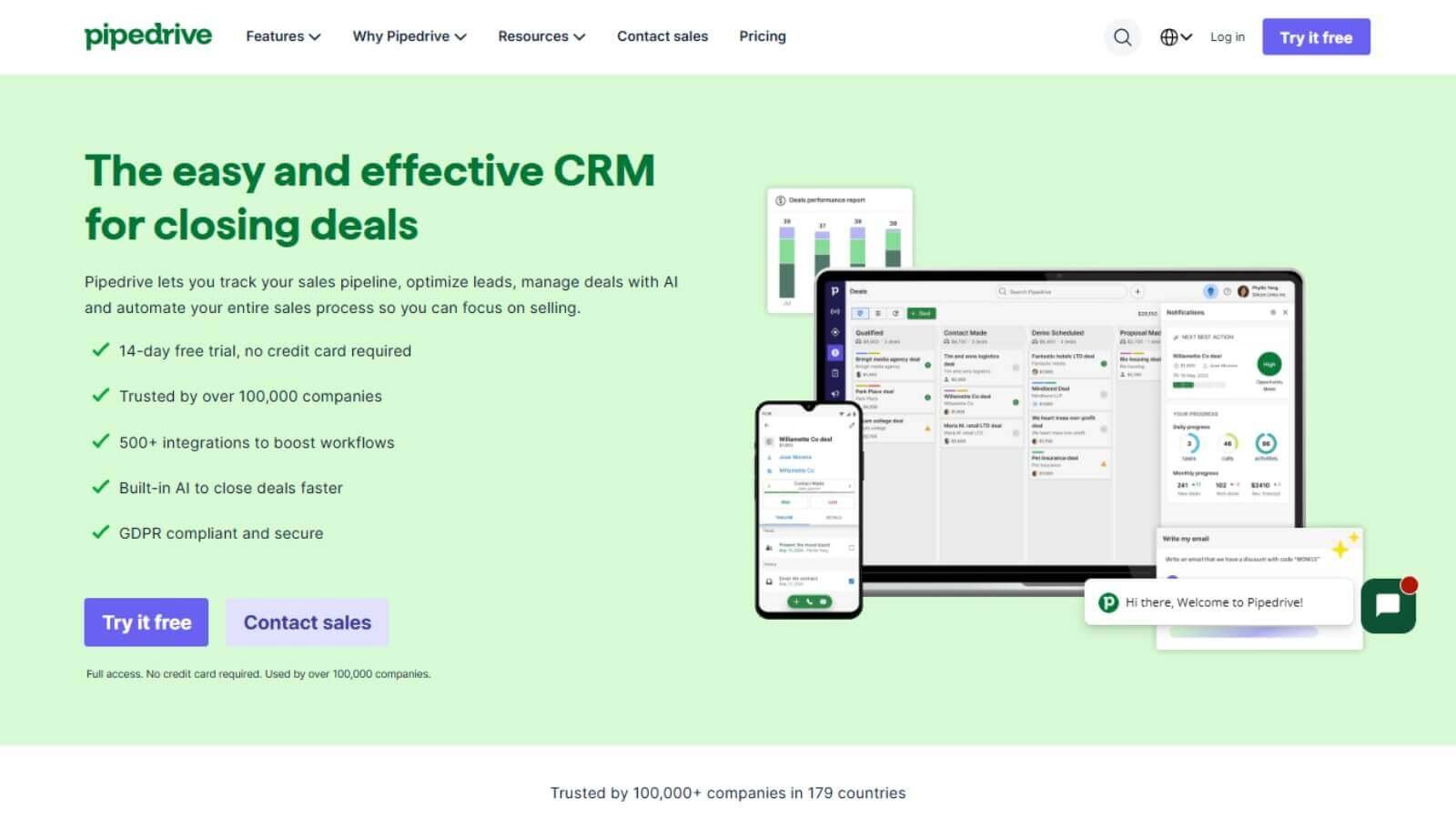
Managing leads in spreadsheets or juggling multiple sales tools can make it difficult to stay organized and close deals consistently. Missed follow-ups, scattered customer information, and an unclear sales pipeline often lead to lost opportunities. Pipedrive solves this problem by providing a visual sales CRM that helps you track deals, automate repetitive tasks, manage customer interactions, and forecast revenue—all from one easy-to-use platform.
In this guide, you’ll learn how to use Pipedrive step by step to organize your sales pipeline, manage leads more effectively, and close more deals with less manual work.
Ready to streamline your sales process? Try Pipedrive and manage your leads, deals, and customer relationships from one powerful CRM.
How do you use Pipedrive?
Quick Answer
Using Pipedrive is simple:
- Create a Pipedrive account.
- Set up your sales pipeline.
- Import contacts and deals.
- Manage deals with the visual pipeline.
- Schedule follow-up activities.
- Automate repetitive tasks.
- Sync your email.
- Generate reports and forecast revenue.
Prerequisites
Before getting started, you’ll need:
- A Pipedrive account
- Business information
- Contact list (optional)
- Business email account
- Internet connection
Step-by-Step Instructions
Follow these simple steps to set up Pipedrive, organize your sales pipeline, manage contacts, track deals, and automate your sales workflow efficiently.
Step 1: Create Your Pipedrive Account
Sign up for a Pipedrive account and complete your business profile. During setup, choose your preferred currency, time zone, and sales settings. This creates a solid foundation for managing your sales activities.
Step 2: Customize Your Sales Pipeline
Create pipeline stages that match your sales process.
For example:
- New Lead
- Contact Made
- Demo Scheduled
- Proposal Sent
- Negotiation
- Won
A customized pipeline helps your team quickly identify where every opportunity stands.
Step 3: Import Contacts and Deals
Upload your existing contacts using a CSV file or sync them from your email account.
Include details such as:
- Name
- Company
- Phone number
- Deal value
Having all customer information in one place makes it easier to manage relationships and track sales progress.
Step 4: Manage Deals with the Visual Pipeline
Use Pipedrive’s drag-and-drop deal board to move opportunities through each stage of your sales process.
As deals progress, update their value, expected close date, and probability to keep your pipeline accurate and organized.
Step 5: Schedule Follow-Up Activities
Create activities for every deal, including:
- Calls
- Emails
- Meetings
- Product demos
- Follow-up reminders
Scheduling activities ensures no lead is forgotten and helps your sales team stay productive.
Step 6: Automate Repetitive Tasks
Use Workflow Automation to reduce manual work.
You can automate:
- Follow-up emails
- Task assignments
- Deal stage updates
- Activity reminders
- Notifications
Automation helps your team focus more on selling instead of administrative tasks.
Step 7: Sync Your Email and Create Quotes
Connect Gmail or Outlook to send and receive emails directly within Pipedrive.
You can also:
- Track email opens
- Use reusable email templates
- Attach products to deals
- Generate quotes and proposals
This keeps all customer communication connected to each deal.
Step 8: Monitor Reports and Forecast Revenue
Use the Insights dashboard to track:
- Sales performance
- Deal conversion rates
- Team activity
- Revenue forecasts
- Pipeline health
Reviewing these reports regularly helps identify bottlenecks and improve your sales strategy.
Tips
Use Pipedrive consistently by keeping your pipeline updated, automating repetitive tasks, tracking follow-ups, and maintaining accurate contact information to maximize sales efficiency.
- Customize your pipeline to match your sales process.
- Schedule a follow-up for every deal.
- Use automation to save time.
- Sync your email for complete communication tracking.
- Review your pipeline every week.
Common Mistakes
- Leaving deals without follow-up activities.
- Creating too many pipeline stages.
- Not updating deal information.
- Ignoring sales reports.
- Forgetting to automate repetitive tasks.
Troubleshooting
Contacts won’t import
Check your CSV format and ensure all required fields are mapped correctly.
Email sync isn’t working
Reconnect your Gmail or Outlook account and verify your permissions.
Automation isn’t running
Review your workflow triggers and confirm all automation conditions are met.
Deals aren’t moving through the pipeline
Update deal stages manually or review your automation settings.
Reports look inaccurate
Make sure deals, activities, and pipeline stages are updated regularly.
Best Practices
- Keep your sales pipeline organized.
- Update deals immediately after customer interactions.
- Automate repetitive follow-up tasks.
- Review sales reports every week.
- Focus on high-value opportunities first.
Frequently Asked Questions
Is Pipedrive good for small businesses?
Yes. Pipedrive is designed for small and growing sales teams that need an easy-to-use CRM for managing leads and closing deals.
Can Pipedrive automate sales tasks?
Yes. Workflow Automation can automatically assign tasks, send follow-up emails, update deal stages, and notify team members.
Does Pipedrive include email tracking?
Yes. Pipedrive lets you sync your email account, track email opens, and use email templates to improve communication.
Can I forecast sales revenue?
Yes. The Insights dashboard provides revenue forecasting, sales reports, and pipeline analytics to help predict future sales.
Does Pipedrive integrate with other tools?
Yes. Pipedrive integrates with Slack, Zoom, Google Workspace, Mailchimp, Zapier, and many other business applications.
Conclusion
Pipedrive simplifies sales management by combining visual pipeline management, contact organization, workflow automation, email tracking, and reporting into one intuitive CRM. Whether you’re managing a small sales team or scaling your business, following these steps will help you stay organized, improve follow-ups, and close more deals with confidence.
Ready to Master Pipedrive?
Start using Pipedrive today to organize your sales pipeline, automate follow-ups, track customer interactions, and close more deals with one powerful sales CRM.