How to Use Amazon Associates: A Beginner’s Step-by-Step Guide
Monetizing a website, blog, or online audience can be difficult without the right strategy. Many creators struggle to choose products to recommend, create affiliate links, and understand how affiliate commissions work.
By TechScaleMedia Editorial · Updated July 2026 · 11 min read
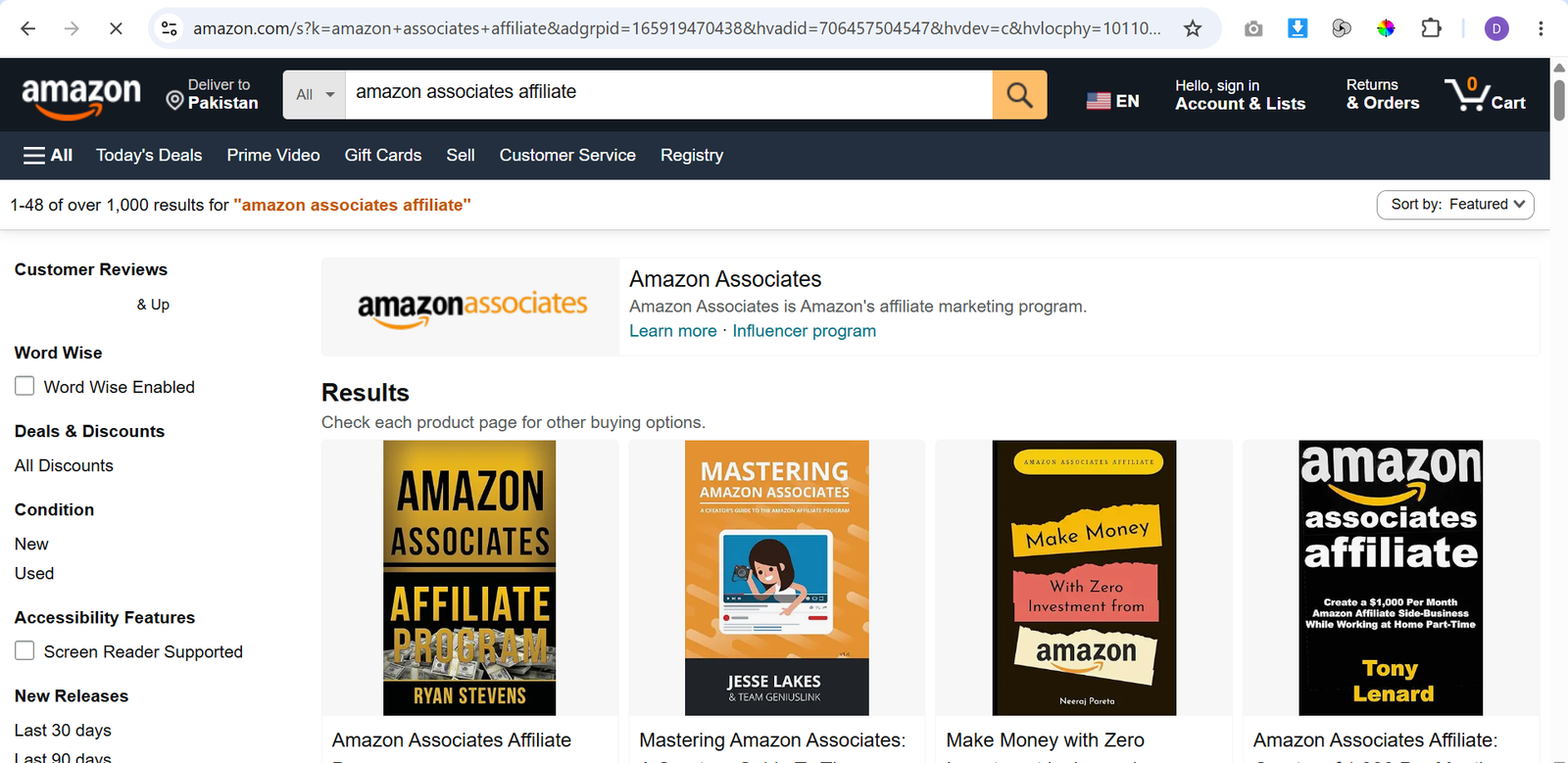
Amazon Associates helps solve these challenges by allowing content creators to earn commissions when visitors make qualifying purchases through their affiliate links. Whether you publish product reviews, buying guides, comparison articles, or recommendation lists, Amazon Associates provides the tools to promote products and track your performance.
In this guide, you’ll learn how to use Amazon Associates step by step, from creating an account and generating affiliate links to tracking earnings and receiving payments.
How Do You Use Amazon Associates?
Quick Answer
Using Amazon Associates is simple:
- Create an Amazon Associates account.
- Add your website or content platform.
- Choose products to promote.
- Generate affiliate links.
- Add links to your content.
- Track clicks and earnings.
- Optimize your affiliate strategy.
- Receive commissions.
Prerequisites
Before getting started, you’ll need:
- An Amazon Associates account
- A website, blog, app, or eligible social media platform
- A content niche or target audience
- Basic content creation skills
- Payment information for receiving commissions
Create a Workflow Manually (Recommended for Beginners)
If you’re new to affiliate marketing, joining your first program in Amazon Associates is the best way to understand how the platform actually works.
Step 1: Create an Amazon Associates Account
Visit Amazon Associates and apply for an affiliate account.
During registration, you’ll provide information such as:
- Your website or platform
- Content category
- Traffic sources
- Promotional methods
Amazon reviews your application to ensure it meets the program requirements.
Step 2: Choose Products to Promote
After your account is approved, look for products that match your content and audience.
You can find products using:
- Amazon search
- The Associates dashboard
- The SiteStripe toolbar
Promoting relevant products improves the user experience and can increase the likelihood of qualifying purchases.
Step 3: Generate Affiliate Links
Use Amazon’s affiliate tools to create unique tracking links for the products you want to recommend.
With SiteStripe, you can generate:
- Text links
- Image links
- Banner links
These links allow Amazon to track qualifying purchases made through your referrals.
Step 4: Add Links to Your Content
Place affiliate links naturally within helpful content where they provide value to your readers.
Common content formats include:
- Product reviews
- Buying guides
- Comparison articles
- Product roundups
- Recommendation lists
Focus on providing useful information rather than simply adding affiliate links.
Step 5: Add an Affiliate Disclosure
Amazon requires affiliates to disclose their relationship with the program.
Your disclosure should clearly inform readers that you may earn a commission if they make qualifying purchases through your affiliate links.
Place the disclosure where visitors can easily see it.
Step 6: Track Clicks and Earnings
Use the Associates Central dashboard to monitor your affiliate performance.
You can review:
- Clicks
- Ordered items
- Earnings
- Conversion rates
Regularly reviewing these reports can help you identify which products and content generate the best results.
Step 7: Optimize Your Content
Analyze your performance data to improve your affiliate strategy.
You can:
- Update older content
- Replace low-performing products
- Expand successful topics
- Improve product comparisons
- Focus on categories that perform well
Small improvements over time can help increase your affiliate earnings.
Step 8: Receive Payments
After reaching the minimum payment threshold, Amazon sends your commissions using your selected payment method.
Depending on your region, payment options may include:
- Direct deposit
- Amazon gift card
- Check
Available payment methods vary by country and account settings.
Ready to monetize your content?
Join Amazon Associates to recommend products your audience will find useful and earn commissions from qualifying purchases.
How Can You Use Amazon Associates More Efficiently?
Tips
- Publish content consistently to increase your opportunities for affiliate sales.
- Include multiple product options to suit different budgets and needs.
- Use original photos or firsthand experience whenever possible to improve credibility.
- Test different content formats, such as reviews, comparisons, and buying guides.
- Organize affiliate content so visitors can easily find product recommendations.
- Review your performance reports regularly.
How Can You Avoid Common Amazon Associates Errors?
Common Mistakes
- Stuffing articles with too many affiliate links.
- Promoting products you haven’t properly researched.
- Copying product descriptions directly from Amazon.
- Violating Amazon Associates Program policies or Operating Agreement.
- Using expired, broken, or incorrect affiliate links.
- Depending on a single article or product for all affiliate income.
How Can You Get the Most Value from Amazon Associates?
Best Practices
- Build trust by prioritizing honest and unbiased recommendations.
- Refresh older affiliate content as products, prices, or availability change.
- Analyze your highest-performing pages to identify new content opportunities.
- Diversify your content across multiple product categories within your niche.
- Track seasonal buying trends and update content before peak shopping periods.
- Focus on creating valuable content that solves readers’ problems before promoting products.
How Can You Troubleshoot Amazon Associates Effectively?
Troubleshooting
Affiliate links aren’t generating commissions
Make sure your affiliate links were created through Amazon Associates tools and are being used correctly in your content.
Account approval is taking longer than expected
Review the information you submitted and confirm that your website or platform complies with Amazon Associates requirements.
Sales aren’t appearing in your reports
Orders may take time to process. Also, remember that only qualifying purchases made through your affiliate links are eligible for commissions.
Affiliate links aren’t working
Generate new links using SiteStripe or the Associates dashboard and replace any outdated or broken links.
Frequently Asked Questions
How do Amazon affiliates make money?
Affiliates earn commissions when visitors use their affiliate links to make qualifying purchases on Amazon.
Can beginners join Amazon Associates?
Yes. Beginners can apply to the program and start promoting relevant products after their account is approved.
What is Amazon SiteStripe?
SiteStripe is a built-in toolbar that lets Amazon Associates create affiliate links directly while browsing eligible Amazon product pages.
Do Amazon affiliates need a website?
Amazon Associates supports websites, blogs, mobile apps, and certain social media channels, provided they meet the program’s eligibility requirements.
How do I choose products to promote?
Select products that align with your niche, match your audience’s interests, and naturally fit within your content.
Conclusion
Amazon Associates offers creators a practical way to monetize their content by promoting products available on Amazon. With access to millions of products, easy-to-create affiliate links, and detailed performance reporting, the program helps bloggers, website owners, and content creators generate commissions from qualifying purchases.
By following the steps in this guide, you can create an account, promote relevant products, monitor your results, and continuously improve your affiliate marketing strategy over time.
Build a stronger foundation for affiliate marketing and passive income with Amazon Associates.
Start using Amazon Associates today to recommend products your audience will find valuable and earn commissions from qualifying purchases while growing your content business.