How to Use Swagbucks: A Beginner’s Step-by-Step Guide
Finding simple ways to earn extra rewards online can be challenging. Many websites promise quick earnings, but users often struggle to understand which platforms are legitimate, how rewards work, and how to maximize their time.
By TechScaleMedia Editorial · Updated July 2026 · 11 min read
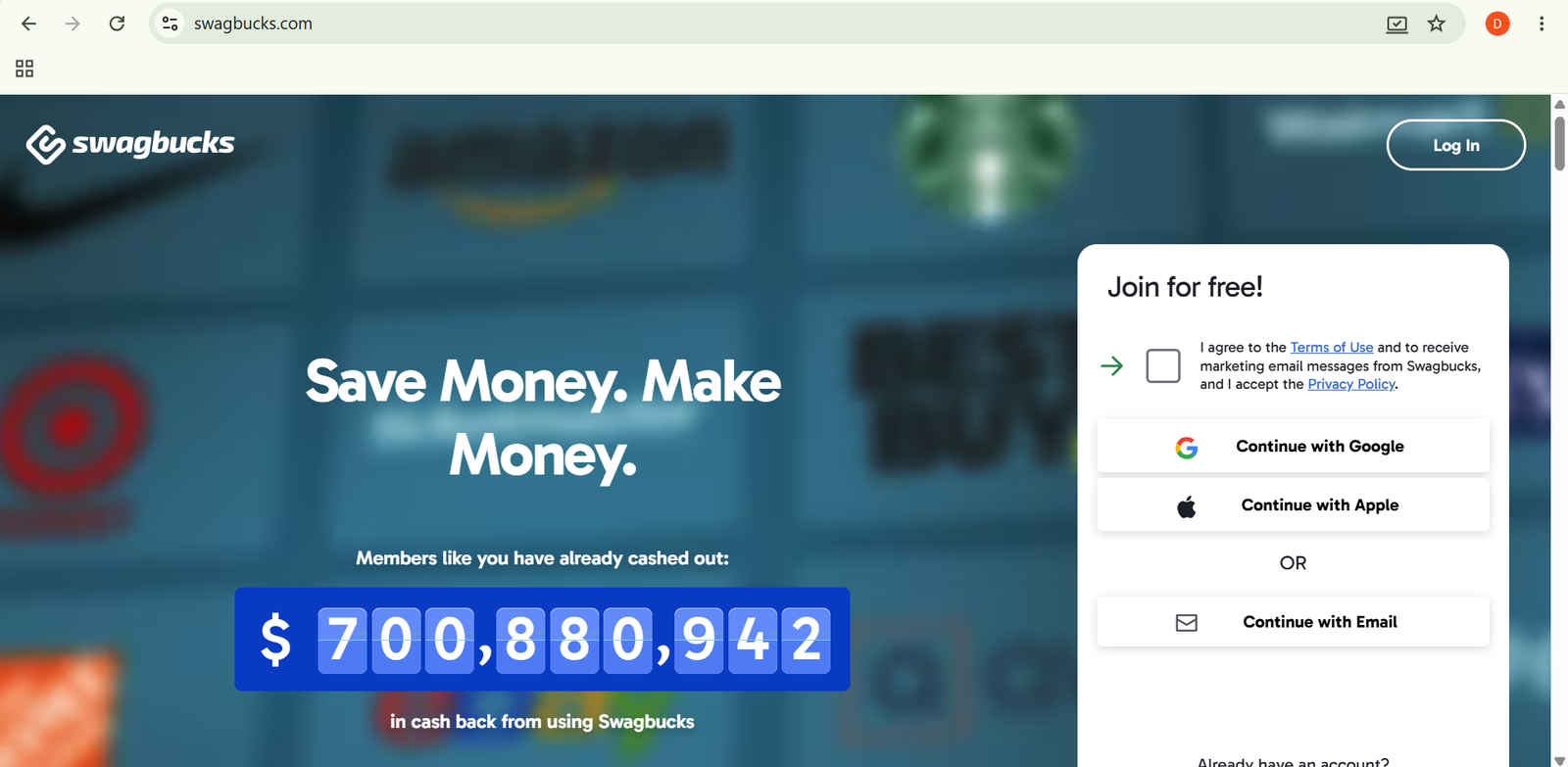
Swagbucks is a rewards platform that allows users to earn points called SB by completing activities such as surveys, online shopping, watching videos, searching the web, and completing special offers. These points can be exchanged for gift cards or PayPal cash.
In this guide, you’ll learn how to use Swagbucks step by step, from creating an account and completing surveys to earning points and redeeming rewards.
How Do You Use Swagbucks?
Quick Answer
Using Swagbucks is simple:
- Create a free account.
- Complete your profile.
- Take available surveys.
- Shop through Swagbucks for cashback.
- Complete offers and tasks.
- Earn SB points.
- Track your balance.
- Redeem points for rewards.
Prerequisites
Before getting started, you’ll need:
- A Swagbucks account
- Email address
- Internet connection
- Smartphone or computer
- PayPal account or gift card preference (optional)
Create a Workflow Manually (Recommended for Beginners)
If you’re new to earning rewards online, completing your first task in Swagbucks is the best way to understand how the platform actually works.
Step 1: Create a Swagbucks Account
Visit Swagbucks and create a free account using your email address or social login.
After registration, complete your basic profile information so Swagbucks can recommend activities that match your interests.
Step 2: Complete Your Profile
Your profile helps Swagbucks identify suitable opportunities.
You may provide information about:
- Age group
- Location
- Interests
- Shopping habits
A complete profile increases the chances of receiving relevant surveys and offers.
Step 3: Take Paid Surveys
Go to the Surveys section to find available opportunities.
Before starting, Swagbucks may ask screening questions to check whether you qualify.
Survey rewards depend on:
- Length
- Topic
- Availability
Answer questions honestly to maintain account quality.
Step 4: Earn Cashback Through Shopping
Swagbucks allows you to earn rewards when shopping through its platform.
To earn cashback:
- Search for a participating retailer.
- Click the Swagbucks shopping link.
- Complete your purchase normally.
- Receive SB rewards after confirmation.
The browser extension can also help find available coupons and cashback opportunities.
Step 5: Complete Offers and Activities
The Discover section includes additional ways to earn SB.
Examples include:
- Trying free trials
- Signing up for services
- Downloading apps
- Completing promotional tasks
Always review offer requirements before participating.
Step 6: Watch Videos and Play Games
Swagbucks provides entertainment-based earning options.
You may earn smaller rewards by:
- Watching sponsored videos
- Exploring featured games
- Completing selected activities
These options are useful when you have free time but usually provide smaller rewards compared to surveys or shopping.
Step 7: Use Swagbucks Search
You can use Swagbucks as a search tool for everyday browsing.
Occasionally, searches may earn bonus SB rewards.
This allows you to earn small rewards while performing normal online searches.
Step 8: Track Your SB Balance
Your dashboard shows:
- Available points
- Completed activities
- Pending rewards
- Redemption history
Regularly checking your balance helps you track progress toward your reward goal.
Step 9: Redeem Your Rewards
Once you reach the required amount, exchange your SB points for rewards.
Available options may include:
- Gift cards
- PayPal cash
- Other reward choices
Choose the reward option that best fits your needs.
Ready to start earning online rewards?
Use Swagbucks to complete simple online activities and turn your spare time into gift cards or cash rewards.
How Can You Use Swagbucks More Efficiently?
Tips
- Use the Swagbucks browser extension to quickly find cashback opportunities while shopping.
- Create a daily routine for checking available tasks instead of spending random amounts of time.
- Compare different activities before starting to focus on higher-value options.
- Save completed offer confirmations until rewards are credited.
- Explore different earning methods instead of relying on only one feature.
- Use filters in the dashboard to quickly find suitable surveys and offers.
How Can You Avoid Common Swagbucks Errors?
Common Mistakes
- Joining offers without checking eligibility requirements.
- Providing inconsistent information in surveys.
- Forgetting to complete required steps for promotional offers.
- Making purchases without activating cashback first.
- Ignoring account notifications about rewards or verification.
- Using misleading information to qualify for activities.
How Can You Get the Most Value from Swagbucks?
Best Practices
- Choose activities that match your available time and interests.
- Keep your account information updated for better recommendations.
- Read offer conditions carefully before accepting promotions.
- Track your completed activities to resolve reward issues easily.
- Redeem rewards regularly instead of letting points accumulate unnecessarily.
- Use Swagbucks as a supplementary rewards platform, not as a primary income source.
How Can You Troubleshoot Swagbucks Effectively?
Troubleshooting
Surveys are not available
Update your profile information and check again later because survey availability depends on your demographics.
Points are missing after completing an offer
Check whether the offer is still pending and review the completion requirements.
Cashback has not appeared
Some purchases require a verification period before rewards are added.
Account access problems
Use the account recovery option or contact Swagbucks support.
Reward redemption is unavailable
Confirm that you have reached the required SB balance and that your account information is correct.
Frequently Asked Questions
Is Swagbucks legitimate?
Yes. Swagbucks is a well-known rewards platform that has paid users through gift cards and cash rewards for completing eligible activities.
How do Swagbucks points work?
Users earn SB points by completing activities. These points can later be exchanged for gift cards or PayPal cash.
Can you make money with Swagbucks?
Swagbucks can help users earn extra rewards, but it is generally designed for side earnings rather than replacing regular income.
How do I redeem Swagbucks points?
You can redeem SB points from your account dashboard once you meet the minimum reward requirement.
Does Swagbucks pay through PayPal?
Yes. Eligible users can redeem points for PayPal cash along with other reward options.
Conclusion
Swagbucks provides an easy way to earn extra rewards by completing everyday online activities such as surveys, shopping, and promotional offers. While it is not a replacement for a full-time job, it can help users earn gift cards or small cash rewards during their free time.
By following this guide, you can set up your account, choose the right earning methods, collect SB points, and redeem rewards efficiently.
Build a stronger foundation for earning rewards and extra income with Swagbucks.
Start using Swagbucks today to turn your spare online time into valuable rewards through surveys, cashback shopping, and simple digital activities.