How to Use Internxt VPN: A Beginner’s Step-by-Step Guide
Online privacy is becoming more important than ever. Whether you’re browsing on public Wi-Fi, accessing geo-restricted content, or protecting sensitive information from cyber threats, using a reliable VPN can help keep your internet activity private and secure.
By TechScaleMedia Editorial · Updated July 2026 · 11 min read
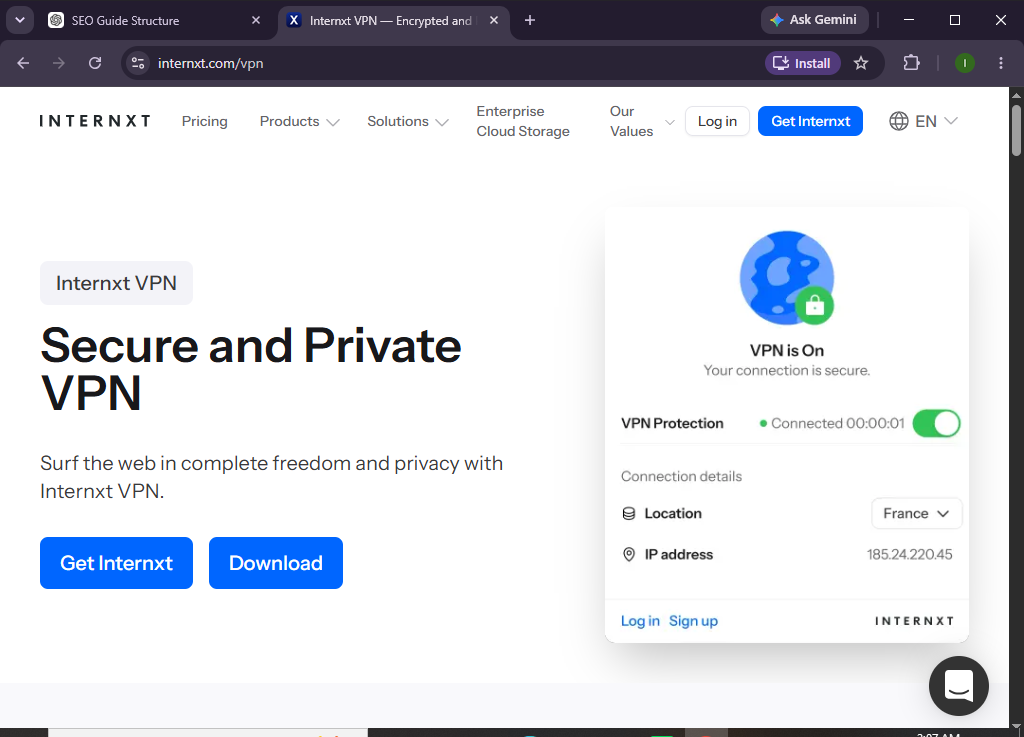
Internxt VPN provides encrypted internet connections that safeguard your online data while allowing you to browse anonymously. With a simple setup process, fast servers, and a privacy-first approach, Internxt VPN is an excellent choice for individuals who want secure internet access without compromising speed or convenience.
Whether you’re a first-time VPN user, remote worker, traveler, or privacy-conscious individual, this guide will show you exactly how to set up and use Internxt VPN from scratch.
How Do You Set Up and Use Internxt VPN?
Quick Answer
To use Internxt VPN, create an Internxt account, subscribe to a VPN plan, download the Internxt VPN app, install it on your device, sign in, select a server location, and connect. Once connected, all your internet traffic is encrypted, helping you browse securely and privately.
Prerequisites
Before you begin, make sure you have:
- An Internxt account
- An active Internxt VPN subscription
- A Windows, macOS, Android, or iOS device
- A stable internet connection
- Administrator permission to install software
- Basic knowledge of internet browsing
Create a Workflow Manually (Recommended for Beginners)
If you’re new to online privacy, setting up your first secure connection in Internxt VPN is the best way to understand how the platform actually works.
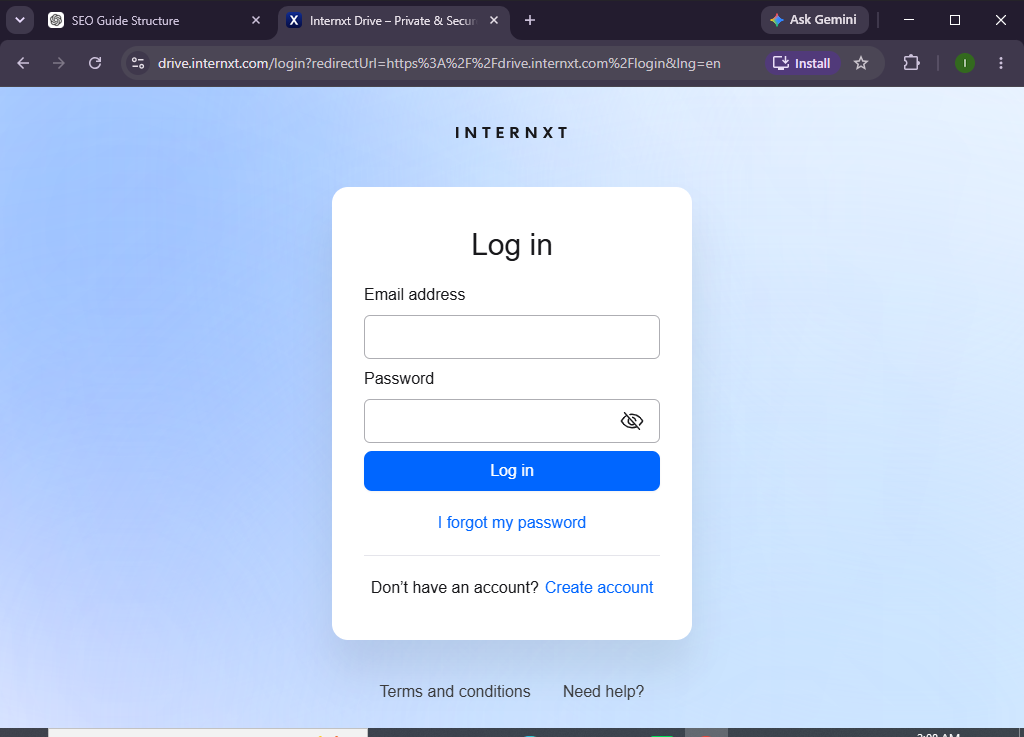
Step 1: Create Your Internxt Account
Visit the Internxt website and create your account.
After signing up:
- Enter your email address.
- Create a strong password.
- Verify your email.
- Log in to your Internxt account.
Your account gives you access to Internxt VPN and other available Internxt services.
Step 2: Subscribe to Internxt VPN
Choose the VPN plan that best suits your needs.
After selecting your plan:
- Complete the payment process.
- Confirm your subscription.
- Access the VPN dashboard.
Once your subscription is active, you’re ready to install the VPN application.
Step 3: Download and Install the Internxt VPN App
Download the appropriate application for your device.
Supported platforms include:
- Windows
- macOS
- Android
- iPhone/iPad
Run the installer and follow the on-screen instructions to complete installation.
After installation, launch the VPN application.
Step 4: Sign In to the VPN App
Open Internxt VPN.
Then:
- Enter your account credentials.
- Click Sign In.
- Complete verification if prompted.
Once signed in, you’ll see the list of available VPN server locations.
Step 5: Choose a VPN Server
Select a server based on your browsing needs.
For example:
- Nearest server for faster speeds
- United States for US content
- United Kingdom for UK websites
- Germany for European browsing
Click your preferred server location.
The app will prepare the secure connection.
Step 6: Connect to the VPN
Click the Connect button.
After a few seconds:
- Your connection becomes encrypted.
- Your IP address changes.
- Your browsing activity is protected.
You’ll see a confirmation indicating that the VPN is connected.
Step 7: Verify Your VPN Connection
To confirm the VPN is working:
- Open your web browser.
- Visit an IP address checker.
- Confirm your displayed location matches the selected VPN server.
If the IP address has changed, your VPN connection is active.
Step 8: Customize VPN Settings
Depending on your version, you may be able to configure options such as:
- Auto-connect on startup
- Launch VPN when the device starts
- Preferred server location
- Connection preferences
Customize these settings based on your security and browsing requirements.
Step 9: Browse the Internet Securely
Once connected, you can safely:
- Browse websites
- Use public Wi-Fi
- Access online banking
- Stream supported content
- Work remotely
- Protect sensitive information
Your internet traffic remains encrypted while the VPN is active.
Step 10: Disconnect When Finished
When you no longer need the VPN:
- Open the Internxt VPN app.
- Click Disconnect.
- Close the application if desired.
Reconnect whenever you need secure browsing again.
Looking for a simple way to browse securely and protect your online privacy?
Try Internxt VPN to encrypt your internet connection and enjoy safer browsing wherever you go.
How Can You Get the Best Performance from Internxt VPN?
Tips
- Connect to the nearest server for faster speeds.
- Use trusted Wi-Fi networks whenever possible.
- Enable automatic connection on startup.
- Keep the VPN app updated.
- Disconnect only when secure browsing isn’t required.
- Restart the app if connection speeds slow down.
- Choose servers based on your browsing needs.
- Use a strong account password and enable additional security features.
What Should You Avoid When Using Internxt VPN?
Common Mistakes
- Using outdated VPN software
- Connecting to distant servers unnecessarily
- Forgetting to activate the VPN on public Wi-Fi
- Sharing your account credentials
- Ignoring application updates
- Disconnecting the VPN while handling sensitive information
- Using weak passwords for your account
How Can You Stay Secure While Using Internxt VPN?
Best Practices
- Always enable the VPN on public Wi-Fi.
- Keep the application updated.
- Use strong and unique passwords.
- Connect to trusted server locations.
- Enable automatic startup if available.
- Regularly review your account security.
- Disconnect only after completing sensitive tasks.
- Monitor your VPN connection before accessing confidential information.
- Keep your operating system updated.
- Review your subscription and app settings periodically.
What Should You Do If Internxt VPN Isn’t Working?
Troubleshooting
Unable to connect
- Check your internet connection.
- Restart the VPN application.
- Try another server location.
Slow connection speeds
- Connect to a nearby server.
- Close bandwidth-heavy applications.
- Restart your router if necessary.
Login problems
- Verify your account credentials.
- Reset your password if needed.
- Confirm your VPN subscription is active.
VPN disconnects frequently
- Check network stability.
- Update the application.
- Reconnect using a different server.
Frequently Asked Questions
Is Internxt VPN easy for beginners?
Yes. Internxt VPN features a simple interface that allows users to connect securely with just a few clicks.
Does Internxt VPN encrypt my internet traffic?
Yes. Internxt VPN encrypts your internet connection to help protect your online activity and personal information.
Can I use Internxt VPN on multiple devices?
Yes. Depending on your subscription plan, you can use Internxt VPN across supported devices.
Does Internxt VPN work on mobile devices?
Yes. It supports Android and iOS devices, as well as Windows and macOS.
Will Internxt VPN hide my IP address?
Yes. When connected, your public IP address is replaced with the VPN server’s IP address, helping improve online privacy.
Is Internxt VPN suitable for remote work?
Yes. It helps protect your internet connection, especially when accessing work resources over public or unsecured networks.
Conclusion
Internxt VPN makes online privacy accessible by providing encrypted internet connections through an easy-to-use application. Whether you’re browsing from home, working remotely, or using public Wi-Fi, it helps protect your personal information and online activity from potential threats.
By following this guide—creating your account, subscribing to the service, installing the app, connecting to a secure server, and following VPN best practices—you can enjoy a safer and more private internet experience.
Ready to browse with greater privacy and confidence?
Try Internxt VPN today to encrypt your internet connection, protect your personal data, and enjoy secure online access wherever you go.