How to Use Aikido Security: A Beginner’s Step-by-Step Guide
Aikido Security helps developers and security teams identify, prioritize, and fix vulnerabilities across their software development lifecycle. Instead of juggling multiple security tools, Aikido brings code scanning, dependency monitoring, cloud security, container scanning, and secret detection into one unified platform.
By TechScaleMedia Editorial · Updated July 2026 · 11 min read
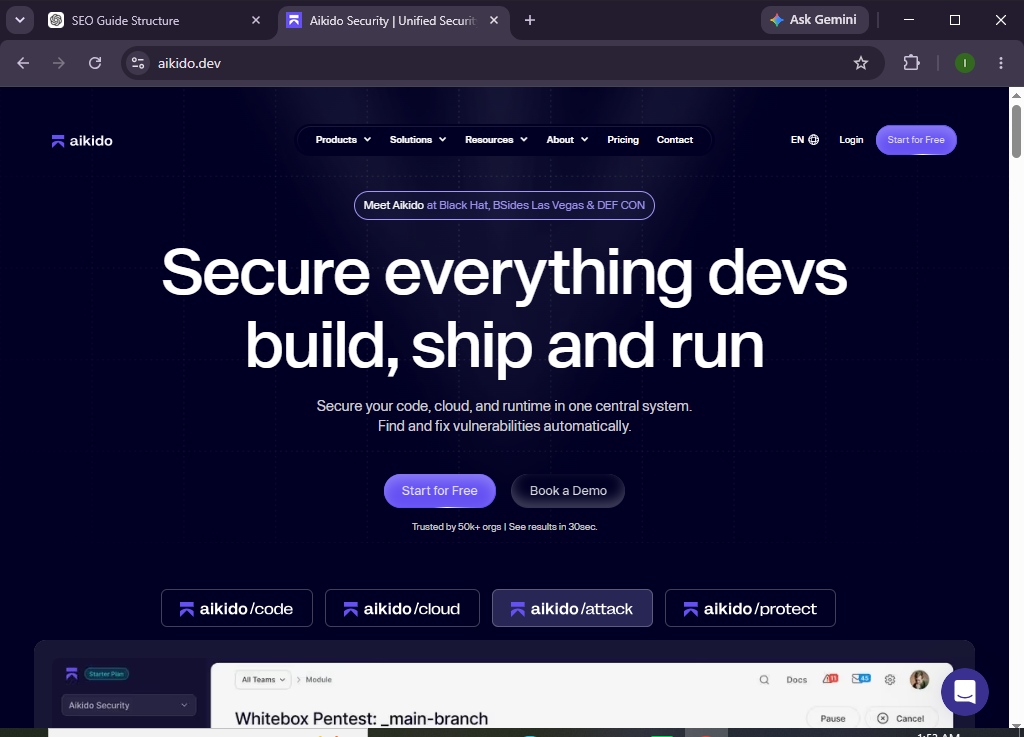
Whether you’re securing a startup application or managing enterprise software, Aikido Security makes it easier to detect risks before they become costly security incidents. Its developer-friendly interface and automated scanning help teams improve security without slowing down development.
Whether you’re a developer, DevOps engineer, or security professional, this guide will walk you through how to set up and use Aikido Security from scratch.
How Do You Set Up and Use Aikido Security?
Quick Answer
To use Aikido Security, create an account, connect your code repository, integrate your cloud environment, enable security scanners, review detected vulnerabilities, prioritize issues based on risk, and remediate them using the platform’s recommendations. Regular monitoring helps maintain a secure development environment.
Prerequisites
Before you begin, make sure you have:
- An Aikido Security account
- Administrator access to your Git repository
- Access to your cloud environment (if applicable)
- A supported Git provider (GitHub, GitLab, Azure DevOps, or Bitbucket)
- Permission to install integrations
- Internet connectivity
- Basic knowledge of software development and repositories
Create a Workflow Manually (Recommended for Beginners)
If you’re new to application security, scanning your first project in Aikido Security is the best way to understand how the platform actually works.
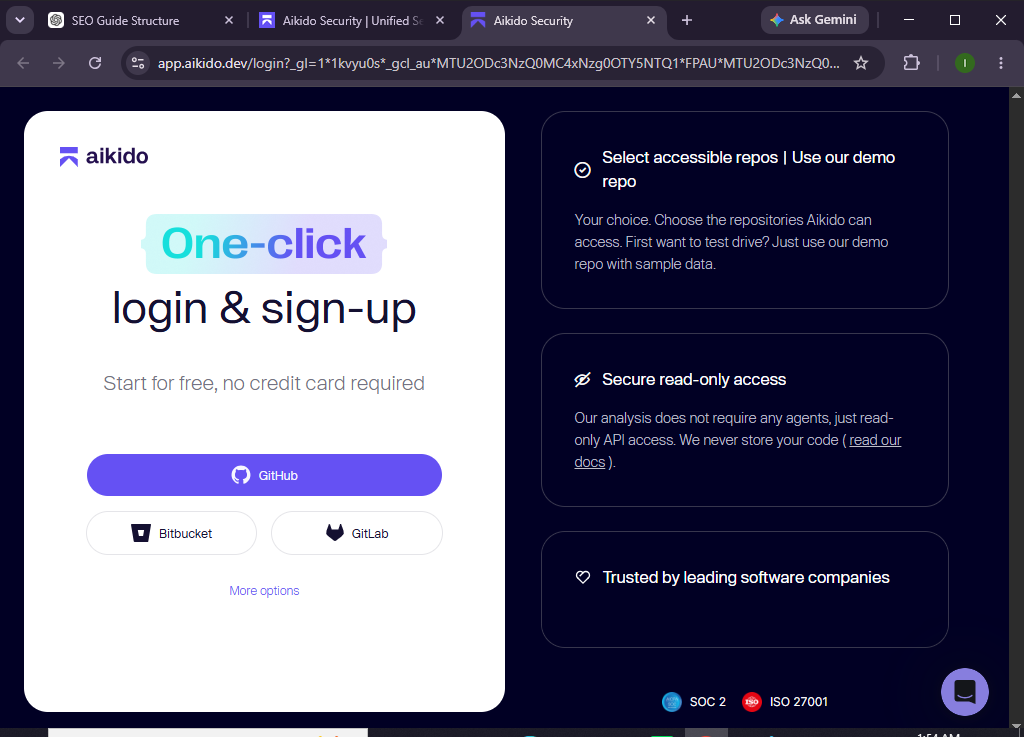
Step 1: Create Your Aikido Security Account
Visit the Aikido Security website and create your account.
After signing up:
- Verify your email address.
- Create your organization.
- Select your workspace.
- Access the Aikido dashboard.
The dashboard is your central location for managing projects, vulnerabilities, integrations, and security findings.
Step 2: Connect Your Code Repository
To begin scanning your applications, connect your source code repository.
Inside the dashboard:
- Open Integrations.
- Choose your Git provider.
- Authorize Aikido Security.
- Select the repositories you want to monitor.
- Complete the connection.
Once connected, Aikido automatically starts analyzing your repositories.
Step 3: Enable Security Scanning
Aikido offers multiple security scanners that work together.
Enable features such as:
- Dependency scanning
- Static Application Security Testing (SAST)
- Secret detection
- Infrastructure as Code (IaC) scanning
- Container image scanning
- License compliance scanning
Enable the scanners relevant to your development workflow.
Step 4: Connect Your Cloud Environment
If your applications run in the cloud, integrate your cloud provider.
Supported environments typically include:
- AWS
- Google Cloud
- Microsoft Azure
To add:
- Navigate to Cloud Integrations.
- Select your provider.
- Follow the authentication steps.
- Grant the required permissions.
- Verify the connection.
This allows Aikido to monitor cloud resources for security risks.
Step 5: Scan Your Projects
Once your integrations are complete, start scanning your applications.
The platform automatically checks for:
- Vulnerable dependencies
- Security misconfigurations
- Exposed secrets
- Container vulnerabilities
- Code weaknesses
- Cloud security issues
Depending on the project size, scans may take several minutes.
Step 6: Review Detected Vulnerabilities
When the scan finishes, open the Vulnerabilities section.
Each issue includes:
- Severity level
- Risk score
- Affected component
- Recommended fix
- Exploitability information
This helps your team understand which issues require immediate attention.
Step 7: Prioritize High-Risk Findings
Not every vulnerability needs immediate action.
Focus first on:
- Critical vulnerabilities
- Internet-exposed risks
- Actively exploited issues
- Vulnerabilities affecting production systems
- Security issues with available exploits
Aikido automatically prioritizes findings to help teams focus on the most important risks.
Step 8: Fix Security Issues
Use the recommendations provided for each vulnerability.
Common remediation actions include:
- Updating vulnerable packages
- Removing unused dependencies
- Rotating exposed credentials
- Correcting cloud misconfigurations
- Updating container images
- Applying secure coding practices
After making changes, commit and push your updates.
Step 9: Re-Run Security Scans
After remediation:
- Trigger a new scan.
- Confirm vulnerabilities are resolved.
- Verify no new issues were introduced.
- Review updated security scores.
Continuous scanning ensures your applications remain protected.
Step 10: Monitor Security Continuously
Use the dashboard to monitor:
- New vulnerabilities
- Repository activity
- Cloud security posture
- Secret exposure
- Dependency health
- Compliance status
Regular monitoring helps detect issues before they affect production.
Looking for an all-in-one application security platform?
Try Aikido Security to automate vulnerability detection and strengthen your software security throughout the development lifecycle.
How Can You Get the Most Value from Aikido Security?
Tips
- Scan every repository.
- Enable all relevant security scanners.
- Integrate cloud resources.
- Review vulnerabilities regularly.
- Prioritize critical findings first.
- Update dependencies frequently.
- Remove unused packages.
- Enable automated notifications for new risks.
What Should You Avoid When Using Aikido Security?
Common Mistakes
- Ignoring high-severity vulnerabilities
- Connecting only a few repositories
- Delaying dependency updates
- Leaving exposed secrets unchanged
- Skipping cloud security integration
- Ignoring security alerts
- Failing to rescan after fixes
How Can You Improve Your Security Posture with Aikido Security?
Best Practices
- Scan every code commit.
- Enable continuous monitoring.
- Prioritize exploitable vulnerabilities.
- Keep dependencies updated.
- Rotate exposed credentials immediately.
- Secure cloud configurations.
- Review alerts daily.
- Educate developers about secure coding.
- Integrate security into your CI/CD pipeline.
- Perform regular security reviews.
What Should You Do If Aikido Security Isn’t Working Properly?
Troubleshooting
Repository won’t connect
- Verify repository permissions.
- Reauthorize the integration.
- Check Git provider access.
No vulnerabilities detected
- Confirm scanning is enabled.
- Verify supported programming languages.
- Wait for the initial scan to finish.
Cloud integration fails
- Check IAM permissions.
- Verify authentication credentials.
- Review cloud integration settings.
Cloud integration fails
- Ensure secret detection is enabled.
- Re-run the repository scan.
- Verify repository access permissions.
Frequently Asked Questions
Is Aikido Security suitable for small development teams?
Yes. Aikido Security is designed for startups, growing businesses, and enterprise organizations alike.
Which Git platforms does Aikido Security support?
It supports popular platforms such as GitHub, GitLab, Bitbucket, and Azure DevOps.
Can Aikido Security scan cloud environments?
Yes. It can integrate with major cloud providers to identify cloud security risks.
Does Aikido Security perform dependency scanning?
Yes. It continuously scans open-source dependencies for known vulnerabilities.
Is coding experience required to use Aikido Security?
Basic development knowledge is helpful, but the platform provides clear recommendations that make remediation easier.
Can Aikido Security monitor projects continuously?
Yes. Continuous monitoring automatically detects newly discovered vulnerabilities and security risks.
Conclusion
Aikido Security simplifies application security by bringing vulnerability scanning, cloud security, dependency monitoring, and secret detection into one easy-to-use platform. Instead of managing multiple security tools, development teams can monitor their entire security posture from a single dashboard.
By following this guide—creating your account, connecting repositories, enabling security scans, integrating cloud environments, reviewing vulnerabilities, and continuously monitoring your projects—you can significantly reduce security risks while maintaining a faster development workflow.
Ready to secure your applications with less complexity?
Try Aikido Security today to automate vulnerability detection, strengthen your software supply chain, and help your development team ship secure code with confidence.