How to Use Scalenut: A Beginner’s Step-by-Step Guide
Learn how to use Scalenut step by step to create SEO-optimized content, generate AI-powered articles, and improve your content marketing workflow with ease.
By TechScaleMedia Editorial · Updated July 2026 · 11 min read
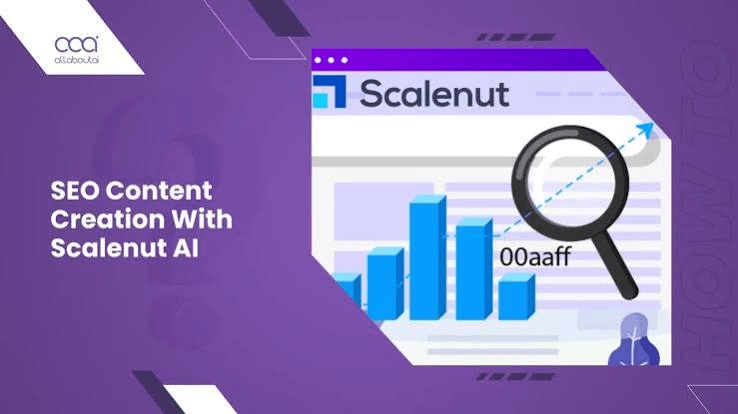
Creating SEO content at scale can be challenging when you’re juggling keyword research, content briefs, writing, optimization, and performance tracking across multiple tools. This fragmented workflow slows content production and makes it harder to grow organic traffic consistently. Scalenut solves this problem by combining keyword planning, AI writing, SEO optimization, content briefs, and performance tracking into one platform. Whether you’re a blogger, affiliate marketer, SEO agency, or content team, Scalenut helps you create optimized content faster while maintaining quality.
In this guide, you’ll learn how to use Scalenut step by step to research keywords, create SEO-optimized articles, and scale your content marketing strategy.
Ready to create SEO content faster? Try Scalenut and streamline your entire content creation workflow from keyword research to publishing.
How do you use Scalenut?
Quick Answer
Using Scalenut is simple:
- Create a Scalenut account.
- Research keywords and topic clusters.
- Generate an SEO content brief.
- Use Cruise Mode to create an article.
- Optimize your content score.
- Add internal links and SEO elements.
- Review and publish your article.
- Track content performance.
Prerequisites
Before getting started, you’ll need:
- A Scalenut account
- A target keyword
- Website or CMS (optional)
- Basic SEO knowledge
- Internet connection
Step-by-Step Instructions
Follow these simple steps to use Scalenut and create SEO-optimized, high-quality content with ease.
Step 1: Research Keywords with Keyword Planner
Start by entering your primary keyword into Scalenut’s Keyword Planner.
The platform automatically generates:
- Related keywords
- Keyword clusters
- Search intent
- Topic ideas
- Content opportunities
Instead of targeting a single keyword, you’ll discover related topics that can help build a stronger content strategy.
Step 2: Create an SEO Content Brief
After choosing your keyword, generate an SEO content brief.
The brief includes:
- Recommended word count
- Suggested headings
- Competitor analysis
- Important NLP keywords
- Frequently covered topics
This gives you a clear roadmap before writing your article.
Step 3: Write Your Article with Cruise Mode
Launch Cruise Mode, Scalenut’s guided AI writing workflow.
It walks you through creating:
- Introduction
- Main headings
- Body content
- Conclusion
Instead of generating everything at once, Cruise Mode creates content section by section, giving you more control over the final article.
Step 4: Optimize Your Content
Open the AI content editor and monitor your live SEO score.
Scalenut recommends:
- Missing keywords
- Related topics
- Content improvements
- Heading suggestions
- Readability enhancements
Use these recommendations naturally to improve on-page SEO without overusing keywords.
Step 5: Improve Content Structure
Review your article before publishing.
Make sure you include:
- Clear H2 and H3 headings
- Internal links
- External references
- Images
- FAQs
A well-structured article is easier for both readers and search engines to understand.
Step 6: Use AI Templates for Additional Content
Scalenut also provides AI templates for creating:
- Product descriptions
- Social media captions
- Meta descriptions
- Ad copy
- Email content
These templates help maintain consistent messaging across your marketing channels.
Step 7: Check Originality and Final SEO
Before publishing, review your article for:
- Grammar
- Originality
- SEO score
- Search intent
- Overall readability
Making these final improvements helps increase your chances of ranking while providing a better experience for readers.
Step 8: Publish and Track Performance
Export your article or publish it through your preferred CMS.
After publishing, monitor:
- Keyword rankings
- Organic traffic
- Content performance
- Search visibility
Use this data to update and improve your content over time.
Tips
Use Scalenut’s AI suggestions as a starting point, then refine the content with your own insights and fact-checking to create accurate, engaging, and SEO-friendly articles.
- Start with keyword clusters instead of single keywords.
- Edit AI-generated content before publishing.
- Add your own expertise and examples.
- Optimize internal linking across related articles.
- Review SEO scores before publishing.
Common Mistakes
- Publishing AI content without editing.
- Ignoring keyword intent.
- Chasing SEO scores instead of user value.
- Forgetting internal links.
- Not updating older content.
Troubleshooting
Content score is low
Review Scalenut’s recommendations and naturally add missing topics or keywords.
AI content sounds repetitive
Rewrite sections with your own examples and simplify complex paragraphs.
Keyword clusters aren’t relevant
Use a more specific seed keyword to generate better topic suggestions.
Article isn’t ranking
Review search intent, strengthen internal links, and update outdated information.
Content feels incomplete
Expand important sections by answering common user questions and covering related subtopics.
Best Practices
- Build content around topic clusters.
- Focus on solving one user problem per article.
- Combine AI writing with manual editing.
- Monitor content performance regularly.
- Refresh high-performing articles to maintain rankings.
Frequently Asked Questions
Is Scalenut good for SEO?
Yes. Scalenut combines keyword research, AI writing, content optimization, and SEO scoring to help create search-friendly content.
What is Cruise Mode in Scalenut?
Cruise Mode is Scalenut’s guided AI writing workflow that takes you from keyword research to a complete article in structured steps.
Can Scalenut help with keyword research?
Yes. Scalenut’s Keyword Planner generates keyword clusters, search intent insights, and related topics for content planning.
Is Scalenut suitable for beginners?
Yes. Its guided workflow and user-friendly interface make it easy for beginners to create and optimize SEO content.
Should I edit AI-generated articles?
Absolutely. Editing AI-generated content improves accuracy, originality, readability, and helps demonstrate experience and expertise.
Conclusion
Scalenut simplifies SEO content creation by combining keyword research, AI writing, content optimization, and performance tracking into one platform. Instead of switching between multiple SEO tools, you can manage your entire content workflow from a single dashboard. By following the steps in this guide, you’ll create higher-quality content more efficiently while building a stronger long-term SEO strategy.
Ready to Use Scalenut Like a Pro? Get Started Now
Start using Scalenut today to research smarter keywords, generate SEO-optimized articles, improve your content strategy, and grow your organic traffic with an all-in-one AI SEO platform.