How to Use Smashwords: A Beginner’s Step-by-Step Guide
Learn how to use Smashwords step by step to publish, manage, and distribute your ebooks to a wider audience with ease.
By TechScaleMedia Editorial · Updated July 2026 · 11 min read
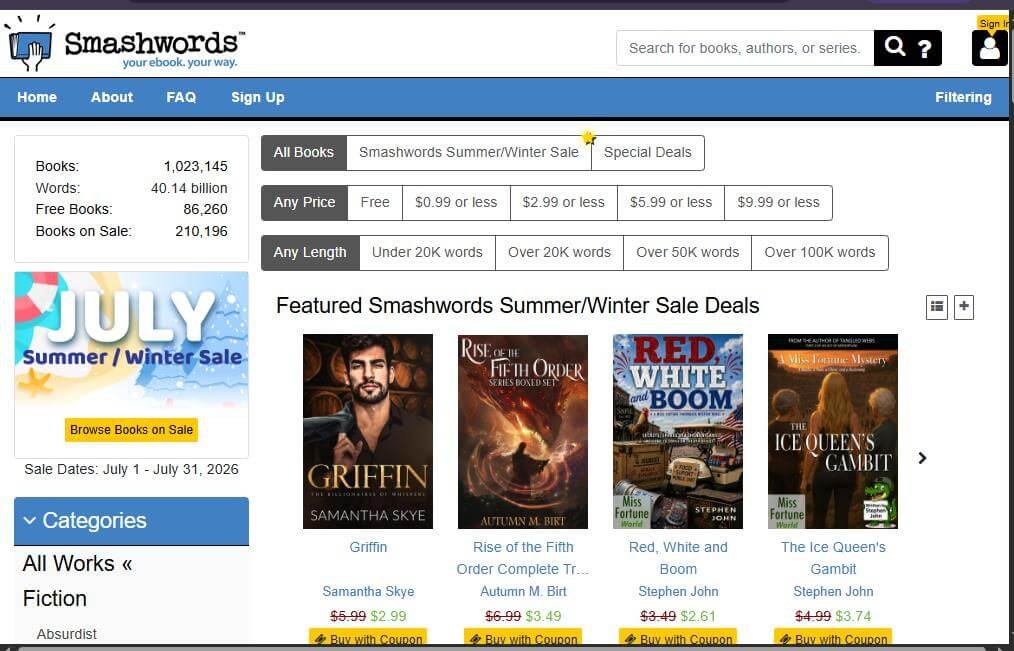
Smashwords is a popular self-publishing platform that enables authors and publishers to publish, distribute, and sell eBooks to readers worldwide. It also offers readers access to thousands of free and paid eBooks across a wide range of genres. Whether you’re an aspiring author or an avid reader, Smashwords provides an easy way to discover and share digital books.
This step-by-step guide explains how to use Smashwords, from creating an account to purchasing or publishing eBooks and managing your digital library.
If you’re looking for a platform to publish your own eBooks or discover affordable indie titles, Smashwords is a great place to begin.
How Do You Use Smashwords?
Quick Answer
To use Smashwords:
- Create a Smashwords account.
- Browse or search for eBooks.
- Purchase or download free books.
- Add books to your library.
- Download books in your preferred format.
- Read them on your favorite device.
- (Optional) Publish your own eBooks through the Smashwords publishing dashboard.
Prerequisites
Before using Smashwords, make sure you have:
- A Smashwords account
- A stable internet connection
- A smartphone, tablet, eReader, or computer
- A valid payment method (for paid books)
- An email address for account verification
Step-by-Step Instructions
Follow these simple steps to set up your Smashwords account, publish your ebook, and make it available to readers.
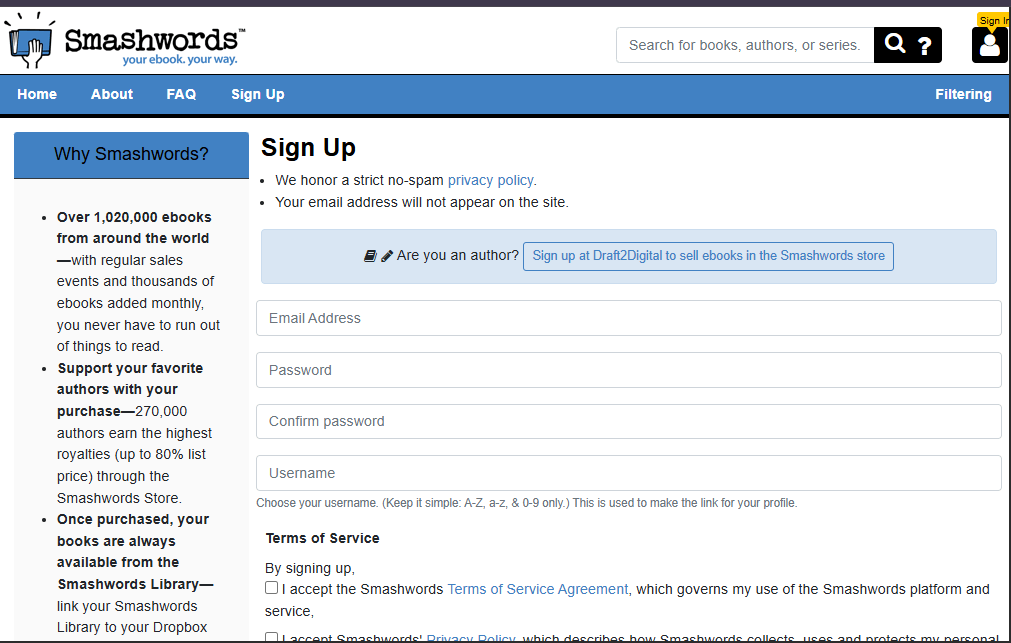
Step 1: Create a Smashwords Account
Visit the Smashwords website.
Click Sign Up.
Enter your:
- Name
- Email address
- Password
Verify your email address if prompted.
Step 2: Browse or Search for eBooks
Use the search bar to find books by:
- Title
- Author
- Genre
- Keyword
- Bestseller lists
You can also browse categories to discover new releases and popular books.
Step 3: Choose a Book
Open the book’s product page.
Review:
- Book description
- Author information
- Reviews
- Price
- Available download formats
Select the title you’d like to read.
Step 4: Purchase or Download the Book
Click Buy for paid books or Download for free books.
Complete the checkout process if purchasing.
The book will be added to your library after payment.
Step 5: Download Your Preferred File Format
Smashwords supports multiple eBook formats, including:
- EPUB
- MOBI
- TXT
- RTF
Choose the format that works best with your reading device.
Step 6: Read Your eBook
Open the downloaded file using:
- An eReader
- Smartphone
- Tablet
- Computer
- Compatible reading app
Your reading experience depends on the device and app you use.
Step 7: Publish Your Own eBook (Optional)
If you’re an author:
- Access the publishing dashboard.
- Upload your manuscript.
- Add your book cover.
- Enter book details and pricing.
- Publish your eBook for distribution.
What Tips Help You Get the Most Out of Smashwords?
Tips
Use these tips to optimize your Smashwords publishing, improve your book’s visibility, and reach more readers effectively.
- Explore the free eBook collection.
- Read book samples before purchasing.
- Download the correct file format for your device.
- Follow your favorite independent authors.
- Watch for seasonal sales and discounts.
- Leave reviews after finishing books.
- Keep your downloaded library organized.
What Common Mistakes Should You Avoid?
Common Mistakes
Avoid these beginner mistakes:
- Downloading the wrong file format.
- Buying books without reading the description.
- Ignoring customer reviews.
- Forgetting your account credentials.
- Not checking device compatibility.
- Skipping author profiles and recommendations.
What Should You Do If Smashwords Isn’t Working?
Troubleshooting
| Issue | Solution |
| Can’t sign in | Reset your password |
| Download won’t start | Refresh the page and try again |
| Payment failed | Verify your payment information |
| Wrong file format | Download a compatible version |
| Missing purchase | Check your library or purchase history |
| Upload error (authors) | Verify your manuscript meets Smashwords formatting guidelines |
What Are the Best Practices for Using Smashwords?
Best Practices
- Keep your account information updated.
- Download books in compatible formats.
- Read samples before buying.
- Organize your downloaded eBooks.
- Explore independent authors regularly.
- Leave honest ratings and reviews.
- Check for promotions and discounted titles.
Frequently Asked Questions
Is Smashwords free?
Creating a Smashwords account is free. Many books are free, while others require a purchase.
Can I publish my own eBook on Smashwords?
Yes. Smashwords allows authors and publishers to self-publish and distribute eBooks.
What file formats does Smashwords support?
Smashwords supports EPUB, MOBI, PDF, RTF, TXT, and other popular eBook formats.
Can I read Smashwords books on any device?
Yes. Simply download the file format compatible with your preferred reading device or app.
Does Smashwords offer free books?
Yes. Smashwords features thousands of free eBooks across many genres.
Conclusion
Smashwords makes it easy for readers to discover independent authors and for writers to publish their work to a global audience. Whether you’re downloading free books, purchasing bestsellers, or publishing your first eBook, Smashwords provides flexible tools and multiple file formats to suit your reading and publishing needs.
Publish, Discover, and Read with Smashwords
Whether you’re searching for your next favorite eBook or planning to publish your own, Smashwords offers a simple platform to connect readers and authors worldwide. Create your free account today and start exploring endless reading opportunities.