How to Use eBooks.com: A Beginner’s Step-by-Step Guide
Learn how to use eBooks.com to easily discover, purchase, download, and read your favorite eBooks with this simple beginner-friendly guide.
By TechScaleMedia Editorial · Updated July 2026 · 11 min read
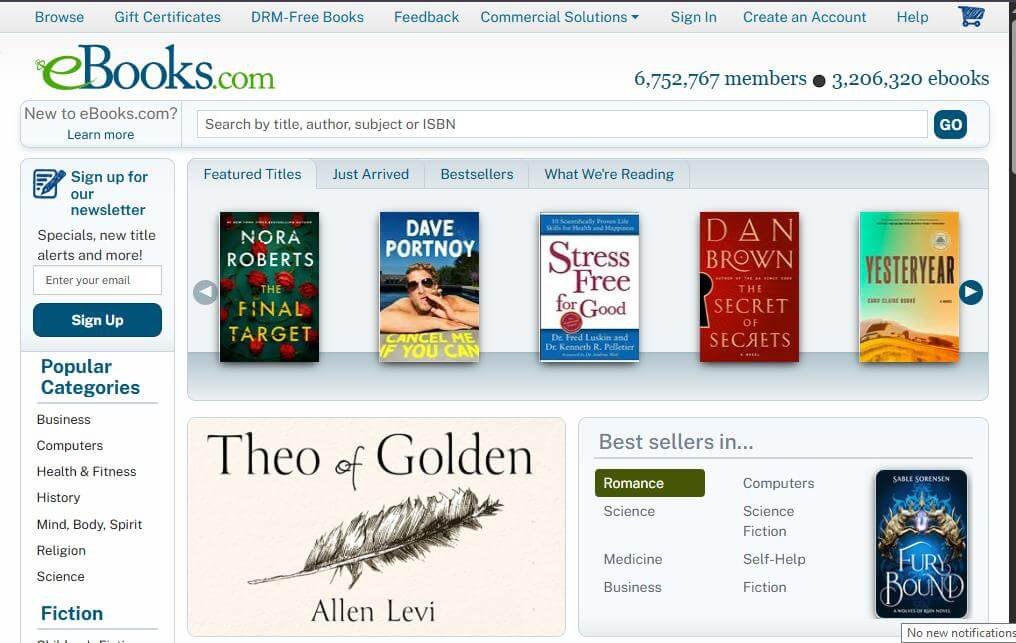
eBooks.com is a leading digital bookstore that offers millions of eBooks across a wide range of genres, including fiction, business, education, technology, and self-improvement. Whether you’re purchasing bestsellers, academic textbooks, or professional guides, eBooks.com provides a simple way to buy and read books on multiple devices.
This step-by-step guide explains how to use eBooks.com, from creating an account to purchasing, downloading, and reading your favorite eBooks anytime.
If you’re looking for a reliable online bookstore with an extensive collection of digital books, eBooks.com is an excellent platform to explore.
How Do You Use eBooks.com?
Quick Answer
To use eBooks.com:
- Create an eBooks.com account.
- Browse or search for eBooks.
- Purchase or download free books.
- Add books to your library.
- Download your preferred eBook format.
- Read your books using the eBooks.com app or a compatible device.
- Manage your library and purchases.
- Sync your reading across supported devices.
Prerequisites
Before using eBooks.com, make sure you have:
- An eBooks.com account
- A stable internet connection
- A smartphone, tablet, computer, or compatible eReader
- A valid payment method
- The eBooks.com Reader app (optional)
Step-by-Step Instructions
Follow the simple step-by-step instructions to find, purchase, download, and read your favorite eBooks on eBooks.com with ease.
Step 1: Create an eBooks.com Account
Visit the eBooks.com website.
Click Sign In and then select Create an Account
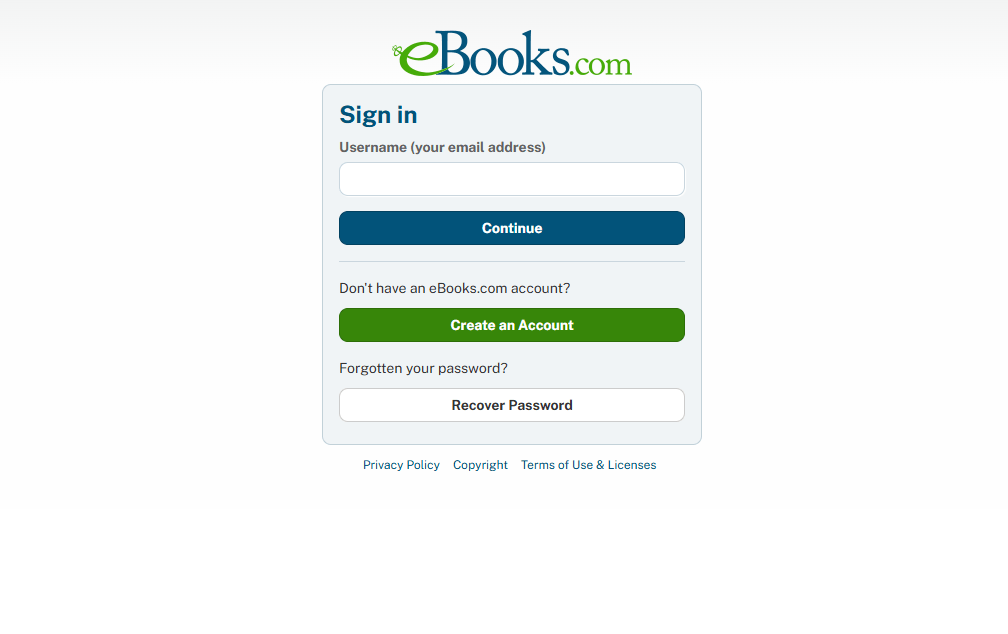
Enter your:
- Name
- Email address
- Password
Verify your email if prompted.
Step 2: Browse or Search for Books
Use the search bar to find books by:
- Title
- Author
- ISBN
- Publisher
- Category
You can also browse featured collections, new releases, and bestsellers.
Step 3: Select a Book
Open the book’s product page.
Review important information such as:
- Book description
- Author details
- Price
- Customer ratings
- Available file formats
Choose the edition that best meets your needs.
Step 4: Purchase or Download the Book
Click Buy Now or choose a free title if available.
Complete your payment using your preferred payment method.
After the purchase is complete, the book will be added to your library.
Step 5: Download Your eBook
Open your library.
Select the book and choose your preferred download format, such as:
- EPUB
Download the file to your device or open it directly in the eBooks.com Reader app.
Step 6: Start Reading
Open your downloaded eBook.
Customize your reading experience by adjusting:
- Font size
- Brightness
- Page layout
- Reading mode
- Zoom level (for PDFs)
Your reading progress is automatically saved when supported.
Step 7: Manage Your Library
Access your account to:
- View purchased books
- Re-download previous purchases
- Organize your library
- Update account information
- Review your order history
Keeping your library organized makes it easier to access your favorite titles.
What Tips Help You Get the Most Out of eBooks.com?
Tips
Explore different eBook formats, compare prices, and check user reviews to find the best books for your reading needs.
- Read the free sample before purchasing.
- Compare different editions when available.
- Download books for offline reading.
- Organize your library into categories.
- Check for seasonal discounts and promotions.
- Use the search filters to find books quickly.
- Keep the Reader app updated for the best experience.
What Common Mistakes Should You Avoid?
Common Mistakes
Avoid these beginner mistakes:
- Purchasing the wrong edition of a book.
- Ignoring supported file formats.
- Forgetting your account credentials.
- Not checking device compatibility.
- Skipping book previews before buying.
- Forgetting to back up downloaded files.
What Should You Do If eBooks.com Isn’t Working?
Troubleshooting
| Issue | Solution |
| Can’t sign in | Reset your account password |
| Download failed | Check your internet connection and try again |
| Payment declined | Verify your payment details |
| File won’t open | Use a compatible reading app or device |
| Missing purchase | Check your library or contact customer support |
| Reader app issues | Update or reinstall the app |
What Are the Best Practices for Using eBooks.com?
Best Practices
- Keep your account information updated.
- Download books only on trusted devices.
- Read samples before purchasing.
- Organize your digital library regularly.
- Monitor special offers and discounts.
- Keep your reading app updated.
- Save purchase receipts for future reference.
Frequently Asked Questions
Is eBooks.com free?
Creating an eBooks.com account is free. You only pay for the books you choose to purchase, although some free eBooks are also available.
Can I read eBooks.com books offline?
Yes. Download your purchased books to your device for offline reading.
Which file formats does eBooks.com support?
Most books are available in EPUB and PDF formats, depending on the publisher.
Can I access my purchased books on multiple devices?
Yes. Sign in to your account to access your library on supported devices.
Does eBooks.com offer free books?
Yes. The platform includes a selection of free eBooks across various categories.
Conclusion
eBooks.com provides a convenient way to purchase, download, and enjoy digital books across multiple devices. Whether you’re reading for education, work, or entertainment, the platform offers a user-friendly experience with a vast collection of titles. By organizing your library and choosing the right file formats, you can enjoy a seamless digital reading experience wherever you go.
Build Your Digital Library with eBooks.com
Browse millions of eBooks, discover new authors, and access your favorite titles anytime, anywhere. Create your free eBooks.com account today and start building a digital library that grows with your reading interests.Allows outside sounds to pass through naturally so you can remain aware of your surroundings without removing the earbuds.