How to Use AbeBooks: A Beginner’s Step-by-Step Guide
Learn how to use AbeBooks step by step to find, compare, and purchase books easily online.
By TechScaleMedia Editorial · Updated July 2026 · 11 min read
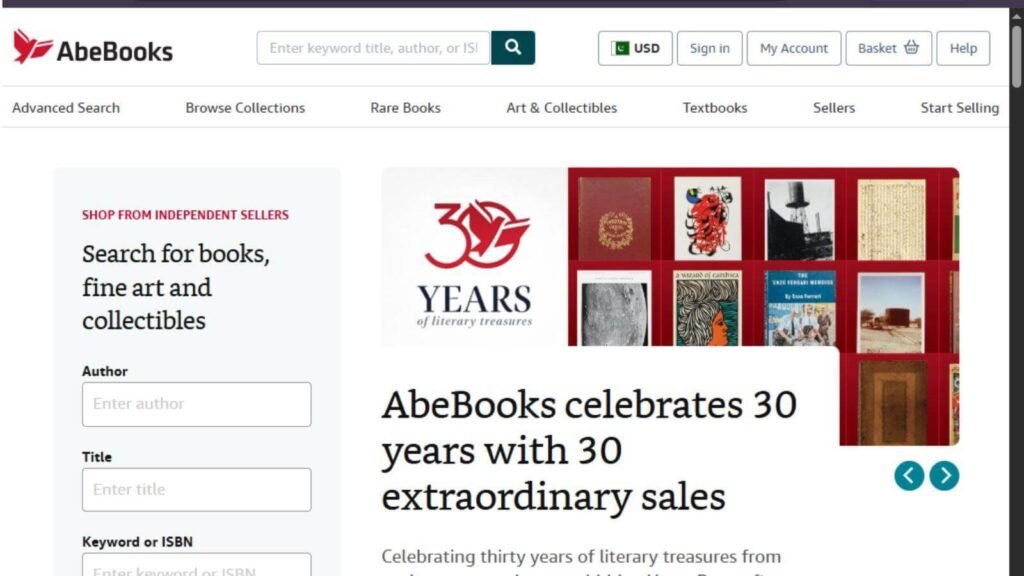
AbeBooks is a trusted online marketplace where readers can buy new, used, rare, collectible, and out-of-print books from thousands of independent booksellers worldwide. Whether you’re searching for an affordable textbook or a rare first edition, AbeBooks makes it easy to find books that aren’t always available elsewhere.
This step-by-step guide explains how to use AbeBooks, from creating an account to searching for books, placing orders, and tracking your purchases.
If you’re looking for an easy way to discover affordable or hard-to-find books online, AbeBooks is an excellent place to start.
How Do You Use AbeBooks?
Quick Answer
To use AbeBooks:
- Create an AbeBooks account.
- Browse or search for books.
- Filter results by condition, price, or seller.
- Add books to your shopping cart.
- Complete your purchase.
- Track your order.
- Receive your books.
- Leave feedback for the seller.
Prerequisites
Before using AbeBooks, make sure you have:
- An AbeBooks account
- A stable internet connection
- A valid shipping address
- A debit or credit card, PayPal, or another accepted payment method
- An email address for order confirmations
Step-by-Step Instructions
Follow these simple step-by-step instructions to create an account, search for books, compare editions and prices, place an order, and manage your AbeBooks purchases with ease.
Step 1: Create an AbeBooks Account
Visit the AbeBooks website.
Click Sign In and then choose Create an Account.
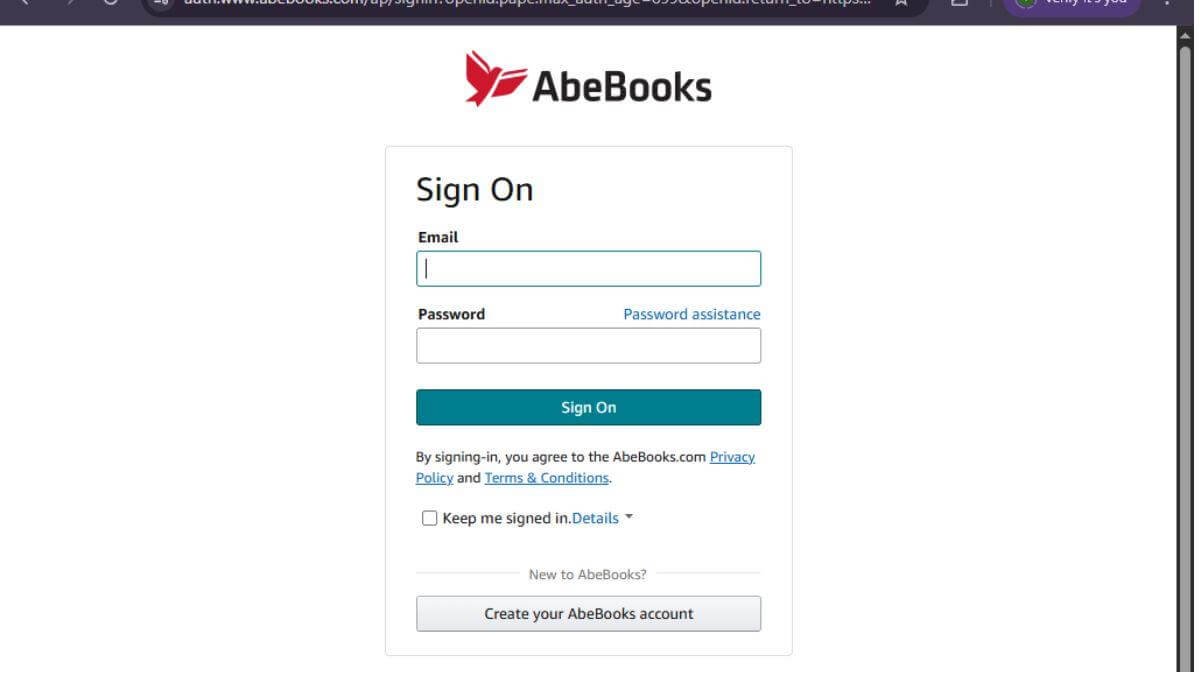
Enter your email address and create a secure password.
Verify your email if prompted.
Step 2: Search for Books
Use the search bar to look for books by:
- Title
- Author
- ISBN
- Publisher
- Keyword
Browse through the available listings.
Step 3: Filter Your Search Results
Use filters to narrow your search based on:
- Book condition
- Price
- Seller location
- Binding type
- Publication year
- First edition
Choose the listing that best fits your needs.
Step 4: Review Book Details
Before purchasing, carefully review:
- Book description
- Condition
- Seller rating
- Shipping charges
- Estimated delivery date
Ensure the listing matches your expectations.
Step 5: Add the Book to Your Cart
Click Add to Basket.
Continue shopping or proceed to checkout.
Review your order before making payment.
Step 6: Complete Your Purchase
Enter your:
- Shipping address
- Payment information
- Billing details
Confirm your order.
You’ll receive an email confirmation shortly after checkout.
Step 7: Track Your Order
Sign in to your AbeBooks account.
Visit Order History to:
- Check order status
- Track shipping
- View invoices
- Contact the seller if necessary
What Tips Help You Find the Best Deals on AbeBooks?
Tips
Use these tips to compare listings, check seller ratings and book conditions, and look for shipping costs or discounts to get the best overall deal on AbeBooks.
- Compare prices from multiple sellers.
- Read seller ratings before purchasing.
- Check shipping costs before checkout.
- Filter by book condition to match your budget.
- Save books to your wishlist for later.
- Look for discounted used copies.
- Search by ISBN for more accurate results.
What Common Mistakes Should You Avoid?
Common Mistakes
Avoid these beginner mistakes:
- Buying without checking the book’s condition
- Ignoring shipping fees
- Not reading the seller’s description
- Purchasing from low-rated sellers without reviewing feedback
- Forgetting to verify edition details
- Skipping delivery estimates
What Should You Do If AbeBooks Isn’t Working?
Troubleshooting
If you experience problems:
| Issue | Solution |
| Can’t log in | Reset your password |
| Payment failed | Verify your payment details |
| Book unavailable | Choose another seller or edition |
| Order delayed | Contact the seller through your account |
| Tracking unavailable | Wait for shipment confirmation or contact support |
| Wrong item received | Initiate a return according to AbeBooks’ return policy |
What Are the Best Practices for Using AbeBooks?
Best Practices
- Compare listings before buying.
- Purchase from highly rated sellers.
- Read the complete book description.
- Keep your shipping information updated.
- Save receipts for future reference.
- Monitor order updates regularly.
- Leave honest seller feedback after receiving your order.
Frequently Asked Questions
Is AbeBooks free to use?
Yes. Creating an AbeBooks account is free. You only pay for the books you purchase.
Can I buy used books on AbeBooks?
Yes. AbeBooks specializes in used, rare, collectible, and out-of-print books.
Can I return books?
Yes. Many purchases are covered by AbeBooks’ return policy, depending on the seller and the circumstances.
Does AbeBooks ship internationally?
Yes. Many sellers offer international shipping, although availability varies by seller.
Is AbeBooks safe?
Yes. AbeBooks is a well-established marketplace that connects buyers with independent booksellers worldwide.
Conclusion
AbeBooks makes it simple to discover affordable, rare, and collectible books from independent sellers across the globe. By comparing listings, reviewing seller ratings, and checking book conditions before purchasing, you can shop confidently and expand your personal library with ease.
Explore Millions of Books on AbeBooks
Whether you’re hunting for a rare collectible or an affordable used textbook, AbeBooks helps you find the perfect title. Start browsing today and discover books you won’t find anywhere else.