How to Use Kobo: A Beginner’s Step-by-Step Guide
Learn how to use Kobo step by step to discover, purchase, organize, and enjoy your favorite ebooks and audiobooks with ease.
By TechScaleMedia Editorial · Updated July 2026 · 11 min read
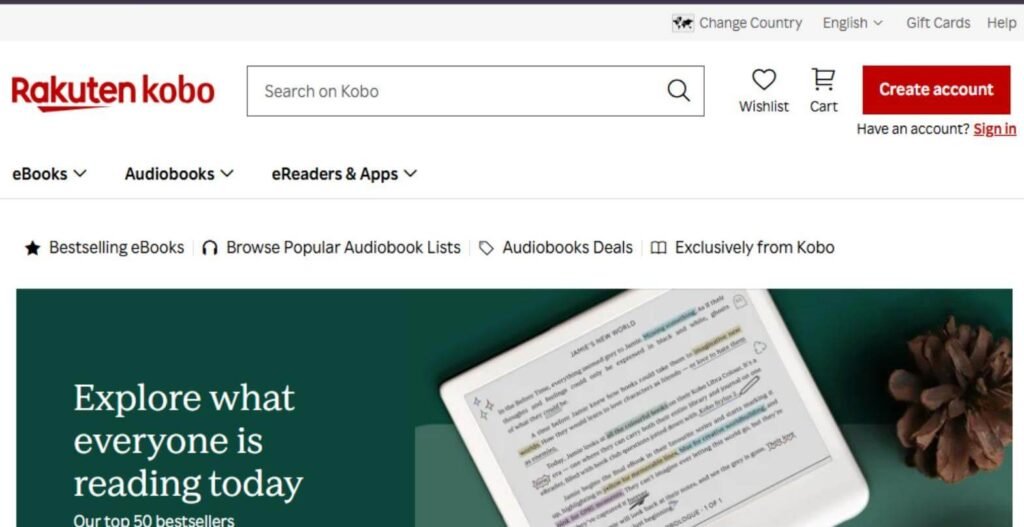
Kobo is a popular digital reading platform that allows you to purchase, download, and read millions of eBooks and audiobooks across multiple devices. Whether you’re using a Kobo eReader, smartphone, tablet, or computer, Kobo makes it easy to build your digital library and enjoy your favorite books anytime.
This step-by-step guide explains how to use Kobo, from creating your account to purchasing books, syncing your library, and customizing your reading experience.
If you’re looking for an easy-to-use eBook platform with a vast collection of titles and flexible reading options, Kobo is an excellent choice.
How Do You Use Kobo?
Quick Answer
To use Kobo:
- Create a Kobo account.
- Download the Kobo Books app or use a Kobo eReader.
- Browse or search for books.
- Purchase or download free eBooks.
- Add books to your library.
- Sync your account across devices.
- Customize your reading settings.
- Track your reading progress.
Prerequisites
Before using Kobo, make sure you have:
- A Kobo account
- An internet connection
- A smartphone, tablet, computer, or Kobo eReader
- A valid payment method (for paid books)
- The Kobo Books app (optional)
Step-by-Step Instructions
Follow these simple step-by-step instructions to set up Kobo, find and download books, customize your reading experience, and start enjoying your eBooks with ease.
Step 1: Create a Kobo Account
Visit the Kobo website.
Click Sign In and then select Create an Account.
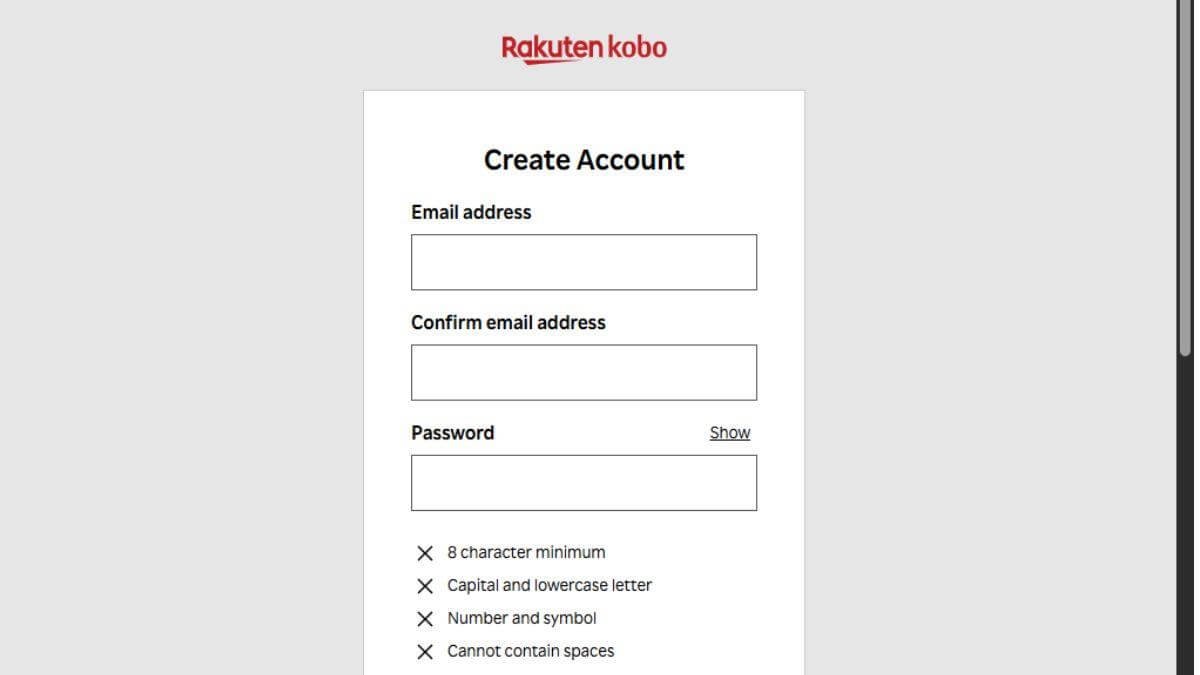
Register using your email address or continue with your Google, Apple, or Facebook account.
Step 2: Download the Kobo App
Download the Kobo Books app on your:
- Android
- iPhone
- iPad
You can also use Kobo directly from your web browser or Kobo eReader.
Step 3: Browse the Kobo Store
Use the search bar to find books by:
- Title
- Author
- Genre
- Bestseller lists
- New releases
Browse categories to discover new books.
Step 4: Purchase or Download Books
Select a book.
Click Buy Now for paid titles or Get It Free for free books.
Complete your purchase using your preferred payment method.
The book will automatically appear in your Kobo library.
Step 5: Sync Your Library
Open the Kobo app or your Kobo eReader.
Click Sync to download your purchased books.
Your library will remain updated across all connected devices.
Step 6: Start Reading
Open any book from your library.
Customize your reading experience by adjusting:
- Font size
- Font style
- Brightness
- Margins
- Reading mode
- Line spacing
Your progress is saved automatically.
Step 7: Track Your Reading Progress
Kobo records your:
- Reading progress
- Reading statistics
- Completed books
- Reading streaks
- Reading time
Review your achievements anytime from your account.
What Tips Help You Get the Most Out of Kobo?
Tips
Get helpful tips for organizing your Kobo library, customizing your reading experience, and making the most of its features.
- Sync your library regularly.
- Download books before traveling.
- Explore Kobo’s free eBook collection.
- Organize books into collections.
- Customize fonts for comfortable reading.
- Use bookmarks and highlights while reading.
- Take advantage of personalized recommendations.
What Common Mistakes Should You Avoid?
Common Mistakes
Avoid these common mistakes:
- Forgetting to sync your library
- Using multiple Kobo accounts accidentally
- Ignoring free book promotions
- Purchasing duplicate books
- Not updating the Kobo app
- Forgetting your login credentials
What Should You Do If Kobo Isn’t Working?
Troubleshooting
If you experience problems:
| Issue | Solution |
| Can’t sign in | Reset your Kobo password |
| Books not syncing | Tap the Sync button and check your internet connection |
| Download failed | Restart the app and try again |
| Payment declined | Verify your payment information |
| App crashes | Update or reinstall the Kobo app |
| Missing purchases | Refresh your library or contact Kobo Support |
What Are the Best Practices for Using Amazon Associates?
Best Practices
- Keep your app updated.
- Sync your library frequently.
- Organize books into collections.
- Back up important reading notes.
- Explore Kobo Plus if available.
- Read across multiple synced devices.
- Monitor seasonal discounts and promotions.
Frequently Asked Questions
Is Kobo free to use?
Yes. Creating a Kobo account is free. You only pay for books you choose to purchase unless you download free titles.
Can I read Kobo books on my phone?
Yes. Kobo offers apps for Android and iOS devices.
Can I use Kobo offline?
Yes. Download books before going offline.
Does Kobo sync across devices?
Yes. Your reading progress automatically syncs across supported devices.
Does Kobo offer free books?
Yes. Kobo provides thousands of free eBooks across various genres.
Conclusion
Kobo provides a simple and flexible way to enjoy digital reading across multiple devices. Whether you’re purchasing bestselling novels, exploring free books, or tracking your reading goals, Kobo offers tools that make reading convenient and enjoyable. By syncing your library and customizing your reading preferences, you can create a seamless reading experience wherever you go.
Start Your Reading Journey with Kobo Today
Create your free Kobo account, discover millions of eBooks and audiobooks, and enjoy reading wherever life takes you. With Kobo, your next great book is just a few clicks away.