How to Use Amazon Associates: A Beginner’s Step-by-Step Guide
Learn how to join Amazon Associates, create affiliate links, promote products, and earn commissions with this beginner-friendly step-by-step guide.
By TechScaleMedia Editorial · Updated July 2026 · 11 min read
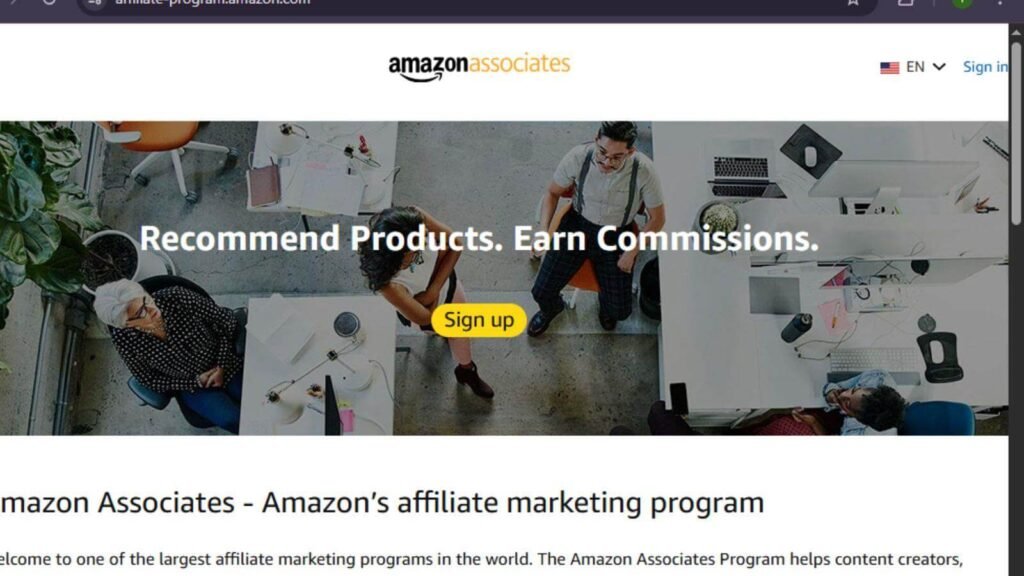
Affiliate marketing is one of the easiest ways to earn passive income online, and Amazon Associates is among the world’s most popular affiliate programs. Whether you run a blog, YouTube channel, or social media account, Amazon Associates lets you earn commissions by recommending products your audience loves.
This guide explains exactly how to use Amazon Associates, from creating your account to generating affiliate links and tracking your earnings.
If you’re looking for a beginner-friendly affiliate program with millions of products to promote, Amazon Associates is a great place to start.
How Do You Use Amazon Associates?
Quick Answer
To use Amazon Associates:
- Sign up for an Amazon Associates account.
- Add your website, blog, or social media profile.
- Complete your account setup.
- Search for products to promote.
- Create affiliate links.
- Share your links with your audience.
- Earn commissions when qualifying purchases are made.
- Track clicks, conversions, and earnings from your dashboard.
Prerequisites
Before using Amazon Associates, make sure you have:
- An Amazon account
- A website, blog, YouTube channel, or approved social media page
- Original content with regular visitors
- Basic knowledge of affiliate marketing
- A payment method for receiving commissions
Step By Step Instructions :
Follow these simple steps to create your Amazon Associates account, choose products, generate affiliate links, and start earning commissions.
Step 1: Create an Amazon Associates Account
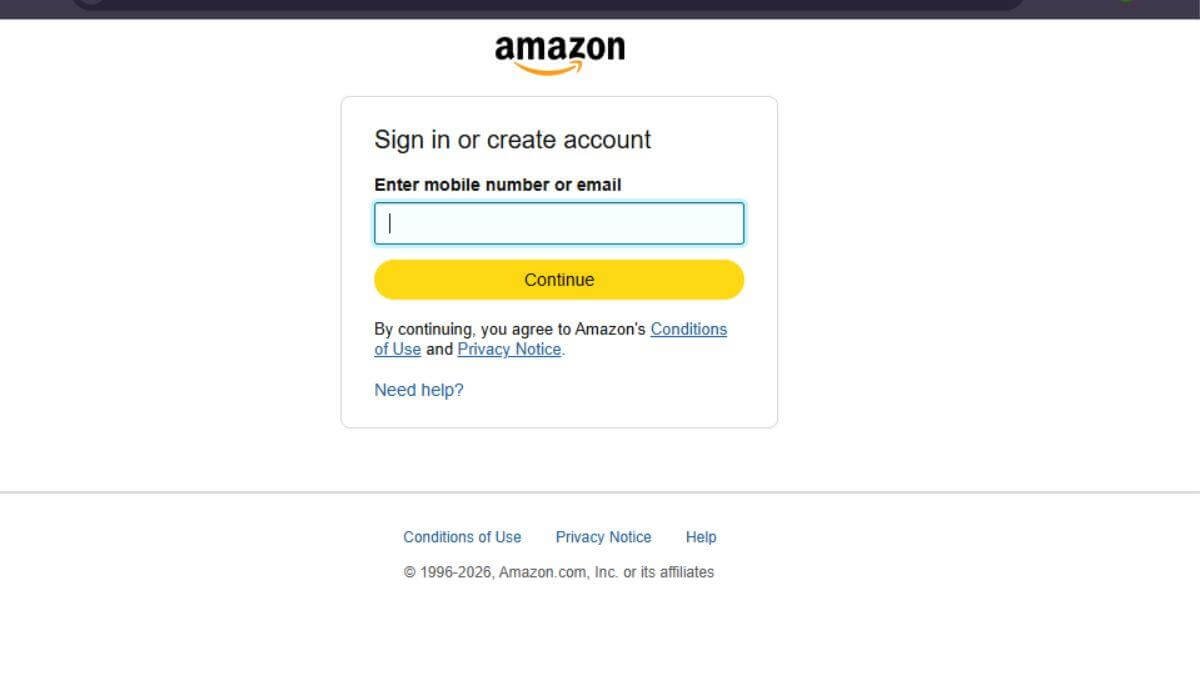
Visit the Amazon Associates website.
Click Sign Up.
Log in using your Amazon account or create a new one.
Step 2: Add Your Website or Social Media
Enter the platforms where you’ll share affiliate links.
Examples include:
- Blog
- Website
- YouTube
- Facebook Page
- TikTok
Verify ownership if requested.
Step 3: Complete Your Profile
Provide:
- Your preferred store ID
- Website category
- Traffic sources
- Content niche
- Payment details
- Tax information
Review everything before submitting.
Step 4: Search for Products
Open the Amazon Associates dashboard.
Use the product search tool to find relevant products.
Choose items that match your audience’s interests.
Examples include:
- Electronics
- Books
- Home products
- Fitness gear
- Beauty products
Step 5: Generate Affiliate Links
Click Get Link next to the product.
Choose the link type:
- Text
- Image
- Text + Image
Copy your affiliate link.
Step 6: Share Your Affiliate Links
Publish your links in:
- Product reviews
- Buying guides
- Tutorials
- Blog articles
- Email newsletters
- YouTube descriptions
- Social media posts (where permitted)
Always disclose affiliate relationships.
Step 7: Monitor Performance
Visit your dashboard regularly to review:
- Clicks
- Ordered items
- Conversion rate
- Commission earnings
- Reports
Use this data to improve future content.
What Tips Help You Get Better Results with Amazon Associates?
Tips
These practical tips will help you choose profitable products, create helpful content, improve conversions, and earn more from Amazon Associates.
- Promote products you’ve actually used.
- Write honest reviews.
- Target buyer-intent keywords.
- Add affiliate links naturally.
- Update old articles regularly.
- Compare similar products.
- Create seasonal buying guides.
What Common Mistakes Should You Avoid?
Common Mistakes
Avoid these beginner mistakes:
- Posting affiliate links without disclosure
- Promoting unrelated products
- Ignoring Amazon Associates policies
- Using broken links
- Stuffing pages with affiliate links
- Never checking link performance
What Should You Do If Amazon Associates Isn’t Working?
Troubleshooting
If you experience problems:
| Issue | Solution |
| Can’t log in | Reset your password |
| Links not tracking | Check your affiliate ID |
| Account pending | Complete missing information |
| Low commissions | Promote higher-converting products |
| Link errors | Generate a new affiliate link |
| Account warning | Review Amazon’s operating agreement |
What Are the Best Practices for Using Amazon Associates?
Best Practices
- Create valuable content first.
- Recommend relevant products.
- Use comparison tables.
- Monitor analytics weekly.
- Test different product placements.
- Keep content updated.
- Build audience trust through transparency
Frequently Asked Questions
Is Amazon Associates free?
Yes. Joining Amazon Associates is free.
Can beginners use Amazon Associates?
Yes. It’s designed for beginners and experienced affiliates alike.
How do I get paid?
Payments are made through direct deposit, gift card, or check, depending on your country.
Can I share affiliate links on social media?
Yes, provided your social platforms comply with Amazon’s policies.
How much can I earn?
Earnings depend on your traffic, conversions, promoted products, and commission rates.
Conclusion
Amazon Associates makes affiliate marketing accessible for beginners and experienced creators alike. By choosing products relevant to your audience, creating helpful content, and tracking your performance, you can build a steady stream of affiliate income over time. Focus on providing value rather than simply selling products, and your recommendations are more likely to convert.
Start Earning with Amazon Associates Today
Join Amazon Associates, create your first affiliate link, and begin recommending products your audience will love. With consistent, high-quality content, you can turn your recommendations into long-term affiliate earnings.