How to Use Aikido Security: A Complete Beginner’s Guide
Managing application security with multiple tools can be overwhelming. Developers often need separate solutions for code scanning, dependency analysis, secret detection, container security, and cloud monitoring, making it difficult to identify and fix the most critical vulnerabilities. This fragmented approach slows development and increases security risks.
By TechScaleMedia Editorial · Updated July 2026 · 11 min read

That’s where Aikido Security comes in. Aikido Security is a developer-first application security (AppSec) platform that combines SAST, SCA, DAST, secret scanning, container scanning, and cloud security into one dashboard. It prioritizes exploitable vulnerabilities, integrates with GitHub, GitLab, and Bitbucket, and provides AI-powered AutoFix to help developers resolve security issues faster. Whether you’re a developer, DevOps engineer, or security team, Aikido Security helps you secure your applications without disrupting your development workflow.
Quick Answer
Using Aikido Security involves creating an account, connecting your Git repository, scanning your codebase, reviewing prioritized vulnerabilities, configuring CI/CD security checks, enabling AutoFix, and monitoring your applications and cloud environments. Once configured, Aikido continuously detects security risks and helps you fix vulnerabilities before they reach production.
Prerequisites
Before getting started, you’ll need:
- An Aikido Security account
- A GitHub, GitLab, or Bitbucket repository
- Administrator access to your repository
- A CI/CD platform (optional)
- Access to your cloud environment (optional)
- A stable internet connection
Create a Workflow Manually (Recommended for Beginners)
If you’re new to application security, scanning your first project with Aikido is the best way to understand how the platform works.
Step 1: Create Your Aikido Security Account
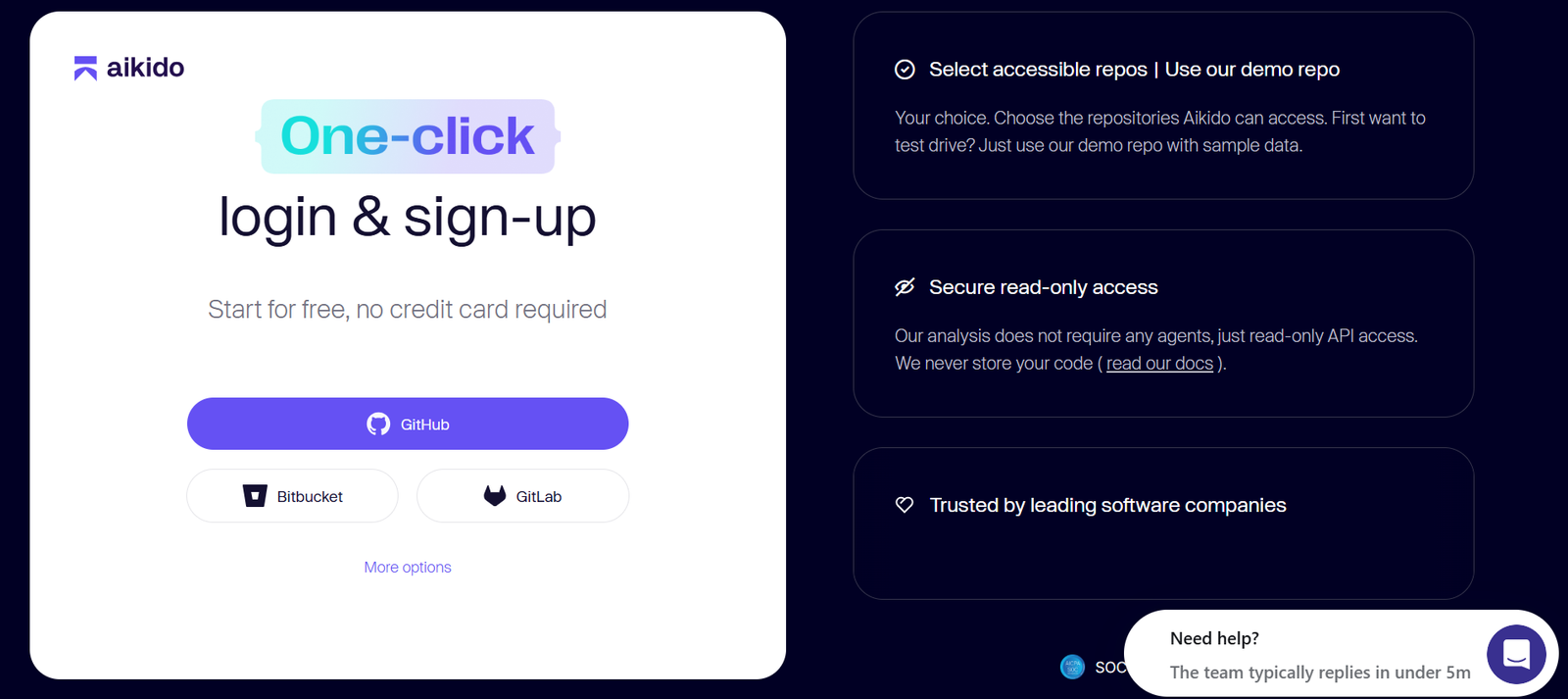
Visit the Aikido Security website and click Sign Up.
Create your account using your email or Git provider and complete the registration process.
After signing in, you’ll access the Aikido dashboard where you can manage repositories, vulnerabilities, cloud environments, and security scans.
Step 2: Connect Your Git Repository
Click Connect Repository and authorize Aikido to access your Git provider.
Aikido supports:
- GitHub
- GitLab
- Bitbucket
After authorization, select the repositories you want to protect.
Aikido securely scans fresh repository clones inside isolated Docker containers and does not permanently store your source code.
Step 3: Run Your First Security Scan
Once your repository is connected, Aikido automatically begins scanning your project.
It checks for:
- Static code vulnerabilities (SAST)
- Dependency vulnerabilities (SCA)
- Secrets and API keys
- Container security issues
- Misconfigurations
- Known security risks
The scan usually completes within a few minutes depending on your project size.
Step 4: Review the Security Dashboard
After scanning, open your dashboard to review the results.
Instead of displaying thousands of alerts, Aikido prioritizes vulnerabilities based on their exploitability and severity.
Focus first on:
- Critical vulnerabilities
- High-risk dependencies
- Exposed secrets
- Actively exploitable issues
This helps your team resolve the most important risks first.
Step 5: Configure CI/CD Security Checks
Integrate Aikido into your development workflow by enabling CI/CD security gates.
You can configure checks to:
- Scan pull requests automatically
- Block vulnerable code from being merged
- Enforce security policies
- Generate security reports
This ensures vulnerabilities are identified before reaching production.
Step 6: Enable AutoFix
One of Aikido’s most useful features is AutoFix.
Enable AI-powered automatic remediation to:
- Update vulnerable dependencies
- Generate pull requests
- Fix common code vulnerabilities
- Reduce manual security work
Review the suggested changes before merging them into your project.
Step 7: Protect Developer Devices
Install Aikido’s desktop agent to improve developer endpoint security.
The desktop protection feature can help:
- Detect malware
- Monitor IDE extensions
- Identify risky browser extensions
- Improve developer workstation security
This adds another layer of protection beyond application code.
Step 8: Connect Your Cloud Environment
If you use cloud infrastructure, connect your cloud account using read-only access.
Aikido supports monitoring for:
- Cloud misconfigurations
- Exposed virtual machines
- Compliance issues
- Publicly accessible resources
- Security risks across cloud environments
Because the connection uses read-only permissions, Aikido can analyze your environment without making changes.
Step 9: Monitor Security Continuously
Security isn’t a one-time task.
Use the Aikido dashboard to continuously monitor:
- New vulnerabilities
- Dependency updates
- Container security
- Cloud security findings
- Secret leaks
- Compliance status
Review alerts regularly to keep your applications secure.
You’re Ready to Secure Your Applications with Aikido Security?
Scan your first project in minutes and let Aikido continuously identify security risks across your code and infrastructure.
Tips to Get the Most Out of Aikido Security
Use these quick improvements to get better results from your security workflow:
- Start With Important Repositories
Connect your most active and business-critical projects first to identify major security risks quickly. - Customize Security Priorities
Focus on vulnerabilities that affect your application instead of spending time on low-impact alerts. - Use AutoFix Carefully
Review AI-generated fixes before merging changes to ensure they match your project requirements. - Keep Your Security Dashboard Organized
Regularly remove outdated projects and maintain clear visibility across active applications.
Common Aikido Security Mistakes to Avoid
Avoid these issues when setting up Aikido Security:
- Ignoring critical vulnerabilities. High-risk security issues should be reviewed quickly because they can expose applications to attacks.
- Enabling Features Without Reviewing Results. Activate security features gradually and understand the findings before changing your workflow.
- Skipping CI/CD Integration. Without automated security checks in your development pipeline, vulnerabilities may reach production.
- Merging AutoFix Changes Without Testing. Always review and test AI-generated pull requests before applying them to your codebase.
- Delaying Dependency Updates. Outdated libraries can introduce known security risks, so keep dependencies maintained.
Best Practices for Using Aikido Security
Build a reliable application security process with these practices:
- Integrate Security Into Development. Include vulnerability checks during the development cycle instead of waiting until deployment.
- Maintain Regular Security Reviews. Schedule routine checks of code, dependencies, containers, and cloud environments.
- Apply Least-Privilege Access. Use appropriate permissions when connecting repositories and cloud accounts to reduce security risks.
- Create a Response Workflow. Define how your team handles vulnerability alerts, fixes, testing, and deployment.
- Track Security Improvements Over Time. Monitor vulnerability trends to measure progress and improve your security strategy.
Troubleshooting Common Aikido Security Issues
If your Aikido security scan isn’t working as expected, these quick troubleshooting tips can help.
Repository Won’t Connect
Verify your Git permissions and reconnect your repository.
No Scan Results
Confirm the repository has been synchronized and the scan has completed.
CI/CD Checks Aren’t Running
Review your pipeline configuration and repository integration.
AutoFix Isn’t Creating Pull Requests
Ensure AutoFix is enabled and the repository has write permissions where required.
Cloud Resources Aren’t Visible
Verify your cloud account is connected using the correct read-only IAM permissions.
Frequently Asked Questions
What is Aikido Security?
Aikido Security is a developer-first application security platform that combines code scanning, dependency analysis, cloud security, and vulnerability management in one platform.
Is Aikido Security suitable for beginners?
Yes. Its intuitive dashboard and prioritized findings make it easy for developers to improve application security without security expertise.
Does Aikido support GitHub?
Yes. It integrates with GitHub, GitLab, and Bitbucket.
Can Aikido scan cloud environments?
Yes. It supports cloud security monitoring using read-only access to detect misconfigurations and compliance issues.
What is AutoFix?
AutoFix is Aikido’s AI-powered feature that automatically creates pull requests to fix vulnerable dependencies and common code issues.
Conclusion
Aikido Security simplifies application security by combining code scanning, dependency analysis, secret detection, container security, cloud monitoring, and AI-powered remediation into one developer-friendly platform. Instead of juggling multiple security tools, developers can identify, prioritize, and resolve vulnerabilities from a single dashboard while integrating security directly into their development workflow.
Ready to Build More Secure Applications?
Start using Aikido Security today by connecting your first repository, running a security scan, and enabling automated vulnerability checks. As your projects grow, explore advanced features like AutoFix, CI/CD security gates, cloud security monitoring, and continuous scanning to strengthen your software security without slowing down development.