

How to Use Activepieces: A Beginner's Step-by-Step Guide
Automation helps you save time by connecting your favorite apps and letting them perform tasks automatically. Instead of manually copying data or sending notifications, you can create workflows that run on their own.
Activepieces is a no-code automation platform that allows you to connect hundreds of apps and automate repetitive tasks without programming. Whether you’re a freelancer, marketer, business owner, or content creator, Activepieces makes workflow automation simple and affordable.
If you’re ready to automate repetitive tasks and work more efficiently, this step-by-step guide will show you how to set up Activepieces, create your first workflow, connect your favorite apps, automate routine processes, and unlock the platform’s full potential to boost productivity and grow your business.
How do you use Activepieces?
A Quick Answer
- 1. Create a free Activepieces account.
- 2. Create a new "Piece" (workflow).
- 3. Select a trigger.
- 4. Connect your apps.
- 5. Add one or more actions.
- 6. Test the workflow.
- 7. Publish and enable automation.
Once activated, Activepieces automatically performs your tasks whenever the trigger occurs.
Prerequisites
Before you begin, make sure you have:
- An Activepieces account
- Internet connection
- Accounts for the apps you want to connect (Google Sheets, Gmail, Slack, etc.)
- API keys or login credentials (if required)
- A basic understanding of the workflow you want to automate
What You'll Need Before Using Activepieces
Before creating your first Activepieces automation, make sure you have:
- Automate repetitive tasks and save time
- Connect apps with powerful workflows
- Build no-code and AI automations
- Securely sync and manage business data
- Ideal for developers, teams, and businesses
Create a Workflow Manually (Recommended for Beginners)
If you’re new to workflow automation, building your first automation manually is the best way to understand how Activepieces works and how to create efficient no-code workflows.
Create a New Workflow
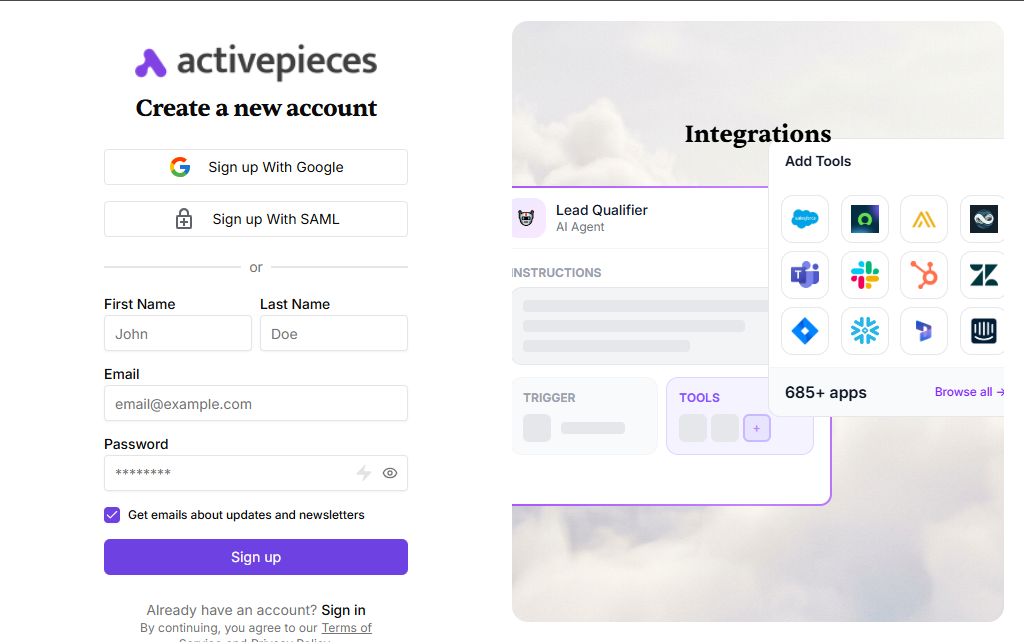
Visit the Activepieces website.
Click Sign Up.
Create your account using:
- Google account
- GitHub account
- Email address
Verify your email if prompted.
After logging in:
- Open the dashboard.
- Click Create Flow.
- Give your workflow a descriptive name.
Examples:
- Lead Notification
- Customer Follow-up
- Blorg Publisher
Every workflow begins with a trigger.
Examples include:
- New Google Form response
- New Gmail email
- New row in Google Sheets
- Webhook request
- Scheduled time
Select the trigger that starts your automation.
Click Connect Account.
Authorize Activepieces to access the selected application.
Depending on the app, you may need to:
- Sign in
- Grant permissions
- Enter an API key
After successful authentication, the app becomes available in your workflow
Now choose what should happen after the trigger.
Examples:
- Send an email
- Create a Trello card
- Send a Slack notification
- Add data to Google Sheets
- Generate AI content
- Create a Notion page
You can add multiple actions to build more advanced workflow
Map data from the trigger to the action.
Example:
Google Form → Gmail
- Name → Recipient Name
- Email → Recipient Email
- Message → Email Body
Activepieces allows you to insert dynamic variables automatically.
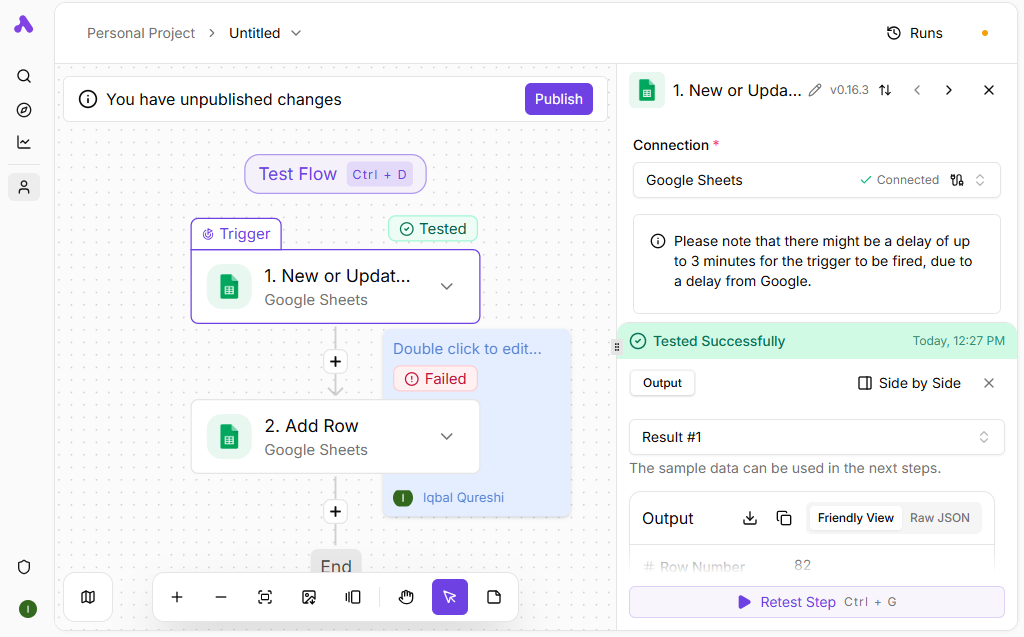
Click Test Flow.
Activepieces will simulate the automation and show:
- Success message
- Errors (if any)
- Output data
Fix any issues before publishing.
Publish Your Workflow
Onece everything works correctly:
- Click Publish
- Turn the workflow ON
Your automation now runs automatically whenever the trigger occurs.
What are the best tips for using Activepieces effectively?
These Activepieces automation tips will help you create smarter, faster, and more reliable no-code workflows:
- Start with simple workflows before creating complex automations.
- Give workflows clear names for easier management.
- Test every workflow before publishing.
- Use folders or tags to organize workflows.
- Regularly review execution logs.
- Keep app permissions up to date.
What can cause Activepieces workflows to fail?
Although Activepieces is designed to be beginner-friendly, small configuration mistakes can cause your automation workflows to fail or behave unexpectedly. Avoid these common mistakes to build reliable, efficient, and scalable Activepieces automations from the start.
The automation will not run until the workflow is manually activated after publishing.
Invalid or expired API keys prevent the automation from connecting to external services.
Failing to test the workflow can leave errors unnoticed before it goes live.
An incorrect trigger may cause the workflow to run at the wrong time or not run at all.
Incorrect field mapping can send inaccurate or incomplete data between connected apps.
Overlooking workflow logs makes it difficult to identify and fix automation issues.
How do you troubleshoot common Activepieces issues?
If your Activepieces automation isn’t working as expected, these troubleshooting tips can help you quickly identify issues, resolve errors, and get your workflows running smoothly.
Check whether:
- The workflow is enabled.
- The trigger has occurred.
- Connected apps are still authorized.
Ensure:
- Field mapping is correct.
- The trigger provides the required information.
- Required fields are not empty.
Try:
- Reconnecting the app.
- Updating expired API keys.
- Checking account permissions.
How can you use Activepieces more effectively?
Once your Activepieces workflows are running successfully, following these best practices will help keep your automations organized, scalable, and easy to maintain as your business and automation needs grow.
Keep workflows simple and easy to understand.
Test changes before publishing.
Secure API keys and credentials.
Document complex automations for your team.
Use descriptive workflow names.
Monitor workflow history regularly.
Remove unused workflows to reduce clutter.
Frequently Asked Questions
1. Is Activepieces free?
Yes. Activepieces offers a free plan with core automation features, along with paid plans that provide higher limits and advanced capabilities.
2. Do I need coding skills?
No. Activepieces is designed for no-code users.
3. Which apps does Activepieces support?
It supports hundreds of popular apps, including Gmail, Google Sheets, Slack, Notion, Trello, OpenAI, Discord, HubSpot, and many more.
4. Can I build multi-step workflows?
Yes. You can create workflows with multiple actions and conditional logic.
5. Is Activepieces secure?
Activepieces uses encryption and authentication methods to help protect user data. Always follow security best practices and use trusted credentials.
6. Can businesses use Activepieces?
Yes. Businesses use Activepieces to automate marketing, customer support, sales, HR, operations, and internal processes.
Conclusion
Activepieces makes workflow automation accessible for beginners and powerful enough for growing businesses. By connecting your favorite apps, you can eliminate repetitive tasks, improve productivity, and reduce manual work. Start with a simple workflow, test it thoroughly, and gradually build more advanced automations as your needs grow.