PS5 DualSense vs DualSense Edge: Which Controller Is Better?
The standard PS5 DualSense already feels like a premium controller, so the DualSense Edge has a difficult question to answer: why should you spend more? Sony’s premium controller doesn’t completely replace the DualSense—it takes the same core experience and adds a much deeper layer of customization.
By TechScaleMedia Editorial · Updated July 2026 · 11 min read
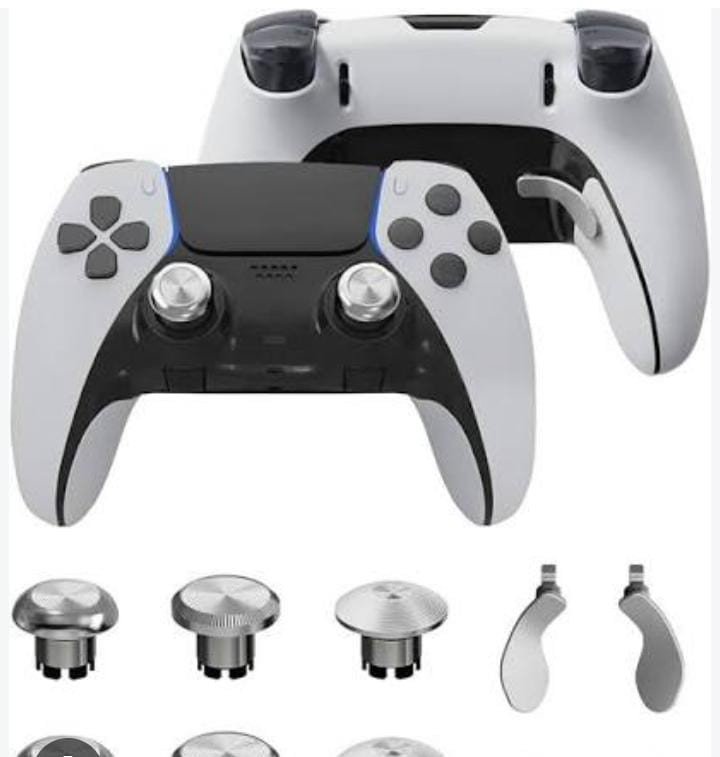
Both controllers feature the signature DualSense experience, including haptic feedback and adaptive triggers, but the Edge adds remappable controls, back buttons, adjustable trigger settings, changeable stick caps, and customizable profiles. Those features can be extremely useful for competitive gamers who want to optimize their controls, but they may be unnecessary for casual players who simply want a comfortable controller for PS5 games.
In this PS5 DualSense vs DualSense Edge comparison, we’ll examine design, comfort, features, customization, back buttons, stick options, triggers, profiles, PC compatibility, and overall value to determine which controller makes more sense for different types of gamers.
DualSense vs DualSense Edge: Quick Comparison
| Feature | DualSense | DualSense Edge |
|---|---|---|
| Haptic feedback | Yes | Yes |
| Adaptive triggers | Yes | Yes |
| Motion controls | Yes | Yes |
| Built-in microphone | Yes | Yes |
| Back buttons | No | Yes |
| Swappable stick caps | No | Yes |
| Adjustable trigger stops | No | Yes |
| Remapping | Limited | Extended |
| Custom profiles | No equivalent | Yes |
| Best for | Most gamers | Competitive/enthusiast players |
Sony officially supports both DualSense and DualSense Edge on Windows PCs, although some features vary by title and platform. On PC, DualSense haptics may require USB in supported games.
PS5 DualSense
The standard DualSense is designed as an all-purpose controller.
Pros
- Excellent ergonomics
- Haptic feedback
- Adaptive triggers
- Motion controls
- Built-in microphone
- Strong all-around experience
- Simpler to use
Cons
- No back buttons
- Less customization
- Fixed stick caps
- No adjustable trigger stops
DualSense Edge
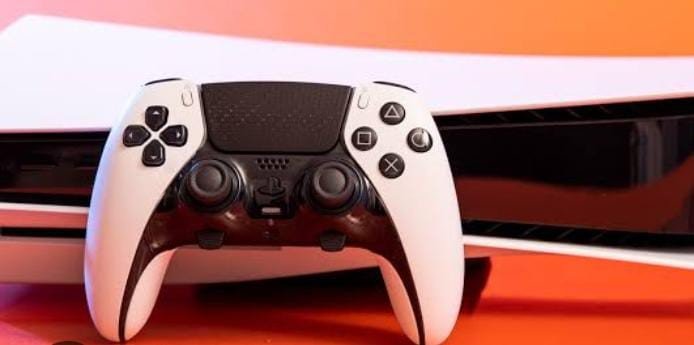
DualSense Edge is built for customization.
Back Buttons
The additional rear controls allow you to assign functions without moving your thumbs away from the sticks.
Traditional Analog Disadvantages
Different stick-cap shapes allow players to customize the physical feel of the analog sticks.
Adjustable Triggers
The Edge allows players to change trigger travel, which can be useful for different genres.
Custom Profiles
Players can create different control configurations and switch between them.
Edge Pros
- Extensive customization
- Back buttons
- Swappable stick caps
- Adjustable trigger settings
- Custom profiles
- Retains DualSense features
Edge Cons
- Higher price
- Heavier design
- More complex
- Premium features aren’t necessary for everyone
DualSense vs Edge for Competitive Gaming
DualSense Edge wins.
Competitive players can benefit from additional inputs and customizable configurations.
DualSense vs Edge for Casual Gaming
DualSense wins.
The standard controller already provides the main DualSense features without the added complexity and premium cost.
PC Gaming
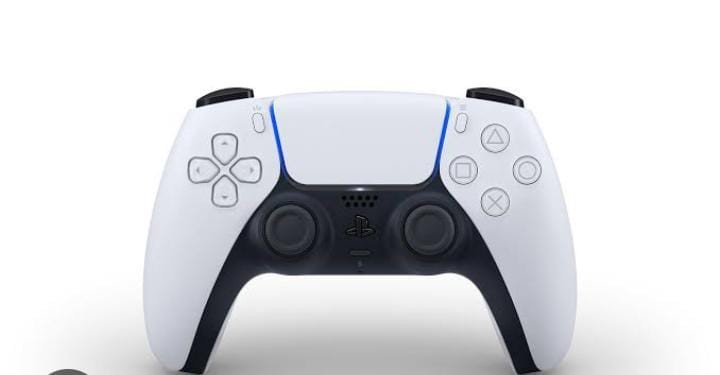
Both controllers can work with Windows PCs.
Sony states that DualSense Edge supports Windows 10 and Windows 11 through Bluetooth or USB. Feature availability varies by game and device.
Ready to Upgrade Your PS5 Gaming Experience?
Choose the controller that matches your playstyle. Stick with the DualSense for a premium, straightforward experience, or step up to the DualSense Edge for customizable controls, back buttons, adjustable triggers, and personalized profiles.
Which Should You Buy?
| Gamer Type | Best Choice |
|---|---|
| Casual PS5 gamer | DualSense |
| Single-player gamer | DualSense |
| Budget-conscious gamer | DualSense |
| Competitive player | DualSense Edge |
| Customization enthusiast | DualSense Edge |
| FPS enthusiast | DualSense Edge |
| Multiple game profiles | DualSense Edge |
Final Verdict
DualSense is the better choice for most players.
DualSense Edge is better for gamers who specifically need advanced customization.
Frequently Asked Questions
Is DualSense Edge better than DualSense?
The Edge is more customizable, but the standard DualSense is better value for many players.
Is DualSense Edge worth it?
It can be worthwhile for competitive players who will actually use its additional controls and customization.
Does DualSense Edge have haptic feedback?
Yes. It retains core DualSense features such as haptic feedback and adaptive triggers.
Does DualSense Edge work on PC?
Yes. Sony supports DualSense Edge on compatible Windows PCs through Bluetooth or USB.
Can DualSense Edge profiles be customized?
Yes. The Edge is designed around customizable control profiles.
Conclusion
The PS5 DualSense vs DualSense Edge decision becomes much easier when you separate basic gaming needs from advanced customization. The standard DualSense remains an excellent choice for most players because it already combines comfortable ergonomics with haptic feedback, adaptive triggers, motion controls, and a straightforward layout.
The DualSense Edge takes that foundation and adds features aimed at players who want to fine-tune their experience, including remappable controls, rear buttons, adjustable triggers, swappable stick caps, and custom profiles. Sony also supports the Edge on Windows PCs, although advanced features can depend on game and platform support.
The important question isn’t whether the Edge has more features—it clearly does. The real question is whether those features will improve the way you play. Choose DualSense if you want a premium everyday controller. Choose DualSense Edge if you’re a competitive or customization-focused gamer who can take advantage of its extra controls.
Upgrade Your PS5 Gaming Without the Guesswork
Choose between the PS5 DualSense and DualSense Edge based on your gaming style, comfort, and need for customization. Whether you want a premium everyday controller or advanced controls for competitive gaming, find the option that fits the way you play.