

How to Use Publer AI Assist: A Complete Beginner's Guide to Creating and Scheduling Social Media Content
Creating engaging social media content takes time, especially when you’re writing captions, designing visuals, finding hashtags, and scheduling posts across multiple platforms. Managing these tasks with different tools can slow down your workflow and reduce productivity.
To use Publer AI Assist, create a Publer account, open the Post Composer, activate the AI Assist sidebar, enter a detailed prompt, generate captions or images, customize the output, set your preferred brand voice, optimize your content with AI suggestions, and schedule your posts across your connected social media platforms.
Publer AI Assist simplifies the process by combining AI-powered content creation, image generation, hashtag suggestions, and post scheduling in one platform. Whether you’re a content creator, marketer, freelancer, or business owner, it helps you create high-quality social media content faster while maintaining a consistent brand voice.
Ready to streamline your content creation process? Follow this step-by-step guide to learn how to use Publer AI Assist like a pro.Sign Up Now
What You'll Need Before Using Publer AI Assist
Before getting started, make sure you have:
- A Publer account
- At least one connected social media account (Facebook, Instagram, LinkedIn, X, Pinterest, etc.)
- A clear content goal (promotion, education, engagement, or sales)
- Your brand colors, tone, and messaging guidelines
- A list of keywords or topics (optional but recommended)
- Access to Publer AI Assist (available on eligible plans)
Create a Workflow Manually (Recommended for Beginners)
If you’re new to automation, manually building your first workflow is the best way to understand how Publer AI Assist works.
Sign In to Publer and Open the Post Composer
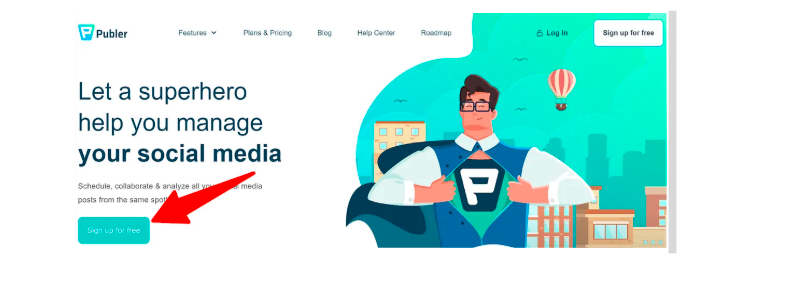
Log in to your Publer dashboard and click Create Post to open the Post Composer.
This is where you’ll write captions, upload media, generate AI content, and schedule your posts.
On the right side of the composer, you’ll find the AI Assist panel.
Click the AI Assist icon located in the Post Composer sidebar.
The AI chat window will open, allowing you to generate content without leaving the editor.
AI Assist can help you:
- Brainstorm content ideas
- Write social media captions
- Rewrite existing text
- Expand short content
- Summarize long posts
- Improve grammar and readability
- Generate hashtags
- Create AI-powered images
The more specific your prompt, the better the results.
Example Prompt:
Write an engaging Instagram caption promoting a new organic skincare product. Use a friendly and inspiring tone, include a call-to-action, and suggest five relevant hashtags.
Once AI Assist is open, type your prompt and click Generate.
Publer AI can create:
- Instagram captions
- Facebook posts
- LinkedIn articles
- X (Twitter) posts
- Blog introductions
- Product descriptions
- Marketing copy
- Promotional comments
- Email snippets
If the first draft isn’t exactly what you need, you can ask AI to:
- Make it shorter
- Expand it
- Change the tone
- Add emojis
- Make it more professional
- Improve readability
- Include keywords
- Add a stronger call-to-action
Visual content often attracts more engagement than text alone. Publer AI Assist includes an AI image generator that lets you create original visuals based on text prompts.
To generate an image:
- Open the AI Assist panel.
- Select Generate Image.
- Describe the image you want.
- Wait a few seconds while the AI creates it.
- Choose your preferred image and add it to your post. Example Prompt:
Create a modern flat illustration of a small business owner managing social media from a laptop in a bright office with blue and white branding.
You can generate images for:
- Product promotions
- Blog thumbnails
- Social media graphics
- Marketing campaigns
- Event announcements
- Inspirational posts
One of the most valuable features of Publer AI Assist is the ability to maintain a consistent brand voice.
Instead of rewriting every post manually, you can train the AI to match your communication style.
For example, you can instruct the AI to write content that is:
- Professional
- Friendly
- Conversational
- Humorous
- Inspirational
- Educational
- Formal
Providing examples of your previous content helps the AI produce more consistent results.
Example Brand Voice
- Friendly and approachable
- Simple language
- Encouraging tone
- Short paragraphs
- Action-oriented CTAs
This ensures every post reflects your brand identity regardless of who creates the content.
After generating your content, review it before publishing.
Use Publer’s optimization tools to:
- Check readability
- Improve formatting
- Add hashtags
- Include emojis where appropriate
- Preview posts for each platform
- Customize captions by platform
- Schedule the best publishing time
Once you’re satisfied, select your preferred date and time, then click Schedule.
Use Publer that will automatically publish your content according to your schedule, helping you maintain a consistent posting calendar without manual effort.
Next, choose the application where you want the data to go. Popular actions include:
Tips for Getting the Best Results
To maximize the effectiveness of Publer AI Assist:
- Write detailed prompts with your audience and goal in mind.
- Specify the desired tone of voice.
- Generate multiple caption variations and choose the best one.
- Review AI-generated content for accuracy before publishing.
- Use AI-generated hashtags as a starting point and refine them based on your niche
- Pair AI-generated captions with original visuals whenever possible.
- Schedule content during your audience's peak engagement times.
For faster setup, Agentic AI can generate complete workflows from a simple text prompt, making automation easy for beginners.
Common Mistakes to Avoid
Avoid these common mistakes when using Publer AI Assist:
Troubleshooting Common Publer AI Assist Issues
If your automation isn’t working as expected, these quick fixes can help.
Check that:
- Check your internet connection.
- Confirm your AI Assist subscription is active.
- Refresh the Post Composer and try again.
Verify that:
- Rewrite your prompt with more detail.
- Specify your target audience, tone, and objective.
- Include keywords or product details in your prompt.
Verify that:
- Use more descriptive prompts.
- Mention colors, style, background, and subject.
- Generate multiple variations before selecting one.
- Verify that your social media accounts are still connected.
- Check scheduling settings and time zone preferences.
- Reconnect expired platform authorizations if needed.
Best Practices for Building Reliable Automations
Follow these best practices to create higher-performing content:
Start with clear content objectives.
Maintain a consistent brand voice across all channels.
Test different captions and posting times.
Build a content calendar for consistent publishing.
Use AI to speed up creation —not replace human creativity.
Edit AI-generated content to add unique insights and personality.
Analyze engagement metrics and refine future content.
Frequently Asked Questions (FAQs)
01.Is Publer worth it?
Yes, Publer is worth it for content creators, marketers, and businesses that want to manage multiple social media accounts from one platform. Its AI Assist, scheduling tools, analytics, and collaboration features help save time and improve content consistency.
02.How do you create a guide with AI?
To create a guide with AI, choose an AI writing tool like Publer AI Assist, provide a detailed prompt describing your topic, audience, and goals, then generate and refine the content. Review the output, add your expertise, and organize it into clear sections before publishing.
03.What is the overview of Publer?
Publer is an AI-powered social media management platform that helps users create, schedule, and publish content across multiple social media networks. It also offers AI-generated captions, image creation, hashtag suggestions, analytics, and collaboration tools to simplify content marketing.
04.Does Publer have an API?
Yes, Publer provides an API that allows developers to integrate Publer's scheduling and publishing features into custom applications and workflows. API access may depend on your subscription plan and business requirements.
05.What AI is the best for study guides?
Some of the best AI tools for creating study guides include ChatGPT, Google Gemini, Claude, Microsoft Copilot, and Publer AI Assist for content organization. These tools can summarize information, explain complex topics, and generate structured learning materials.
06.How do you use guides in AI?
AI guides help users complete tasks more efficiently. Simply enter a clear prompt describing what you need, review the AI-generated content, edit it for accuracy, and customize it to match your goals or audience before using or publishing it.
07.How do I start using AI as a beginner?
The easiest way to start using AI is by choosing a beginner-friendly tool like ChatGPT or Publer AI Assist. Begin with simple tasks such as writing content, brainstorming ideas, or summarizing text. As you become more familiar with AI prompts, you can explore advanced features like image generation, automation, and workflow optimization.
Conclusion
Publer AI Assist simplifies the entire social media content creation process by combining AI writing, image generation, brand voice customization, and scheduling into one intuitive platform. Instead of spending hours brainstorming ideas, writing captions, and switching between multiple design and scheduling tools, you can manage your entire workflow from a single dashboard.
By following the steps in this guide, using detailed prompts, and applying best practices, you’ll be able to create more engaging content, maintain a consistent publishing schedule, and improve your overall social media marketing efficiency.